Redis in Production: Caching, Locks, Memory and Django Best Practices
What to know after the basics: caching patterns, cache failures, memory, locks and running Redis safely with Django.
Introduction
Getting Redis running is easy. Running it well in production is where most teams get hurt: stale caches, a database flooded after a key expires, two workers holding the same lock, or a full server rejecting writes.
This is a short guide to the parts that matter after the basics. If you are new to Redis, start with the Redis Tutorial for Beginners for data types and commands, then come back here.
Pick the Right Data Structure
Choose the structure by the operation you need, not by habit. Storing everything as JSON strings works, but you lose the server-side operations that make Redis useful.
| You need | Use | Key commands |
|---|---|---|
| Cached value, counter, token | String | SET ... EX, GET, INCR |
| Object with fields | Hash | HSET, HGET, HGETALL |
| Unique members, tags, roles | Set | SADD, SISMEMBER |
| Ranking, leaderboard | Sorted set | ZADD, ZREVRANGE |
| Durable event queue | Stream | XADD, XREADGROUP, XACK |
| Approximate unique count | HyperLogLog | PFADD, PFCOUNT |
| Nearby locations | Geospatial | GEOADD, GEOSEARCH |
Caching Strategies
- Cache-aside (lazy loading). The app checks Redis first. On a miss it reads the database and writes the result to Redis. This is the most common pattern.
- Read-through. Same idea, but a cache library loads the data for you on a miss.
- Write-through. Every write updates the database and the cache in the same flow. Reads stay fresh; writes get slower.
- Write-behind. Writes go to the cache first and reach the database later. Fast, but you lose data if Redis fails before the write is saved.
Here is cache-aside done properly. It handles two problems covered in the next section: TTL jitter and caching "not found".
import json
import random

import redis

r = redis.Redis(host="localhost", port=6379, decode_responses=True)
MISSING = "__none__"


def get_product(product_id):
    key = f"product:{product_id}"
    cached = r.get(key)

    if cached == MISSING:
        return None                      # known "not found"
    if cached is not None:
        return json.loads(cached)        # cache hit

    product = load_product_from_db(product_id)
    if product is None:
        r.set(key, MISSING, ex=60)       # negative cache, short TTL
        return None

    ttl = 300 + random.randint(0, 60)    # jitter: 300 to 360 seconds
    r.set(key, json.dumps(product), ex=ttl)
    return product
Always return the same type on a hit and on a miss. A common bug returns a dict from the cache but a model object from the database.
Three Cache Problems to Plan For
| Problem | What happens | Fix |
|---|---|---|
| Cache stampede | A popular key expires and hundreds of requests hit the database at once | Lock so one request rebuilds, refresh in the background, TTL jitter |
| Cache penetration | Requests for IDs that do not exist skip the cache every time | Cache "not found" briefly, validate input, Bloom filter |
| Cache avalanche | Many keys expire at the same moment | Random TTLs so expiry spreads out |
Memory, Eviction and Why Redis Is Fast
Redis keeps data in RAM and runs commands one at a time on a main thread. No locks are needed around normal commands, which is why each command is atomic. Modern Redis uses extra threads for network I/O and background work, but command execution stays sequential.
That design has a cost: one slow command blocks everyone. Avoid KEYS *, huge HGETALL calls and deleting giant keys with DEL. Use SCAN to iterate keys and UNLINK to delete large keys; it frees memory in the background.
Set a memory limit and an eviction policy. The default policy is noeviction, which rejects writes when memory is full.
maxmemory 2gb
maxmemory-policy allkeys-lru
| Policy | Behavior | Good for |
|---|---|---|
noeviction | Rejects writes when full | Redis as a primary store or queue |
allkeys-lru | Evicts least recently used keys | Pure cache |
allkeys-lfu | Evicts least frequently used keys | Cache with stable hot keys |
volatile-lru | LRU among keys with a TTL | Mixed cache and permanent keys |
volatile-ttl | Evicts keys closest to expiry | Short-lived data |
Watch INFO MEMORY. If mem_fragmentation_ratio is well above 1.5, Redis holds much more memory than its data needs.
Persistence and High Availability
Persistence saves data to disk so it survives a restart. Replication keeps copies on other servers. They solve different problems, and production usually needs both.
| RDB | AOF | |
|---|---|---|
| How | Point-in-time snapshots | Log of every write |
| Data loss window | Everything since the last snapshot | About one second with appendfsync everysec |
| File size | Small | Larger |
| Replication | Sentinel | Cluster | |
|---|---|---|---|
| Purpose | Copies of data | Automatic failover | Sharding plus failover |
| Automatic failover | No | Yes | Yes |
| Splits data across nodes | No | No | Yes, by hash slot |
Rule of thumb: replication for copies, Sentinel when one primary is enough but you need failover, Cluster when data or traffic outgrows one primary.
Pub/Sub vs Streams
Pub/Sub sends a message to whoever is subscribed right now. If a subscriber is offline, it misses the message. Use it for live updates where losing one is fine.
Streams store messages. Consumer groups split work between workers, and each worker acknowledges what it finished. Unacknowledged messages can be retried.
r.xgroup_create("orders", "workers", id="0", mkstream=True)
msg_id = r.xadd("orders", {"order_id": 101, "status": "paid"})

messages = r.xreadgroup("workers", "worker1", {"orders": ">"}, count=1)
# ... process the order ...
r.xack("orders", "workers", msg_id)
Transactions, Lua and Pipelining
- Transactions (
MULTI/EXEC) run queued commands together with no other client in between. There is no rollback: if one command fails, the others still run.WATCHadds optimistic locking. - Lua scripts run several commands atomically on the server, with logic in between. Use them for read-then-write steps.
- Pipelining sends many commands in one network round trip. It is faster, but not atomic.
A classic example is a rate limiter. Calling INCR and then EXPIRE from Python leaves a gap: if the app crashes between them, the key never expires and the user is blocked forever. A Lua script closes that gap.
RATE_LIMIT = r.register_script("""
local count = redis.call('INCR', KEYS[1])
if count == 1 then
    redis.call('EXPIRE', KEYS[1], ARGV[1])
end
return count
""")


def allow_request(user_id, limit=100, window=60):
    count = RATE_LIMIT(keys=[f"rate:{user_id}"], args=[window])
    return count <= limit
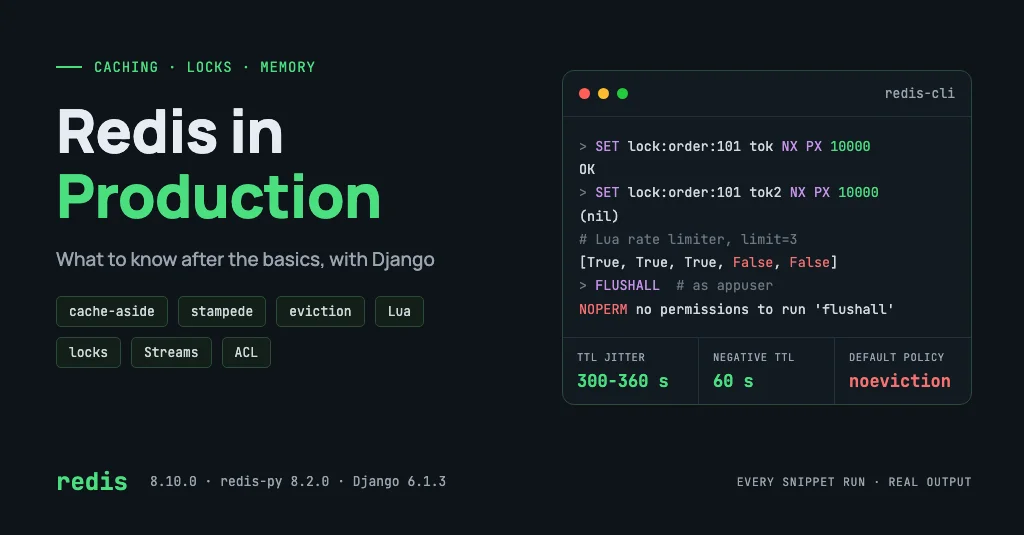
With limit=3, five calls returned [True, True, True, False, False] and the key had a 60 second TTL. This is a fixed window, so a user can send up to twice the limit across a window boundary. Use a sliding window if that matters.
Distributed Locks
A lock lets only one worker run a job at a time. Set the key only if it does not exist (NX), with an expiry (PX) and a unique token:
import uuid

RELEASE = r.register_script("""
if redis.call('GET', KEYS[1]) == ARGV[1] then
    return redis.call('DEL', KEYS[1])
end
return 0
""")


def acquire(name, ttl_ms=10_000):
    token = str(uuid.uuid4())
    return token if r.set(name, token, nx=True, px=ttl_ms) else None


def release(name, token):
    return RELEASE(keys=[name], args=[token])
Release with a script that checks the token. A plain DEL can delete a lock that expired and now belongs to another worker. redis-py's r.lock(name, timeout=10) does all of this for you.
Redis with Django
Install django-redis and point the cache and sessions at Redis:
# settings.py
CACHES = {
    "default": {
        "BACKEND": "django_redis.cache.RedisCache",
        "LOCATION": "redis://127.0.0.1:6379/1",
        "TIMEOUT": 300,
    }
}

SESSION_ENGINE = "django.contrib.sessions.backends.cache"
SESSION_CACHE_ALIAS = "default"
Cache a query result in one line. get_or_set calls the function only on a miss:
from django.core.cache import cache


def get_products():
    return cache.get_or_set(
        "products:all",
        lambda: list(Product.objects.values("id", "name", "price")),
        timeout=300,
    )
For Celery, use a separate Redis database number (or a separate instance) for the broker, so cache eviction never deletes queued tasks:
app.conf.broker_url = "redis://localhost:6379/2"
app.conf.result_backend = "redis://localhost:6379/3"Production Checklist
- Keep Redis on a private network. Never expose port 6379 to the internet.
- Use ACL users with only the commands and keys they need, and enable TLS.
- Set
maxmemoryand amaxmemory-policythat fits the workload. - Put a TTL on every temporary key, and use clear key names like
user:101:profile. - Reuse one client so redis-py can pool connections. Do not connect per request.
- Set connection and socket timeouts, and make the app fall back to the database when Redis is down.
- Monitor memory, hit ratio, evicted keys, latency (
SLOWLOG GET 10) and replication lag. - Back up, and test that restoring actually works.
A minimal ACL user that can only read and write app:* keys:
ACL SETUSER appuser on >StrongPassword ~app:* +get +set +del +expire
Tested: this user could SET app:x, got NOPERM for FLUSHALL, and got NOPERM for keys outside app:*.
Interview Questions
Is Redis single-threaded? Commands run one at a time on the main thread. Network I/O and some background tasks use extra threads.
RDB or AOF? RDB for compact backups, AOF for a smaller data loss window. Many setups use both.
Pub/Sub or Streams? Pub/Sub for live, lossy messages. Streams when messages must be kept, retried and acknowledged.
How do you stop a cache stampede? Let one request rebuild the key behind a lock, refresh hot keys early, and add jitter to TTLs.
Redis goes down. What happens to your Django app? It should keep working, slower. Use short timeouts, fall back to PostgreSQL, and rate limit so the database is not overwhelmed.
Two users buy the last item at once. How do you prevent overselling? Let PostgreSQL decide with a transaction and a conditional update. Redis can help with coordination, but it is not the source of truth for stock.
Redis memory keeps growing. Where do you look? Keys without TTLs, big keys (redis-cli --bigkeys), eviction stats, fragmentation, and code that creates unbounded key names.
Conclusion
Redis is more than a cache, but caching is where most production bugs live. Pick the right structure, always set TTLs, plan for stampedes, make multi-step operations atomic, and design the app to survive Redis being down. Keep business data in PostgreSQL. Speed never justifies losing consistency.