Lazy Imports in Python: Benefits, Examples and Best Practices
How to load a module only when your code actually needs it, what that buys you in startup time, what it costs you in predictability, and where the new lazy import syntax in Python 3.15 fits.
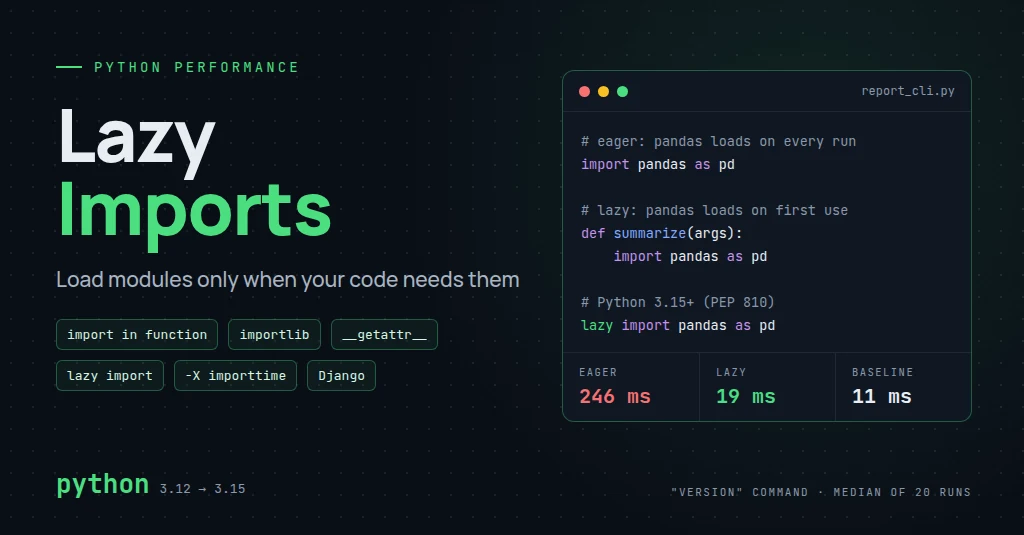
Introduction
Every import at the top of a Python file runs when that file is loaded. Usually that is fine. The standard library loads quickly, and most modules are small. Trouble starts when a project grows and its top-level imports pull in heavy libraries that only one code path uses.
You see it in places like these:
- A command-line tool that takes a quarter of a second to print
--versionbecause it imports pandas first. - A Django project where every management command, test run and worker boot pays for a PDF or Excel library that one admin view uses.
- A package with optional features, where users who never touch the plotting module still wait for matplotlib.
- Developer scripts and git hooks that run dozens of times a day, where 300 ms of startup adds up.
The idea behind lazy imports in Python is simple. Load a module when the code first needs it, not when the program starts. Code paths that never use the module never pay for it.
It is not a general speed-up. If your program uses the module on every run, deferring the import moves the cost; it does not remove it. This guide covers how imports work, five ways to make them lazy, a measured before-and-after example, Django-specific advice, and the trade-offs that decide whether the technique is worth it.
Examples were tested on Python 3.12. The lazy keyword examples were tested on a Python 3.15 pre-release, because the syntax only exists from 3.15.
What Are Lazy Imports in Python?
A regular import runs as soon as Python reaches the statement. At the top of a file, that means the moment the file itself is imported or executed.
import pandas as pd


def analyze_data(data):
    return pd.DataFrame(data)
Here pandas loads when this module loads, whether or not anyone ever calls analyze_data(). pandas in turn loads NumPy and a long list of its own submodules, so the cost is real.
The simplest lazy import moves the statement into the function:
def analyze_data(data):
    import pandas as pd

    return pd.DataFrame(data)
Now pandas loads the first time analyze_data() runs and reaches that line. Later calls find pandas already loaded in Python's module cache and skip the expensive part.
Two clarifications are worth keeping in mind:
- This defers the import; it is not a lazy module object. The import still happens all at once, just later. Tools covered further down (
LazyLoader,lazy_loader, and Python 3.15'slazy import) create a placeholder that loads on first attribute access, which is a different mechanism. - Importing a module is not the same as running your code. Importing executes the module's top-level code: class and function definitions, constants, and any setup it does. Calling
pd.DataFrame()is separate work that happens afterwards. Lazy imports only shift the first kind of cost.
How Python Imports Work
When Python executes import pandas, the import system roughly does this:
- Check the cache. If
"pandas"is already a key insys.modules, Python binds that existing module to the name and stops. - Find the module. Finders search
sys.pathfor a matching package, source file, compiled extension or other loader. - Create and register it. A new module object is created and stored in
sys.modulesbefore its code runs, which is what makes circular imports partially work. - Execute it. The loader runs the module's top-level code. For source files, Python reuses cached bytecode from
__pycache__when it is up to date.
The expensive step is usually execution, and it is recursive. Every import inside pandas triggers the same process for its own dependencies. A single line in your file can initialise hundreds of modules.
Import-time side effects add to the bill. A module that reads config files, compiles regular expressions, opens connections, registers plugins or builds large lookup tables at the top level does that work for every process that imports it.
Most imports are cheap. import json or import os costs little, and many standard library modules are already loaded by the time your code runs. Do not move every import into functions. Measure first and target the few that matter.
Measure import cost with -X importtime
CPython has had a built-in import profiler since 3.7. -X importtime prints the time each import takes, in microseconds, to stderr:
python -X importtime -c "import pandas" 2> import.log
sort -t'|' -k2 -n import.log | tail -5
import time: self [us] | cumulative | imported package import time: 1073 | 41022 | pandas.core.groupby.generic import time: 948 | 58594 | numpy import time: 206 | 71552 | pandas.core.api import time: 284 | 199819 | pandas
On my machine, import pandas took about 200 ms cumulative, with NumPy alone near 59 ms. The self column shows time spent in a module's own top-level code; cumulative includes everything it imported. Look at cumulative first to find the expensive roots.
Python 3.14 added -X importtime=2, which also reports imports that hit the sys.modules cache. That helps answer "who else imports this?" when a module seems impossible to remove.
Different Ways to Implement Lazy Imports
There are several ways to defer an import. They range from one moved line to interpreter-level support. Start with the simplest one that solves your problem.
Approach A: import inside a function
def generate_report(data):
    import pandas as pd

    frame = pd.DataFrame(data)
return frame.describe()- Simple. No tools, no indirection. Anyone reading the function sees what it needs.
- Deferred to first call. The first call pays the full import cost; nothing else does.
- Cached afterwards. Later calls do a
sys.moduleslookup and a name binding. On my machine that measured about 80 ns per call against about 24 ns for using a module-level name. Negligible for a report function, worth avoiding inside a loop that runs millions of times. - Best for: heavy dependencies used by one or two functions, such as exports, reports, image processing or a rarely used admin action.
Approach B: import inside a conditional branch
def export_data(rows, fmt):
    if fmt == "csv":
        import pandas as pd

        return pd.DataFrame(rows).to_csv(index=False)

    if fmt == "json":
        import json

        return json.dumps(rows)

    raise ValueError(f"Unsupported format: {fmt}")
Each branch loads only what it needs. A caller asking for JSON never loads pandas. This matters most when the dependencies are optional: a user who has not installed pandas can still export JSON, and only the CSV branch fails.
Placing import json inside the branch is mostly for symmetry. It is a cheap standard library module; putting it at the top of the file would be just as good.
Approach C: import on demand with importlib
When the module name is data rather than code, for example a backend chosen in settings or a plugin listed in a config file, use importlib.import_module():
import importlib

EXPORTERS = {
    "csv": "myapp.exporters.csv_exporter",
    "xlsx": "myapp.exporters.xlsx_exporter",
}


def load_exporter(name):
    try:
        module_path = EXPORTERS[name]
    except KeyError:
        raise ValueError(f"Unsupported exporter: {name!r}") from None

    return importlib.import_module(module_path)
This is the basis of most plugin systems. Only the selected exporter is imported, and adding a new one means adding a module and a dictionary entry.
Approach D: module-level __getattr__ (PEP 562)
Since Python 3.7, PEP 562 lets a module define __getattr__. Python calls it only when normal attribute lookup on the module fails. A package can use that hook to import submodules the first time someone touches them:
# analytics/__init__.py
import importlib

_LAZY_SUBMODULES = {"charts", "forecasting"}


def __getattr__(name):
    if name in _LAZY_SUBMODULES:
        return importlib.import_module(f".{name}", __name__)
    raise AttributeError(f"module {__name__!r} has no attribute {name!r}")


def __dir__():
    return sorted(set(globals()) | _LAZY_SUBMODULES)
import analytics is now cheap. analytics.charts imports the submodule on first access. After that the import system has already set charts as an attribute of the package, so __getattr__ is not called again. The __dir__ function keeps the lazy names visible in dir() and in interactive completion.
The cost is discoverability. Static analysers and IDEs cannot see attributes created by __getattr__ unless you help them, usually with a .pyi stub or explicit imports under if TYPE_CHECKING:. Use this pattern for libraries with a large public namespace, not for application code where a function-local import would do.
Approach E: lazy module objects (stdlib and third-party)
Sometimes you want a module object at the top of the file that only loads when used. Two options exist before Python 3.15.
The standard library route is importlib.util.LazyLoader, available since Python 3.5. The importlib documentation includes a short recipe that wraps it into a lazy_import(name) helper. The documentation is also frank about the downside: it discourages LazyLoader unless startup time is critical, because errors raised while loading show up later and out of context.
The third-party route is a package such as lazy_loader from the Scientific Python project, used by libraries like scikit-image. It provides lazy_loader.load("numpy") for single modules and lazy_loader.attach() to generate a package's __getattr__. At the time of writing it is actively maintained (version 0.6, released September 2026, supporting Python 3.9 and later). It is not part of the standard library, so it is another dependency to track.
Either way, you trade simple code for a proxy object whose behaviour is less obvious when debugging. For application code, function-local imports usually get you the same benefit with none of the machinery.
Approach F: interpreter-level lazy imports (Python 3.15+)
Earlier attempts to make laziness a global interpreter switch did not land. PEP 690, which proposed making imports lazy by default behind a global flag, was rejected.
PEP 810, Explicit lazy imports, took the opposite approach: the developer marks individual imports as lazy. It was accepted, its status is now Final, and it ships in Python 3.15. The 3.15.0 final release is scheduled for 9 October 2026 (see PEP 790). Check What's New in Python 3.15 for the details of the release you install.
# Python 3.15+ only
lazy import json
lazy from pathlib import Path

print("Starting up...")       # json and pathlib are not loaded yet

data = json.loads('{"a": 1}')  # json loads here, on first use
here = Path(".")               # pathlib loads here
What I verified on a 3.15 pre-release, and what the documentation states:
lazyis a soft keyword. It only means something directly beforeimportorfrom, so existing variables namedlazykeep working.- The statement binds a placeholder. The module is not in
sys.modulesuntil the name is first used. At that point Python performs the real import and replaces the placeholder (the PEP calls this reification). - Lazy imports are only allowed at module level. Inside a function, class body or
try/exceptblock, they are aSyntaxError. Star imports andfrom __future__imports cannot be lazy either. - A missing module does not fail at the
lazy importline. It raisesImportErrorat first use, with the originalModuleNotFoundErrorchained to it. -X lazy_imports=allorPYTHON_LAZY_IMPORTS=allmakes module-level imports lazy without the keyword.normal(the default) respects only explicitlazyimports.sys.set_lazy_imports()andsys.set_lazy_imports_filter()control the same behaviour at runtime and are intended for applications, not libraries.
Older Python versions cannot parse the lazy keyword. A file that uses it fails with SyntaxError on 3.14 and earlier. For code that must support both, PEP 810 adds a module-level __lazy_modules__ list:
__lazy_modules__ = ["pandas"]

import argparse
import pandas as pd   # lazy on Python 3.15+, an ordinary import on older versions
Python 3.15 treats imports of listed modules as lazy. Older versions ignore the variable, so the file still works everywhere. I confirmed both behaviours on 3.12 and the 3.15 pre-release.
Benefits of Lazy Imports
Each benefit below comes from one fact: code that never runs an import never pays for it. That also defines the limit of each benefit.
Faster application startup
Why: Python executes every top-level import before your first line of real work. Removing a heavy one from that path removes its cost from startup.
When it helps: short-lived processes such as CLIs, scripts, serverless functions, test runs and autoscaled workers that start often.
Limit: if the deferred module is used on most runs, the total time is the same. Only the moment the cost is paid changes.
Reduced initial import overhead
Why: one heavy import often pulls in hundreds of transitive modules. Deferring the root defers the whole tree.
When it helps: modules that are imported by many others, such as a shared utils.py that happens to import a big SDK.
Limit: if another module imports the same dependency eagerly, the dependency still loads at startup. Use -X importtime to confirm the module actually disappears from the startup path.
Optional dependency management
Why: a deferred import only runs on the code path that needs it, so a missing optional package fails only on that path.
When it helps: packages with extras, for example pip install mytool[excel]. Users without the extra can still use everything else.
Limit: you need a clear error message for the missing package, and tests for both the installed and missing cases.
Better command-line responsiveness
Why: CLIs often have many subcommands, and each run uses one. Eager imports make every subcommand pay for all of them.
When it helps: --help, --version, shell completion and small subcommands. Users notice delays of a few hundred milliseconds in an interactive tool.
Limit: a CLI whose main command needs the heavy library will still feel slow on that command.
Improved modularity
Why: putting a dependency next to the only code that uses it makes the dependency visible and easy to remove.
When it helps: isolating integrations such as payment SDKs, cloud clients or report renderers behind a single function or module.
Limit: scattered imports across many functions can make a module's dependencies harder to see at a glance. Keep them to a few clear entry points.
Lower initial memory use in some applications
Why: a module that is never imported never allocates its functions, classes, constants and native libraries.
When it helps: many small processes on one host, or memory-limited containers. In the benchmark below, the eager CLI peaked at about 65 MiB of resident memory for the version command and the lazy one at about 11 MiB.
Limit: once the module is used, memory reaches the same level. Long-running servers that use the module anyway gain nothing. Pre-forking servers, such as Gunicorn with --preload, can even lose a little. Modules loaded before the fork can share memory pages with every worker through copy-on-write, while a lazily loaded module is loaded separately in each worker.
Plugin and backend architectures
Why: with importlib, only the configured backend is imported. Unused backends and their dependencies stay on disk.
When it helps: storage backends, payment providers, export formats, notification channels.
Limit: a broken backend is only discovered when someone selects it. Import every registered backend in a test.
Before-and-After Example: A Report CLI
Here is a small command-line tool with two subcommands. version prints a string. summary reads a CSV with pandas and prints statistics. To run it, install pandas first:
python -m venv .venv
source .venv/bin/activate
pip install pandas
Eager version
# report_eager.py
import argparse

import pandas as pd


def show_version(args):
    print("report-cli 1.0.0")


def summarize(args):
    frame = pd.read_csv(args.path)
    print(frame.describe())


def main():
    parser = argparse.ArgumentParser(prog="report-cli")
    commands = parser.add_subparsers(required=True)

    version = commands.add_parser("version")
    version.set_defaults(handler=show_version)

    summary = commands.add_parser("summary")
    summary.add_argument("path")
    summary.set_defaults(handler=summarize)

    args = parser.parse_args()
    args.handler(args)


if __name__ == "__main__":
    main()
Execution flow for python report_eager.py version:
start interpreter
↓
import argparse
↓
import pandas  ← loads NumPy and the rest of pandas
↓
parse arguments
↓
print "report-cli 1.0.0"
Lazy version
The only change is where pandas is imported:
# report_lazy.py (only the changed parts)
import argparse


def summarize(args):
    import pandas as pd

    frame = pd.read_csv(args.path)
    print(frame.describe())
Now version goes straight from argument parsing to printing. summary imports pandas when it starts its real work.
On Python 3.15 or later, you can get the same effect without moving the import. Change the top-level line to lazy import pandas as pd. pandas then loads at the first pd.read_csv call. I checked this flow on a 3.15 pre-release with a stand-in module, because pandas did not yet run on that pre-release build.
Benchmark script
This script uses only the standard library. It runs each command as a fresh process, because the import cache lives inside a process; timing imports inside one long-running process would measure the cache, not startup.
# bench.py
import statistics
import subprocess
import sys
import time

RUNS = 20


def measure(command):
    timings = []
    for _ in range(RUNS):
        start = time.perf_counter()
        subprocess.run(command, check=True, stdout=subprocess.DEVNULL)
        timings.append(time.perf_counter() - start)
    return statistics.median(timings) * 1000


def main():
    python = sys.executable
    cases = {
        "baseline (python -c pass)": [python, "-c", "pass"],
        "eager version": [python, "report_eager.py", "version"],
        "lazy version": [python, "report_lazy.py", "version"],
        "eager summary": [python, "report_eager.py", "summary", "sales.csv"],
        "lazy summary": [python, "report_lazy.py", "summary", "sales.csv"],
    }
    # One warm-up run per case so the OS file cache is not part of the result
    for command in cases.values():
        subprocess.run(command, check=True, stdout=subprocess.DEVNULL)

    print(f"Python {sys.version.split()[0]}, {RUNS} runs each, median wall time")
    for label, command in cases.items():
        print(f"{label:<28} {measure(command):8.1f} ms")


if __name__ == "__main__":
    main()
Put bench.py, both CLI files and a small sales.csv (any CSV with a few numeric columns) in one folder and run python bench.py.
Measured results
These are real numbers from one machine, not a general claim. Environment: Linux, Intel Core i5-1155G7, Python 3.12.3, pandas 3.0.6, 20 runs per case, median wall time measured from the parent process. I ran the script twice and the results matched within about 15 ms.
| Command | Eager | Lazy |
|---|---|---|
python -c pass (interpreter baseline) | 11 ms | 11 ms |
version | 246 to 259 ms | 19 ms |
summary sales.csv | 262 to 272 ms | 262 to 265 ms |
Two results matter:
versiongot about 13 times faster, because it no longer loads pandas at all.summarydid not change. It still needs pandas, so it still pays roughly 250 ms; it just pays at a different line. The time until the first useful output is the same.
Your numbers will differ with hardware, Python version, library versions, disk cache state and whether bytecode is already compiled. Run the script on your own tool before deciding anything. The pattern will hold, though: lazy imports speed up the paths that skip the module and do nothing for the paths that use it.
Lazy Imports in Django Applications
Django loads a lot at startup on purpose. django.setup() imports every app in INSTALLED_APPS, their models and their AppConfig.ready() hooks. Middleware is imported when the WSGI or ASGI handler is created. The URLconf, and every views module it references, is imported the first time a URL is resolved, or earlier when system checks run. Anything those modules import at the top level loads in every process: web workers, Celery workers, test runners and each manage.py command.
That makes a few places good candidates for deferring heavy imports:
- Management commands that need pandas, boto3 or a reporting library.
- Report and export features such as Excel, PDF or Parquet output.
- Image processing with Pillow or OpenCV that only one upload path needs.
- External service clients used by a single integration.
- Rarely used admin actions that pull in large libraries.
A rarely used export view
# orders/views.py
import io

from django.contrib.admin.views.decorators import staff_member_required
from django.http import HttpResponse

from .models import Order

XLSX_TYPE = "application/vnd.openxmlformats-officedocument.spreadsheetml.sheet"


@staff_member_required
def export_orders_xlsx(request):
    # openpyxl is only needed by this rarely used admin export
    from openpyxl import Workbook

    workbook = Workbook()
    sheet = workbook.active
    sheet.append(["ID", "Status", "Total"])
    for row in Order.objects.values_list("id", "status", "total").iterator():
        sheet.append(list(row))

    buffer = io.BytesIO()
    workbook.save(buffer)

    response = HttpResponse(buffer.getvalue(), content_type=XLSX_TYPE)
    response["Content-Disposition"] = 'attachment; filename="orders.xlsx"'
    return response
Every other view in orders/views.py, and every worker that imports this file, no longer loads openpyxl.
A management command with an optional dependency
Django discovers management commands by file name and imports a command's module only when you run that command. Heavy imports at the top of a command file therefore only slow that command. The pattern below is still useful when one command has an optional, heavier mode:
# orders/management/commands/export_orders.py
from django.core.management.base import BaseCommand, CommandError

from orders.models import Order


class Command(BaseCommand):
    help = "Export orders as CSV or Parquet."

    def add_arguments(self, parser):
        parser.add_argument("path")
        parser.add_argument("--format", choices=["csv", "parquet"], default="csv")

    def handle(self, *args, **options):
        rows = Order.objects.values("id", "status", "total")

        if options["format"] == "parquet":
            try:
                import pandas as pd
                import pyarrow  # noqa: F401  pandas uses it to write Parquet
            except ImportError:
                raise CommandError(
                    "Parquet export needs pandas and pyarrow: pip install pandas pyarrow"
                ) from None
            pd.DataFrame.from_records(rows).to_parquet(options["path"])
        else:
            import csv

            with open(options["path"], "w", newline="") as handle:
                writer = csv.DictWriter(handle, fieldnames=["id", "status", "total"])
                writer.writeheader()
                writer.writerows(rows)

        self.stdout.write(self.style.SUCCESS(f"Exported to {options['path']}"))
The import pyarrow line is there for a reason. While testing this example, my first version only checked for pandas. pandas was installed but pyarrow was not, and the command failed deep inside to_parquet() with a less helpful error. Check every dependency the deferred path needs, up front.
What lazy imports will not fix
In most Django projects, import time is not the bottleneck. Lazy imports do not replace:
- Query optimization: removing N+1 queries and fetching less data
- Database indexing
- Caching expensive results
- Keeping heavy work out of app initialization and out of the request cycle
- A sound application structure
If your pages are slow, look at the queries first. My post on scaling Django applications to millions of records covers that side.
Django-specific cautions
- Import-time side effects. Some imports exist for their side effects: registering signal receivers, admin classes, template tags, checks or serializers. Deferring them changes behaviour, not just timing.
- App initialization and
AppConfig.ready(). Django's documentation recommends importing signal handlers insideready(). That is a deferred import, but it is a required one. It must run at startup, so keep it there. - Circular imports. A function-local import can break a cycle between two apps, and Django itself sometimes uses one. Treat it as a patch. Resolving the dependency direction, or referring to models by string (
"orders.Order") andapps.get_model(), is the real fix. - Signal registration. If
signals.pyis only imported from a lazy path, receivers silently do nothing until that path runs. - Model discovery. Django finds models by importing each app's
modelsmodule during setup. Never hide models behind a lazy path; migrations and the ORM will not see them. - Test behaviour. A deferred import may already be cached by an earlier test, so the first-use path behaves differently in a full suite than in isolation. Patch the dependency with
unittest.mock.patch.dict(sys.modules, ...)when you need to test the missing-package case. - Optional dependencies. Document which features need which extras, and fail with a clear
CommandErrororImproperlyConfiguredmessage instead of a rawImportError.
# orders/apps.py
from django.apps import AppConfig


class OrdersConfig(AppConfig):
    name = "orders"

    def ready(self):
        # Registers signal receivers. This must run at startup, so it is
        # not a candidate for lazy loading.
        from . import signals  # noqa: F401
I ran both examples above in a minimal Django 6.1 project. The signal fired, the CSV export worked, the Parquet path raised the CommandError when pyarrow was missing, and openpyxl was not in sys.modules until the export view ran.
Potential Drawbacks and Limitations
Delayed errors
A missing or broken dependency used to fail at startup, where deployment checks catch it. Now it fails when a user clicks Export, possibly weeks later.
Mitigation: add a smoke test or startup check that imports every optional dependency you expect in that environment. Run it in CI and in your deploy pipeline.
Latency on first use
The first request that needs the module pays the whole import cost. In the benchmark, that is about 250 ms added to one request.
Mitigation: for long-running servers where that module is used regularly, import it at startup instead. If you defer it, consider warming it up after boot, outside the request path.
Debugging complexity
With proxy-based approaches, an import error surfaces at an attribute access far from the import line. Python 3.15 chains the original error, which helps, but the traceback still starts at the point of use.
Mitigation: prefer plain function-local imports, where the import line is right next to the code that needs it.
Type checking and IDE support
Type checkers and IDEs handle function-local imports well. importlib calls and __getattr__ tricks are opaque to them. A function-local import also leaves no module-level name for type annotations.
Mitigation: import types under TYPE_CHECKING. Type checkers see the import; the runtime does not execute it.
from __future__ import annotations

from typing import TYPE_CHECKING

if TYPE_CHECKING:
    import pandas as pd


def load_sales(path: str) -> pd.DataFrame:
    import pandas as pd

    return pd.read_csv(path)
Circular import problems
Moving an import into a function can stop a circular import error, because by the time the function runs both modules are fully loaded. It hides the cycle without removing it, and the next refactor can bring it back.
Mitigation: use the local import as a short-term fix and leave a comment. Then break the cycle by moving shared code into a third module or reversing one dependency.
Threading and concurrency
Python's import system uses per-module locks, so two threads importing the same module at once do not initialise it twice. Plain function-local imports are safe.
Custom lazy logic is a different matter. If you build an expensive object on first use, such as a client, a model or a parsed config, two threads can both see "not built yet" and both build it.
Mitigation: guard custom first-use work with a lock.
import threading

_client = None
_client_lock = threading.Lock()


def get_client():
    global _client
    if _client is None:
        with _client_lock:
            if _client is None:
                from storage_sdk import Client  # placeholder for a heavy SDK

                _client = Client.from_env()
    return _client
Testing complexity
Deferred code paths are easy to forget. A test suite that never calls the export function never imports its dependency, so a broken import ships unnoticed.
Mitigation: give every lazy path at least one test. Also test the "dependency missing" behaviour when the dependency is optional.
Maintenance overhead
A custom lazy-import framework, with proxies, registries and import hooks, is code your team has to understand and maintain. It is easy to build one that costs more engineering time than it saves in startup time.
Mitigation: start with function-local imports. Reach for LazyLoader, lazy_loader or __getattr__ only for libraries with real startup budgets. On Python 3.15+, prefer the standard lazy keyword over any home-grown mechanism.
When Should You Use Lazy Imports?
| Scenario | Recommended approach | Reason | Important consideration |
|---|---|---|---|
| Rarely used heavy dependency | Function-local import | Most runs never need it | Test the path; expect first-use latency |
| Optional export or integration | Import inside the branch, with a clear error | Users without the extra can use everything else | Document the extra; test installed and missing cases |
| Small command-line utility | Function-local imports per subcommand, or lazy import on 3.15+ | Startup time is most of the run time | Measure with -X importtime and a subprocess benchmark |
| Core application initialization | Regular top-level imports | Settings, models and app registry must load predictably | Deferring them can break behaviour |
| Frequently used request handlers | Regular top-level imports | The module loads anyway; laziness only moves the cost into a request | Warm up at boot rather than on the first request |
| Plugin or backend system | importlib.import_module() with an allowlist | Only the selected plugin loads | Never pass untrusted input; import all plugins in tests |
| Modules with required import-time side effects | Regular imports, or Django's AppConfig.ready() | Signals, registries and checks must run at startup | Lazy loading here causes silent failures |
| Library with a large public namespace | Module __getattr__ (PEP 562) or lazy_loader | import yourlib stays cheap for every user | Add stubs or TYPE_CHECKING imports for IDEs |
Ordinary top-level imports remain the right default. They make dependencies visible at a glance, fail fast when something is missing, and match what linters and every Python developer expect. Use lazy imports where a measurement shows they pay off.
Best Practices
- Profile before optimizing. Run
python -X importtimeand find the imports that actually cost something. - Measure startup and first use separately. Benchmark fresh processes, and time both the path that skips the module and the path that uses it.
- Prefer simple function-local imports. They need no tools and are easy to read.
- Keep required initialization explicit. Models, signal registration, admin registration and app setup stay eager.
- Avoid custom import frameworks unless a library genuinely needs them.
- Validate dynamic module names against an allowlist or trusted configuration.
- Document optional dependencies and raise clear errors when they are missing.
- Test every deferred path, including the case where an optional dependency is absent.
- Account for first-request latency in servers; warm up hot modules at boot.
- Keep type checking working with
TYPE_CHECKINGimports or stubs. - Keep import behaviour predictable. Follow one convention per project and comment why an import is deferred.
- Do not use lazy imports to hide architecture problems such as circular dependencies or modules doing heavy work at import time.
Conclusion
Lazy imports move the cost of loading a module from program start to first use. When a code path never needs the module, that cost disappears. In the example above, a version command dropped from about 250 ms to 19 ms. When the code path does need the module, nothing changes except when you pay.
For most code, a function-local import around a heavy, rarely used dependency is all you need. importlib handles plugin systems, and PEP 562 __getattr__ helps large libraries. Python 3.15's lazy import finally gives you a standard, explicit way to keep imports at the top of the file and still defer them.
Frequently Asked Questions
What is a lazy import in Python?
A lazy import loads a module when the code first needs it instead of when the program starts. The most common form is an import statement inside the function that uses the module. Python 3.15 also adds an explicit lazy import statement.
Do lazy imports improve Python performance?
They improve startup time and initial memory for code paths that never use the deferred module. They do not make the module itself faster, and they do not help code paths that use it on every run.
Are imports inside Python functions bad practice?
No, when they have a reason. PEP 8 recommends top-level imports as the default, and that default is right for most code. A function-local import is reasonable for heavy optional dependencies, for breaking a circular import as a temporary fix, or in Django's AppConfig.ready(). Add a short comment saying why.
Does Python cache imported modules?
Yes. Imported modules are stored in sys.modules for the life of the process. Later imports of the same module reuse the cached object without running its code again. The cache does not persist between processes.
Can lazy imports reduce memory usage?
They can reduce memory for processes that never use the deferred module. In the benchmark, the version command peaked at about 11 MiB instead of 65 MiB. Once the module is imported, memory use is the same as with an eager import.
Are lazy imports useful in Django?
Yes, for heavy dependencies used by a few views, admin actions or management commands. Keep models, signal registration and anything else needed during app initialization as regular imports. Query performance usually matters far more than import time.
What are the disadvantages of lazy imports?
Errors for missing dependencies appear later, the first use is slower, dependencies are less visible, and deferred paths need their own tests. Proxy-based approaches also make debugging and static analysis harder.
How can I measure Python import time?
Use python -X importtime (or the PYTHONPROFILEIMPORTTIME environment variable) to see per-module import times. To measure what users feel, time complete process runs with subprocess and time.perf_counter(), as in the benchmark script above.
Is lazy importing built into Python?
Partly, and more so from 3.15. importlib.util.LazyLoader has existed since Python 3.5, and module-level __getattr__ since 3.7. Python 3.15 adds the lazy import and lazy from ... import syntax from PEP 810. On 3.14 and earlier, that syntax is a SyntaxError.
References
- PEP 810: Explicit lazy imports
- What's New in Python 3.15
- PEP 790: Python 3.15 release schedule
- PEP 690: Lazy Imports (rejected)
- PEP 562: Module __getattr__ and __dir__
- Python language reference: The import system
- importlib documentation, including LazyLoader
- Command line options: -X importtime
- sys.set_lazy_imports() in Python 3.15
- Django documentation: Applications and AppConfig.ready()
- SPEC 1: Lazy loading of submodules and functions