Building Efficient Bulk CSV Import/Export and Data Migration Pipelines
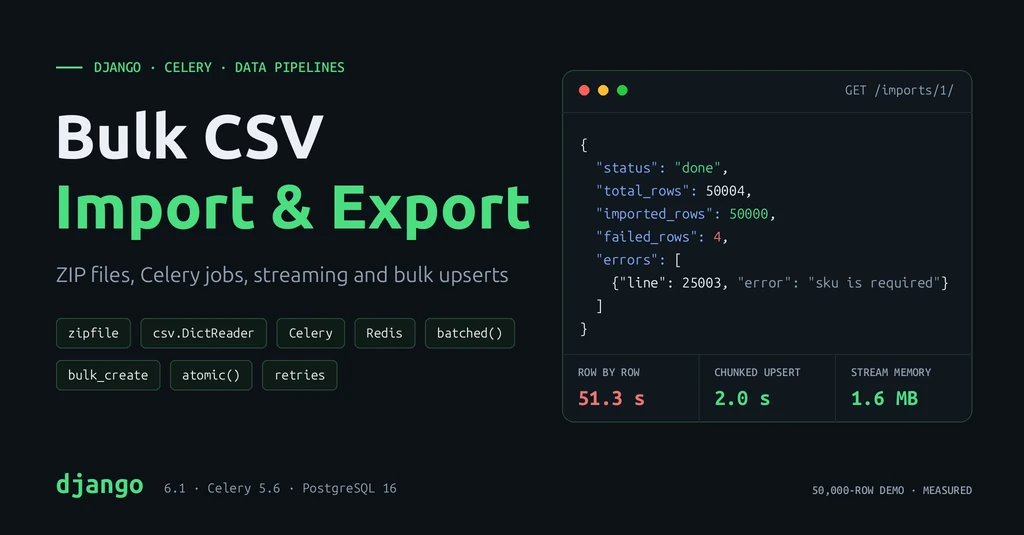
How CSV and ZIP processing, Celery background jobs, streaming, chunked bulk upserts and safe retries work together to import and export large datasets. Tested on a 50,000-row demo.
Introduction
Sooner or later every backend has to move a lot of data at once. A supplier uploads 200,000 products. Finance wants every order from last year as a spreadsheet. A company switches platforms and needs its users, products and orders moved across.
Doing this inside a normal web request fails in predictable ways: the request times out, memory runs out, one bad row aborts everything, and a retry creates duplicates.
This guide builds a pipeline that avoids those problems, using Django, Celery and Redis:
- CSV and ZIP handling with Python's
csvandzipfilemodules - Background jobs so uploads return instantly
- Validation, error reports and duplicate prevention
- Streaming and chunking so memory stays flat
- Bulk upserts in transactions so the database does less work
- Security, logging and retries
Real-world use cases: product catalog uploads in e-commerce, bulk user or customer onboarding, price and stock updates from suppliers, monthly report exports, and data migration from a legacy system.
How the Pipeline Works
User uploads products.zip
          │
          ▼
Django view ── validates type and size, saves file, creates ImportJob
          │            returns 202 Accepted + job_id  (about 55 ms)
          ▼
Redis (broker) ── holds the task message
          │
          ▼
Celery worker
  1. open ZIP, check paths and sizes
  2. stream each CSV, row by row
  3. validate rows, skip duplicates, record errors
  4. every 2,000 valid rows: bulk upsert in one transaction
  5. save progress on the ImportJob
          │
          ▼
Client polls GET /imports/<job_id>/  ──  status, counts, row errors
The web request does only quick work. The slow work runs in a Celery worker, a separate process that takes jobs from a queue. Redis acts as the broker: the queue between Django and the worker.
The demo uses two models:
# catalog/models.py
from django.db import models


class Product(models.Model):
    sku = models.CharField(max_length=40, unique=True)
    name = models.CharField(max_length=200)
    price = models.DecimalField(max_digits=10, decimal_places=2)
    stock = models.PositiveIntegerField(default=0)
    updated_at = models.DateTimeField(auto_now=True)


class ImportJob(models.Model):
    class Status(models.TextChoices):
        PENDING = "pending"
        RUNNING = "running"
        DONE = "done"
        FAILED = "failed"

    file = models.FileField(upload_to="imports/")
    status = models.CharField(max_length=10, choices=Status.choices, default=Status.PENDING)
    total_rows = models.PositiveIntegerField(default=0)
    imported_rows = models.PositiveIntegerField(default=0)
    failed_rows = models.PositiveIntegerField(default=0)
    errors = models.JSONField(default=list, blank=True)  # first N row errors
    created_at = models.DateTimeField(auto_now_add=True)
    finished_at = models.DateTimeField(null=True, blank=True)
sku is unique. That unique key is what makes duplicate prevention and safe retries possible.
CSV Import and Export Fundamentals
A CSV (comma-separated values) file is plain text: one row per line, values separated by commas, and usually a header row with column names.
sku,name,price,stock
SKU-0000001,Product 1,320.07,25
SKU-0000002,"Keyboard, mechanical",49.99,10
Values that contain commas or quotes are wrapped in quotes. Never split lines with line.split(","); use Python's csv module, which handles quoting correctly.
import csv

# Read: each row becomes a dict keyed by the header
with open("products.csv", newline="", encoding="utf-8-sig") as f:
    for row in csv.DictReader(f):
        print(row["sku"], row["price"])

# Write
with open("out.csv", "w", newline="", encoding="utf-8") as f:
    writer = csv.writer(f)
    writer.writerow(["sku", "name", "price", "stock"])
writer.writerow(["SKU-1", "Keyboard, mechanical", "49.99", 10])newline=""lets thecsvmodule handle line endings itself, as the Python docs require.utf-8-sigremoves the invisible BOM character that Excel adds to UTF-8 files. Without it, your first column is named\ufeffsku, notsku.
ZIP File Processing with zipfile
Large uploads usually arrive as ZIP files: they are smaller to upload, and one ZIP can hold several CSVs. In the demo, a 1.9 MB CSV compressed to 0.5 MB.
The key idea: read files straight out of the ZIP. Do not extract them to disk first.
import csv
import io
import zipfile
from pathlib import PurePosixPath

MAX_CSV_FILES = 20
MAX_UNCOMPRESSED_BYTES = 200 * 1024 * 1024  # 200 MB


def safe_csv_members(zf: zipfile.ZipFile) -> list[zipfile.ZipInfo]:
    """Return the CSV files in the archive, refusing archives that look dangerous."""
    members = [info for info in zf.infolist() if not info.is_dir()]
    if len(members) > MAX_CSV_FILES:
        raise ValueError(f"too many files in archive ({len(members)})")
    if sum(info.file_size for info in members) > MAX_UNCOMPRESSED_BYTES:
        raise ValueError("archive is too large when uncompressed")
    for info in members:
        path = PurePosixPath(info.filename)
        if path.is_absolute() or ".." in path.parts:
            raise ValueError(f"unsafe path in archive: {info.filename}")
    return [info for info in members if info.filename.lower().endswith(".csv")]


with zipfile.ZipFile("products.zip") as zf:
    for info in safe_csv_members(zf):
        with zf.open(info) as raw:                       # a binary stream, not the whole file
            text = io.TextIOWrapper(raw, encoding="utf-8-sig", newline="")
            for row in csv.DictReader(text):
                ...
What the checks block:
- Zip bombs: a tiny archive that expands to gigabytes. In testing, a 5,225-byte ZIP holding 5 MB of data was refused with a 1 MB limit:
archive is too large when uncompressed. - Path traversal: a member named
../../etc/cron.d/evil.csvcould overwrite files if extracted. It was refused:unsafe path in archive: ../../etc/cron.d/evil.csv.
Writing a ZIP works the same way in reverse, with zipfile.ZIP_DEFLATED for compression (see the export section).
Background Jobs with Celery and Redis
Celery runs Python functions (tasks) in background worker processes. The web request only records the job and returns.
Setup
pip install "celery[redis]"
docker run -d --name redis -p 127.0.0.1:6379:6379 redis
# config/celery.py
import os
from celery import Celery
os.environ.setdefault("DJANGO_SETTINGS_MODULE", "config.settings")
app = Celery("config")
app.config_from_object("django.conf:settings", namespace="CELERY")
app.autodiscover_tasks()# config/__init__.py
from .celery import app as celery_app
__all__ = ("celery_app",)# config/settings.py
CELERY_BROKER_URL = "redis://127.0.0.1:6379/0"
CELERY_TASK_ACKS_LATE = True # acknowledge after the task finishes, not before
CELERY_WORKER_PREFETCH_MULTIPLIER = 1 # long tasks: take one job at a timeStart a worker:
celery -A config worker --loglevel=INFO --concurrency=2The upload view
# catalog/views.py
from django.http import JsonResponse
from django.shortcuts import get_object_or_404
from django.views.decorators.http import require_GET, require_POST

from .models import ImportJob
from .tasks import process_import

MAX_UPLOAD_BYTES = 50 * 1024 * 1024
ALLOWED_EXTENSIONS = (".csv", ".zip")


@require_POST
def upload_import(request):
    upload = request.FILES.get("file")
    if upload is None:
        return JsonResponse({"error": "file is required"}, status=400)
    if not upload.name.lower().endswith(ALLOWED_EXTENSIONS):
        return JsonResponse({"error": "upload a .csv or .zip file"}, status=400)
    if upload.size > MAX_UPLOAD_BYTES:
        return JsonResponse({"error": "file is larger than 50 MB"}, status=400)

    job = ImportJob.objects.create(file=upload)
    process_import.delay_on_commit(job.pk)  # queue only after the job row is committed
    return JsonResponse({"job_id": job.pk, "status": job.status}, status=202)


@require_GET
def import_status(request, job_id):
    job = get_object_or_404(ImportJob, pk=job_id)
    return JsonResponse({
        "job_id": job.pk,
        "status": job.status,
        "total_rows": job.total_rows,
        "imported_rows": job.imported_rows,
        "failed_rows": job.failed_rows,
        "errors": job.errors[:10],
    })
202 Acceptedtells the client "received, processing later".- Pass the job ID, not the object. The Celery docs recommend sending IDs and re-fetching in the task, so the worker never uses stale data.
delay_on_commit()(Celery 5.4+) queues the task only after the database transaction commits. With plaindelay()inside a transaction, the worker can start before theImportJobrow exists.
Validation, Error Handling and Duplicate Prevention
Bad rows are normal in real uploads. The rule: one bad row must not stop the import. Skip it, record why, and continue.
from decimal import Decimal, InvalidOperation

from .models import Product


class RowError(ValueError):
    """A problem with one row. The row is skipped; the import continues."""


def clean_row(row: dict[str, str]) -> Product:
    sku = (row.get("sku") or "").strip().upper()
    name = (row.get("name") or "").strip()
    if not sku:
        raise RowError("sku is required")
    if not name:
        raise RowError("name is required")
    try:
        price = Decimal(row.get("price") or "")
        stock = int(row.get("stock") or "")
    except (InvalidOperation, ValueError):
        raise RowError(f"invalid price or stock: {row.get('price')!r}, {row.get('stock')!r}")
    if price < 0 or stock < 0:
        raise RowError("price and stock must not be negative")
    return Product(sku=sku, name=name[:200], price=price, stock=stock)
Two levels of errors:
- File errors (missing columns, unsafe ZIP) fail the whole job with a clear message, because no row can be trusted.
- Row errors skip one row and are stored with the file name and line number, so the user can fix and re-upload just those rows.
Duplicates are handled at two levels too:
- Inside one upload: a
seen_skusset rejects the second copy of a SKU. This also matters for PostgreSQL, which refuses to update the same row twice in one upsert statement. - Against the database: the bulk upsert (below) updates existing SKUs instead of inserting copies, so uploading the same file twice is harmless.
Memory-Efficient Processing: Streaming and Chunking
Streaming means reading one row at a time instead of loading the whole file. Chunking means grouping rows into fixed-size batches, so you get efficient database writes without holding everything in memory.
import csv
import io
from collections.abc import Iterator

REQUIRED_COLUMNS = {"sku", "name", "price", "stock"}


def iter_rows(binary_file, filename: str) -> Iterator[tuple[int, dict[str, str]]]:
    """Stream rows from a binary file object, one at a time."""
    text = io.TextIOWrapper(binary_file, encoding="utf-8-sig", newline="")
    reader = csv.DictReader(text)
    missing = REQUIRED_COLUMNS - set(reader.fieldnames or [])
    if missing:
        raise ValueError(f"{filename}: missing columns {sorted(missing)}")
    for line_no, row in enumerate(reader, start=2):  # line 1 is the header
        yield line_no, row
iter_rows is a generator: yield hands back one row and pauses until the next one is needed. itertools.batched (Python 3.12+) then groups rows into chunks:
from itertools import batched

for batch in batched(iter_rows(raw, "products.csv"), 2000):
    ...  # a tuple of up to 2,000 rows
Peak Python memory, measured with tracemalloc, reading the demo ZIPs:
| Rows | Load whole file (zf.read() + list(DictReader)) | Stream in chunks of 2,000 |
|---|---|---|
| 50,000 | 13.8 MB | 1.6 MB |
| 200,000 | 55.6 MB | 1.6 MB |
Loading grows with the file; streaming stays flat, whatever the file size.
Database Bulk Operations and Transactions
Saving rows one at a time sends at least one query per row. bulk_create sends one query per chunk. With update_conflicts=True it becomes an upsert: insert new rows, update rows whose unique key already exists.
from django.db import transaction


def save_chunk(products: list[Product]) -> None:
    """Insert new products and update existing ones (matched by sku) in one query."""
    with transaction.atomic():
        Product.objects.bulk_create(
            products,
            update_conflicts=True,
            unique_fields=["sku"],
            update_fields=["name", "price", "stock", "updated_at"],
        )
On PostgreSQL this becomes INSERT ... ON CONFLICT (sku) DO UPDATE. Re-importing the demo file left exactly 50,000 products, and updated_at changed on the existing rows.
Transaction per chunk, not per file. transaction.atomic() makes each chunk all-or-nothing. One transaction for a very large file holds locks for its whole run and loses all progress on failure. One per row would be slow. A chunk of a few thousand rows is the balance.
The import loop
import logging
from dataclasses import dataclass, field

log = logging.getLogger(__name__)

CHUNK_SIZE = 2000
MAX_STORED_ERRORS = 100


@dataclass
class ImportResult:
    total: int = 0
    imported: int = 0
    failed: int = 0
    errors: list[dict] = field(default_factory=list)

    def add_error(self, file: str, line: int, message: str) -> None:
        self.failed += 1
        if len(self.errors) < MAX_STORED_ERRORS:
            self.errors.append({"file": file, "line": line, "error": message})


def iter_sources(path: str):
    """Yield (filename, rows) for a ZIP of CSVs or a single CSV file."""
    if zipfile.is_zipfile(path):
        with zipfile.ZipFile(path) as zf:
            for info in safe_csv_members(zf):
                with zf.open(info) as raw:
                    yield info.filename, iter_rows(raw, info.filename)
    else:
        with open(path, "rb") as raw:
            yield PurePosixPath(path).name, iter_rows(raw, path)


def run_import(path: str, on_progress=None) -> ImportResult:
    result = ImportResult()
    seen_skus: set[str] = set()

    for filename, rows in iter_sources(path):
        for batch in batched(rows, CHUNK_SIZE):
            valid = []
            for line_no, row in batch:
                result.total += 1
                try:
                    product = clean_row(row)
                    if product.sku in seen_skus:
                        raise RowError(f"duplicate sku {product.sku} in upload")
                except RowError as exc:
                    result.add_error(filename, line_no, str(exc))
                    continue
                seen_skus.add(product.sku)
                valid.append(product)

            if valid:
                save_chunk(valid)
                result.imported += len(valid)
            if on_progress:
                on_progress(result)

    log.info("import finished total=%s imported=%s failed=%s",
             result.total, result.imported, result.failed)
    return result
Security, Logging and Retries
Security checklist
- Limit upload size in the view, and cap the uncompressed ZIP size and file count.
- Never call
extractall()on an uploaded ZIP. Read members as streams, and reject absolute paths and... - Check the extension and the content. The import fails safely if the CSV header is missing required columns.
- Store uploads outside the web root (Django's
MEDIA_ROOT, or private S3 storage), never in a publicly served folder. - Protect exports from CSV injection. A cell starting with
=,+,-or@can run as a formula when opened in Excel. The export code below prefixes such text with'. - Restrict who can import and export. Bulk endpoints touch thousands of rows; give them staff-only permissions and keep them behind authentication.
- Keep personal data out of logs. Log job IDs, counts and row numbers, not emails or phone numbers.
Logging
Log the start and end of each job with its ID and counts. The demo worker printed:
INFO catalog.tasks import started job=1 attempt=1
INFO catalog.importers import finished total=50004 imported=50000 failed=4
Retries
# catalog/tasks.py
import logging

from celery import shared_task
from django.db import OperationalError
from django.utils import timezone

from .importers import run_import
from .models import ImportJob

log = logging.getLogger(__name__)


@shared_task(
    bind=True,
    autoretry_for=(OperationalError,),  # database briefly unavailable
    retry_backoff=True,                 # wait 1s, 2s, 4s, ... between retries
    retry_backoff_max=300,
    max_retries=5,
)
def process_import(self, job_id: int) -> None:
    job = ImportJob.objects.get(pk=job_id)
    if job.status == ImportJob.Status.DONE:
        return  # already processed: running twice must be harmless

    log.info("import started job=%s attempt=%s", job_id, self.request.retries + 1)
    ImportJob.objects.filter(pk=job_id).update(status=ImportJob.Status.RUNNING)

    def save_progress(result):
        ImportJob.objects.filter(pk=job_id).update(
            total_rows=result.total, imported_rows=result.imported, failed_rows=result.failed
        )

    try:
        result = run_import(job.file.path, on_progress=save_progress)
    except OperationalError:
        raise  # let Celery retry; upserts make the retry safe
    except Exception as exc:
        # ValueError = a problem with the file the user can fix; anything else is a bug
        message = str(exc) if isinstance(exc, ValueError) else "unexpected error, see logs"
        log.exception("import failed job=%s", job_id)
        ImportJob.objects.filter(pk=job_id).update(
            status=ImportJob.Status.FAILED, errors=[{"error": message}], finished_at=timezone.now()
        )
        return

    ImportJob.objects.filter(pk=job_id).update(
        status=ImportJob.Status.DONE,
        total_rows=result.total,
        imported_rows=result.imported,
        failed_rows=result.failed,
        errors=result.errors,
        finished_at=timezone.now(),
)- Retry only temporary failures, such as a lost database connection (
OperationalError). Retrying a file with missing columns would fail the same way five times. - Exponential backoff spaces retries out (1 s, 2 s, 4 s, up to 300 s) so a struggling database gets time to recover.
- Idempotency makes retries safe. Celery's docs say tasks should ideally be idempotent: running them twice has the same effect as once. Upserts on
skuand theDONEcheck give us that.
In a test that raised OperationalError on the first attempt, the task logged attempt=1, then attempt=2, and finished with all 50,000 rows imported.
End-to-End Example
The demo upload is a ZIP with two CSVs: 50,000 valid products, plus four bad rows added to the second file (a duplicate SKU, a missing SKU, a non-numeric price and a negative stock).
from django.test import Client

client = Client()
with open("products_50k.zip", "rb") as f:
    response = client.post("/imports/", {"file": f})
print(response.status_code, response.json())
# then poll GET /imports/<job_id>/ until status is "done"
202 {'job_id': 1, 'status': 'pending'}
The view responded in 58 ms.
The final status, from GET /imports/1/:
{
  "job_id": 1,
  "status": "done",
  "total_rows": 50004,
  "imported_rows": 50000,
  "failed_rows": 4,
  "errors": [
    {"file": "products_2.csv", "line": 25002, "error": "duplicate sku SKU-0000001 in upload"},
    {"file": "products_2.csv", "line": 25003, "error": "sku is required"},
    {"file": "products_2.csv", "line": 25004, "error": "invalid price or stock: 'abc', '3'"},
    {"file": "products_2.csv", "line": 25005, "error": "price and stock must not be negative"}
  ]
}
The worker finished in 1.7 seconds. The user got an answer in 58 ms, and a precise list of the four rows to fix.
Exporting
For downloads, stream the CSV to the browser row by row with StreamingHttpResponse, the pattern from Django's docs. For very large exports, build a ZIP in a Celery task and send a download link when it is ready.
# catalog/exports.py
import csv
import io
import zipfile

from django.http import StreamingHttpResponse

from .models import Product

HEADER = ["sku", "name", "price", "stock"]


def safe_cell(value):
    """Stop spreadsheet apps from running text as a formula (CSV injection)."""
    if isinstance(value, str) and value.startswith(("=", "+", "-", "@", "\t", "\r")):
        return "'" + value
    return value


def product_rows():
    yield HEADER
    rows = Product.objects.order_by("id").values_list(*HEADER).iterator(chunk_size=2000)
    for sku, name, price, stock in rows:
        yield [sku, safe_cell(name), price, stock]


class Echo:
    """A file-like object that returns what is written, instead of storing it."""

    def write(self, value):
        return value


def export_products_csv(request):
    writer = csv.writer(Echo())
    response = StreamingHttpResponse(
        (writer.writerow(row) for row in product_rows()),
        content_type="text/csv",
    )
    response["Content-Disposition"] = 'attachment; filename="products.csv"'
    return response


def export_products_zip(path: str) -> None:
    """Write products.csv into a compressed ZIP, row by row (run it in a Celery task)."""
    with zipfile.ZipFile(path, "w", compression=zipfile.ZIP_DEFLATED) as zf:
        with zf.open("products.csv", "w") as raw:
            text = io.TextIOWrapper(raw, encoding="utf-8", newline="")
            writer = csv.writer(text)
            writer.writerows(product_rows())
text.flush()values_list(...).iterator(chunk_size=2000)fetches rows in batches and skips building model objects.- The streaming export of 50,001 products took 0.21 s; the ZIP export took 0.14 s and compressed 1.9 MB of CSV to 0.5 MB.
- A product named
=HYPERLINK("http://evil.example","Click")was exported as'=HYPERLINK(...), so Excel shows it as text.
Data migration
Moving data from a legacy system uses the same pipeline: export from the old system to CSV or ZIP, then import with the new one. A few extra rules make migrations safe:
- Match on a natural key (SKU, email, external ID), not on the old database's auto-increment IDs. Store the old ID in a column if other tables refer to it.
- Migrate in dependency order: customers before orders, products before order items.
- Make every step re-runnable. With upserts you can run the migration again after fixing bad rows, without cleaning up first.
- Rehearse on a copy of production data, then compare row counts and totals (sum of stock, sum of order values) between old and new systems.
Performance Optimization and Best Practices
Measured: naive vs optimized import
Same 50,000-row ZIP, same validation, same PostgreSQL 16 running locally, empty table each time:
| Approach | Time |
|---|---|
Extract ZIP to disk, load all rows, update_or_create() per row | 51.3 s |
Stream rows, chunk 2,000, bulk_create(update_conflicts=True) | 2.0 s |
On this demo the optimized version was about 25 times faster. That is much more than the 30% from my project, and it should be. The naive version here is the worst case on purpose, and the database is on the same machine. A real pipeline also spends time on the network, file storage, more complex validation and related tables, and its "before" version is rarely this slow. Measure your own pipeline before and after each change.
Chunk size matters less than using chunks at all:
| Chunk size | 100 | 500 | 1,000 | 2,000 | 5,000 | 10,000 |
|---|---|---|---|---|---|---|
| Time (50,000 rows) | 2.68 s | 2.20 s | 2.10 s | 1.99 s | 2.01 s | 2.13 s |
Optimization tips
- Use bulk operations:
bulk_create,bulk_updateandupdate_conflictsinstead ofsave()in a loop. - Pick a chunk size of 1,000 to 5,000 rows and measure. Huge chunks hold locks longer and use more memory for no speed gain.
- Validate in Python, in memory, before touching the database. One query per row just to validate destroys the gains.
- Look up related objects once per chunk, for example
Category.objects.in_bulk(slugs, field_name="slug")(the field must be unique), not once per row. - Fetch only the columns you export with
values_list()anditerator(). - Index the unique key you upsert on.
unique=Truedoes this automatically. - Use dedicated queues for long jobs (
queue="imports") so bulk work cannot block urgent tasks like password-reset emails. - For millions of rows on PostgreSQL, consider
COPYinto a staging table, then oneINSERT ... ON CONFLICTfrom staging. It is the fastest path, but it skips Django model logic.
Common mistakes
- Processing the upload inside the web request, so large files time out.
list(csv.reader(f))orzf.read()on large files, which load everything into memory.extractall()on an uploaded ZIP without checking paths and sizes.- One giant transaction for the whole file, or none at all.
get_or_create/update_or_createin a loop over thousands of rows.- Retrying a task that is not idempotent, which creates duplicate records.
- Passing model instances to Celery tasks instead of IDs.
- Failing the whole import because of one bad row, or skipping bad rows without telling the user.
- Exporting user-entered text to CSV without guarding against formula injection.
Key Takeaways
- Move bulk work to Celery; return
202 Acceptedand a job ID immediately. - Stream CSVs, even from inside ZIPs, and process them in chunks. Memory stays flat no matter how big the file is.
- Write with bulk upserts inside one transaction per chunk.
- Validate every row, skip bad ones, and report them with file and line numbers.
- Make tasks idempotent with unique keys and upserts, then retry only temporary failures with backoff.
- Treat uploaded files as untrusted input: limit sizes, check ZIP paths, guard exports against CSV injection.
- Measure. The 30% from my project and the 25x in this demo are both real, and neither will be your number.