Database Optimization Guide: PostgreSQL, MySQL, SQLite and Django ORM
Choose the right database, design clean tables, and make Django queries fast with indexes, select_related, bulk operations and pooling. Every number is measured.
Introduction
Most slow backends are slow because of the database. A missing index, a query inside a loop or a huge OFFSET can turn a 1 ms request into a 1 second one.
This guide covers the database skills a Django backend developer needs: choosing between PostgreSQL, MySQL and SQLite, using the Django ORM, designing tables, indexing, query optimization and fixing common performance problems such as the N+1 query problem.
PostgreSQL vs MySQL vs SQLite
All three are relational databases: they store data in tables and you query them with SQL. They differ in how they run and what they are good at.
- PostgreSQL is a client-server database with strict data types and many advanced features: JSONB, full-text search, partial indexes and rich index types. It is the most common choice for Django projects.
- MySQL is a client-server database known for simple setup, fast reads and wide hosting support. Its default storage engine, InnoDB, supports transactions and foreign keys.
- SQLite is a database in a single file, built into Python. There is no server to run. It is ideal for development, tests, small apps and mobile or desktop software.
| PostgreSQL | MySQL | SQLite | |
|---|---|---|---|
| Runs as | Server | Server | File, inside your app |
| Concurrent writes | Many at once | Many at once | One writer at a time |
| Type checking | Strict | Strict in default SQL mode | Loose, unless the table is STRICT |
| Auto-increment key | GENERATED ALWAYS AS IDENTITY | AUTO_INCREMENT | INTEGER PRIMARY KEY |
RETURNING clause | Yes | No | Yes (3.35+) |
| Upsert | ON CONFLICT | ON DUPLICATE KEY UPDATE | ON CONFLICT |
| Django 6.1 minimum | 15 | 8.4 | 3.37 |
| Best for | Most production web apps | Read-heavy apps, existing MySQL stacks | Development, tests, small or embedded apps |
The same table in each database
-- PostgreSQL
CREATE TABLE products (
    id    bigint GENERATED ALWAYS AS IDENTITY PRIMARY KEY,
    sku   text UNIQUE NOT NULL,
    price integer NOT NULL
);

-- MySQL
CREATE TABLE products (
    id    BIGINT AUTO_INCREMENT PRIMARY KEY,
    sku   VARCHAR(50) UNIQUE NOT NULL,
    price INT NOT NULL
);

-- SQLite
CREATE TABLE products (
    id    INTEGER PRIMARY KEY,
    sku   TEXT UNIQUE NOT NULL,
    price INTEGER NOT NULL
);
Upsert: insert, or update if it exists
-- PostgreSQL and SQLite
INSERT INTO products (sku, price) VALUES ('A1', 12)
ON CONFLICT (sku) DO UPDATE SET price = excluded.price
RETURNING id, price;

-- MySQL 8.4 (no RETURNING; use LAST_INSERT_ID() for the new id)
INSERT INTO products (sku, price) VALUES ('A1', 12) AS new
ON DUPLICATE KEY UPDATE price = new.price;Django ORM Basics: CRUD with Examples
An ORM (Object-Relational Mapper) lets you work with database rows as Python objects. You define a model class; Django creates the table and writes the SQL for you. The same code runs on PostgreSQL, MySQL and SQLite.
Every example in this post uses these models from a small shop app:
# shop/models.py
from django.db import models


class Customer(models.Model):
    name = models.CharField(max_length=100)
    email = models.EmailField(unique=True)


class Product(models.Model):
    name = models.CharField(max_length=200)
    price = models.DecimalField(max_digits=10, decimal_places=2)
    stock = models.PositiveIntegerField(default=0)


class Order(models.Model):
    class Status(models.TextChoices):
        PENDING = "pending"
        PAID = "paid"
        SHIPPED = "shipped"

    customer = models.ForeignKey(Customer, on_delete=models.PROTECT, related_name="orders")
    status = models.CharField(max_length=20, choices=Status.choices, default=Status.PENDING)
    created_at = models.DateTimeField(auto_now_add=True)

    class Meta:
        indexes = [models.Index(fields=["status", "created_at"])]


class OrderItem(models.Model):
    order = models.ForeignKey(Order, on_delete=models.CASCADE, related_name="items")
    product = models.ForeignKey(Product, on_delete=models.PROTECT)
    quantity = models.PositiveIntegerField()
    price = models.DecimalField(max_digits=10, decimal_places=2)
Run python manage.py makemigrations and python manage.py migrate to create the tables.
Create, read, update, delete
from django.db.models import F
from shop.models import Customer, Product

# Create
customer = Customer.objects.create(name="Asha", email="asha@example.com")

# Read
customer = Customer.objects.get(email="asha@example.com")       # exactly one row, or an exception
active = Customer.objects.filter(name__startswith="As")         # a lazy QuerySet

# Update one object: save only the changed field
customer.name = "Asha K"
customer.save(update_fields=["name"])

# Update many rows in one query
Customer.objects.filter(pk=customer.pk).update(name="Asha Kumar")

# Update from the current value, inside the database (safe under concurrency)
Product.objects.filter(pk=1).update(stock=F("stock") - 1)

# Delete
Customer.objects.filter(pk=customer.pk).delete() # returns (1, {'shop.Customer': 1})- QuerySets are lazy.
filter()builds a query; nothing runs until you loop, slice, calllist()or similar. F()expressions do the maths in SQL, so two requests cannot overwrite each other's stock change.- Print the SQL with
print(queryset.query)when you are unsure what Django will run.
Database Design: Tables, Keys and Normalization
Tables, primary keys and foreign keys
- A table stores one kind of thing: customers, orders, products.
- A primary key uniquely identifies each row. Django adds an auto-increment
idby default. - A foreign key is a column that points at another table's primary key.
orders.customer_idpoints atcustomers.id. The database refuses an order for a customer that does not exist.
Relationships
| Relationship | Example | Django field |
|---|---|---|
| One-to-many | A customer has many orders | ForeignKey on Order |
| Many-to-many | A product has many tags; a tag has many products | ManyToManyField (Django creates the join table) |
| One-to-one | A user has one profile | OneToOneField |
OrderItem above is a join table with extra data: it links orders and products, and stores the quantity and the price paid.
Normalization
Normalization means storing each fact in one place. It prevents data that disagrees with itself. Here is a table that breaks the rules:
orders
id | customer_name | customer_email   | products
1  | Asha          | asha@example.com | Keyboard, Mouse
2  | Asha          | asha@old.com     | Monitor
Asha's email is stored twice and already disagrees. The products column holds a list, so you cannot easily query "all orders containing a mouse". The three normal forms fix this:
- 1NF: one value per cell. Move the product list into an
order_itemstable, one row per product. - 2NF: every column depends on the whole key. A product's name belongs in
products, not repeated in every order item. - 3NF: no column depends on another non-key column. A customer's email depends on the customer, so it lives in
customers, and orders store onlycustomer_id.
The models above are already in 3NF. One deliberate exception: OrderItem.price copies the product price at the time of purchase. That is history, not duplication. If the product price changes later, old orders keep the price the customer paid.
Database Indexing Explained
An index is a sorted copy of one or more columns, with pointers back to the rows. It works like the index at the back of a book: instead of reading every page, the database jumps straight to the right place. The default type, a B-tree, handles =, <, >, BETWEEN, sorting and prefix matches like LIKE 'abc%'.
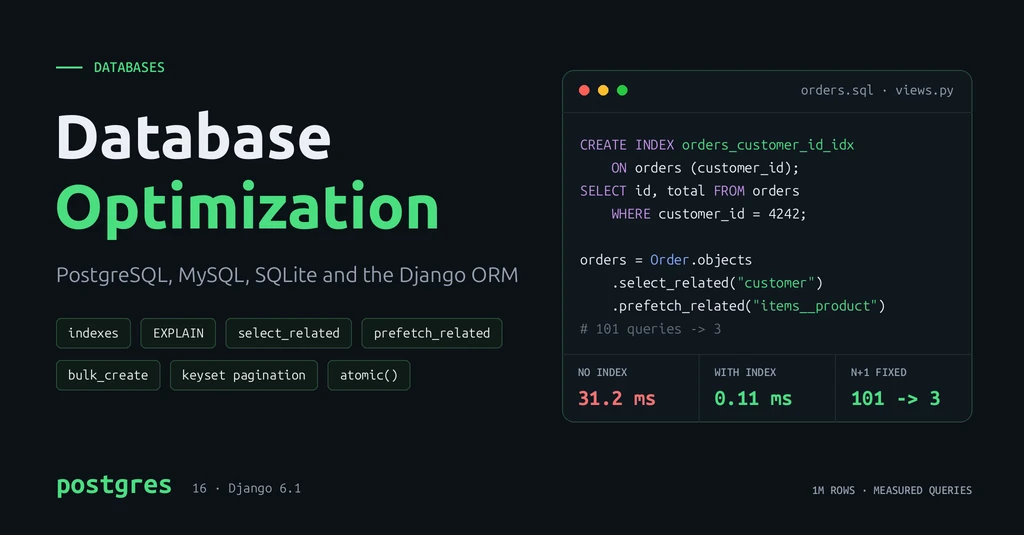
Measured: finding one customer's orders in 1M rows
EXPLAIN ANALYZE
SELECT id, total FROM orders WHERE customer_id = 4242;

CREATE INDEX orders_customer_id_idx ON orders (customer_id);| Plan | Time | |
|---|---|---|
| No index | Parallel Seq Scan (reads all 1M rows) | 31.2 ms |
| With index | Bitmap Index Scan (reads 10 rows) | 0.11 ms |
About 280 times faster. Seq Scan in a plan means a full table scan; on a big table that is the first thing to look at.
Indexes in Django
class Order(models.Model):
    customer = models.ForeignKey(Customer, on_delete=models.PROTECT)  # indexed automatically
    reference = models.CharField(max_length=20, unique=True)           # unique creates an index
    status = models.CharField(max_length=20)
    created_at = models.DateTimeField(db_index=True)                    # single-column index

    class Meta:
        indexes = [
            # "WHERE status = ... ORDER BY created_at": one composite index serves both
            models.Index(fields=["status", "created_at"]),
        ]
A composite index on (status, created_at) helps queries that filter on status, or on status and created_at. It is much less useful for a query that filters on created_at alone. Put the column you filter by equality first.
When to add an index
- Columns in
WHERE,JOINandORDER BYof frequent queries - Foreign keys (Django does this for you; raw SQL schemas often forget)
- Columns that must be unique, such as email or SKU
- Small tables: a scan of a few hundred rows is already fast
- Columns you never filter or sort by
- Write-heavy tables where the column is rarely read
Advantages and disadvantages
| Advantages | Disadvantages |
|---|---|
| Much faster lookups, joins and sorting | Every insert, update and delete must update each index |
| Enforces uniqueness | Uses disk and memory (9 to 30 MB each on our 263 MB table) |
Can make ORDER BY ... LIMIT nearly free | Unused indexes cost writes and give nothing back |
The write cost is real. Inserting 200,000 rows took 317 ms into a table with only a primary key, and 1,226 ms into the same table with three extra indexes. Index what your queries need, not every column.
Query Optimization: Slow vs Fast SQL
Always check a slow query with EXPLAIN ANALYZE (PostgreSQL and MySQL 8) or EXPLAIN QUERY PLAN (SQLite). In Django, call queryset.explain(). All timings below are on the 1M-row table with indexes on customer_id and created_at.
1. Do not wrap an indexed column in a function
-- Slow: 52.6 ms, Seq Scan. The cast hides created_at from its index
SELECT id FROM orders WHERE created_at::date = '2026-01-15';

-- Fast: 2.6 ms, Index Scan. Compare the raw column with a range
SELECT id FROM orders
WHERE created_at >= '2026-01-15' AND created_at < '2026-01-16';
This one catches Django developers. filter(created_at__date=day) generates ("created_at" AT TIME ZONE 'UTC')::date = ..., the slow form. Use a range instead:
start = timezone.make_aware(datetime(2026, 1, 15))
Order.objects.filter(created_at__gte=start, created_at__lt=start + timedelta(days=1))
2. Select only the columns you need
-- 231 ms to fetch 200,000 rows with every column
SELECT * FROM orders WHERE customer_id BETWEEN 1 AND 20000;

-- 146 ms for the same rows, two columns
SELECT id, total FROM orders WHERE customer_id BETWEEN 1 AND 20000;
Less data to read, send and turn into Python objects. In Django, use .only("id", "total") or .values_list("id", "total").
3. Use EXISTS, not COUNT, to check for rows
-- 39.7 ms: counts all 250,000 matching rows
SELECT count(*) FROM orders WHERE status = 'pending';

-- 0.04 ms: stops at the first match
SELECT EXISTS (SELECT 1 FROM orders WHERE status = 'pending');
In Django, write if Order.objects.filter(status="pending").exists():, not .count() > 0 or if queryset: (which loads every row).
4. Replace large OFFSET with keyset pagination
-- 149 ms: reads and throws away 900,000 rows
SELECT id, total FROM orders ORDER BY id LIMIT 20 OFFSET 900000;

-- 0.06 ms: jumps straight to the right place using the index
SELECT id, total FROM orders WHERE id > 900000 ORDER BY id LIMIT 20;
More on this in pagination below.
Django Performance Optimization Techniques
The N+1 query problem
N+1 happens when you run one query for a list, then one more query for each item in it. It is the most common Django performance bug because the code looks innocent:
# 101 queries for 100 orders: 1 for the orders + 1 per order for its customer
for order in Order.objects.all()[:100]:
    print(order.customer.name)
select_related() and prefetch_related()
# select_related: 1 query. Uses a SQL JOIN
for order in Order.objects.select_related("customer")[:100]:
    print(order.customer.name)

# prefetch_related: separate query per relation, joined in Python
orders = (
    Order.objects
    .select_related("customer")
    .prefetch_related("items__product")
)[:100]
for order in orders:                       # 3 queries in total, not 201
    for item in order.items.all():
        print(order.customer.name, item.product.name)
select_related() | prefetch_related() | |
|---|---|---|
| Use for | ForeignKey, OneToOneField (one related object) | Reverse FK, ManyToManyField (many related objects) |
| How | SQL JOIN, one query | One extra IN (...) query per relation |
| Measured (100 orders) | 101 queries → 1 | 101 queries → 2 (items), 3 with products |
Bulk operations
Each create() or save() is a separate round trip to the database. Bulk methods send many rows in one query.
# Slow: 1,000 INSERT queries
for i in range(1000):
    Customer.objects.create(name=f"User {i}", email=f"user{i}@example.com")

# Fast: 2 INSERT queries of 500 rows each
Customer.objects.bulk_create(
    [Customer(name=f"User {i}", email=f"user{i}@example.com") for i in range(1000)],
    batch_size=500,
)

# Update many objects with different values: one UPDATE ... CASE query
for item in items:
    item.quantity = 2
OrderItem.objects.bulk_update(items, ["quantity"], batch_size=500)

# Same change for every row: no objects loaded at all
Order.objects.filter(status="pending").update(status="paid")| Insert 1,000 rows | Loop of create() | bulk_create() |
|---|---|---|
| PostgreSQL 18 | 0.88 s | 0.014 s |
| SQLite 3.45 | 1.69 s | 0.011 s |
Note: bulk_create(), bulk_update() and update() skip the model's save() method and do not send pre_save or post_save signals. If your app depends on those, handle that logic explicitly.
Pagination
Never return a whole table from an API. Django's Paginator is fine for small and medium tables:
from django.core.paginator import Paginator

orders = Order.objects.select_related("customer").order_by("-created_at", "-id")
page = Paginator(orders, 20).get_page(request.GET.get("page"))
It uses OFFSET and runs a COUNT(*) for the page total, and both get slower as the table grows. For large tables and infinite scroll, use keyset (cursor) pagination: remember the last id you sent and ask for rows after it.
orders = Order.objects.filter(id__lt=last_seen_id).order_by("-id")[:20]Django REST Framework has this built in as CursorPagination. Always give paginated queries a stable order_by, ending in a unique column like id, or rows can repeat or vanish between pages.
Database transactions
A transaction groups several queries into one unit: either all succeed or none do. Use transaction.atomic() whenever a change touches more than one row that must stay consistent.
from django.db import transaction
from django.db.models import F


def place_order(customer, product, quantity):
    with transaction.atomic():
        # Lock the product row until the transaction ends, so two buyers
        # cannot both take the last item
        product = Product.objects.select_for_update().get(pk=product.pk)
        if product.stock < quantity:
            raise ValueError("Not enough stock")

        order = Order.objects.create(customer=customer)
        OrderItem.objects.create(order=order, product=product,
                                 quantity=quantity, price=product.price)
        product.stock = F("stock") - quantity
        product.save(update_fields=["stock"])
    return order
If any line inside the block raises an exception, Django rolls back everything in it. In testing, an IntegrityError on the last statement left stock and order count exactly as before.
- Do not call external APIs or send emails inside
atomic(). Locks stay held while you wait. Usetransaction.on_commit()to run them after the commit. - Do not catch database exceptions inside an
atomic()block and carry on; the transaction is already broken.
Connection pooling
Opening a database connection takes time: network handshake, authentication and a new server process on PostgreSQL. By default (CONN_MAX_AGE = 0) Django opens a new connection for every request and closes it at the end. A connection pool keeps connections open and reuses them.
# settings.py, Django 5.1+ with PostgreSQL
# pip install "psycopg[binary,pool]"
DATABASES = {
    "default": {
        "ENGINE": "django.db.backends.postgresql",
        "NAME": "shop",
        "USER": "shop",
        "PASSWORD": os.environ["DB_PASSWORD"],
        "HOST": "db",
        "PORT": "5432",
        "OPTIONS": {
            "pool": {"min_size": 2, "max_size": 10},
        },
    }
}- Built-in pool (PostgreSQL only): one pool per process.
CONN_MAX_AGEmust stay0when it is on. - Persistent connections (all databases): set
CONN_MAX_AGE = 60andCONN_HEALTH_CHECKS = Trueto reuse a connection for 60 seconds. - PgBouncer: an external pooler. Use it when many processes or servers together would exceed PostgreSQL's
max_connections.
Watch the maths: 4 servers × 8 Gunicorn workers × max_size 10 is 320 possible connections. PostgreSQL's default max_connections is 100.
Database Best Practices for Django Developers
- Use PostgreSQL in production, and test on it too. SQLite hides type and locking problems.
- Measure before you optimize. Use django-debug-toolbar,
queryset.explain()and the database's slow-query log. Fix the slowest, most frequent query first. - Fix N+1 everywhere a list is rendered: views, serializers, templates and the Django admin (
list_select_related). - Index for your real queries, not for every column. Review unused indexes with
pg_stat_user_indexes. - Paginate every list endpoint. Use keyset pagination for large or fast-growing tables.
- Use bulk methods and
update()for batch jobs, imports and data migrations. - Wrap multi-step writes in
transaction.atomic()and useF()orselect_for_update()for counters and stock. - Let the database enforce rules:
unique=True, foreign keys,NOT NULLandCheckConstraint. Application checks alone miss race conditions. - Fetch only what you need with
only(),values_list()andexists(); use.iterator()for very large result sets. - Keep credentials out of code. Read the database password from an environment variable or a secrets manager.
For larger tables, read Scaling Django Applications: Optimization Techniques for Millions of Records. It covers caching, read replicas, partitioning and safe migrations.
Conclusion
Pick PostgreSQL for most Django projects, SQLite for development and small apps, and MySQL when your stack or host already runs it. Design normalized tables with clear primary and foreign keys.
Then remember the measured wins from this guide:
- An index on a filtered column: 31.2 ms → 0.11 ms
- A date range instead of a cast on an indexed column: 52.6 ms → 2.6 ms
- Keyset pagination instead of a deep
OFFSET: 149 ms → 0.06 ms select_related()andprefetch_related(): 101 queries → 1 to 3bulk_create()instead of a loop: 0.88 s → 0.014 s for 1,000 rows
Measure first, fix the biggest problem, then measure again.