Python Concurrency for Backend Developers: Threads, asyncio and Processes
When to use threads, asyncio or processes in a Python backend, measured on regular and free-threaded Python 3.14, and how it all applies to Django.
Introduction
A backend service spends most of its life waiting: for the database, for another API, for a file upload. Sometimes it does the opposite and burns CPU resizing images or building a report. Python concurrency is about choosing the right tool for each kind of work, and Python gives you three: threads, asyncio and processes.
Pick wrong and nothing gets faster. Threads do not speed up CPU-bound Python on a regular build. asyncio does not help when one call blocks the event loop. Processes cost memory and startup time you may not need.
This guide explains what each model does, measures all three on the same workloads, covers what free-threaded Python changes, and shows how this applies to Django. Benchmarks ran on Python 3.14.6, with both the regular build and the free-threaded build, and the Django example on Django 6.1.
Concurrency vs Parallelism, I/O-Bound vs CPU-Bound
Concurrency means several tasks are in progress at once, taking turns. Parallelism means several tasks run at the same instant on different CPU cores. A single waiter serving ten tables is concurrent; ten waiters are parallel.
Which one you need depends on where the time goes:
- I/O-bound work waits on something outside your process: database queries, HTTP calls, Redis, disk, a message broker. The CPU is idle during the wait. Concurrency helps because other tasks can run while one waits.
- CPU-bound work keeps a core busy: image processing, PDF generation, parsing, compression, number crunching in pure Python. Only parallelism helps, because the work has to run on more cores.
Most web requests are I/O-bound. Most background jobs that feel slow are CPU-bound or a mix of both. Profile before choosing; the answer decides everything below.
The GIL and Free-Threaded Python
CPython's regular build has a Global Interpreter Lock (GIL): only one thread executes Python bytecode at a time. A thread releases the GIL while it waits on I/O, and C extensions such as NumPy can release it during heavy work. So threads overlap well on I/O but cannot run pure-Python code in parallel.
That is changing. PEP 703 added a free-threaded build without the GIL, experimental in Python 3.13. Under PEP 779, it became officially supported (no longer experimental) in Python 3.14. It is still a separate build, usually installed as python3.14t, not the default. Python 3.15 adds a stable ABI for free-threaded builds (abi3t), which makes it easier for C extensions to ship one wheel that works on it.
Check which build you are on:
import sys
import sysconfig

print(sysconfig.get_config_var("Py_GIL_DISABLED"))  # 1 on a free-threaded build
print(sys._is_gil_enabled())                         # False when the GIL is off
On a free-threaded build, importing a C extension that has not declared free-threading support re-enables the GIL for the whole process and prints a warning. Your threads then behave exactly like the regular build. Check your dependencies before expecting a speed-up.
Threads
Threads share one process and its memory. They are cheap to start, they can call any blocking library, and they need no special syntax. concurrent.futures.ThreadPoolExecutor is the simplest way to use them:
from concurrent.futures import ThreadPoolExecutor

import requests

URLS = [f"https://api.example.com/products/{i}" for i in range(100)]


def fetch(url):
    response = requests.get(url, timeout=5)
    response.raise_for_status()
    return response.json()


with ThreadPoolExecutor(max_workers=32) as pool:
    products = list(pool.map(fetch, URLS))
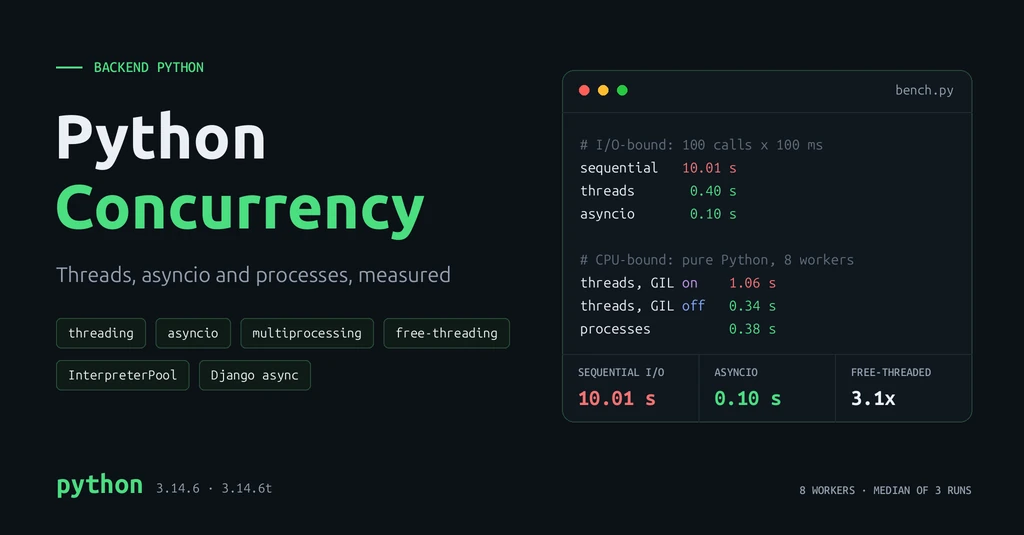
While one thread waits for a response, the GIL passes to another. In the benchmark below, 100 calls that each wait 100 ms took 10 seconds sequentially and 0.40 seconds with 32 threads.
Use threads for: I/O-bound work with ordinary blocking libraries such as requests, boto3 or database drivers, especially inside sync code you cannot rewrite.
Watch out for: each thread uses memory for its stack, so thousands of threads are not practical. Shared state needs locks, and that matters more than ever on free-threaded Python.
Shared state needs a lock
count += 1 is three steps: read, add, write. Two threads can read the same value and both write back the same result, losing an update.
# counter.py
import threading

count = 0
lock = threading.Lock()


def unsafe(n):
    global count
    for _ in range(n):
        count += 1               # read, add, write: not atomic


def safe(n):
    global count
    for _ in range(n):
        with lock:
            count += 1


for worker in (unsafe, safe):
    count = 0
    threads = [threading.Thread(target=worker, args=(200_000,)) for _ in range(8)]
    for t in threads:
        t.start()
    for t in threads:
        t.join()
    print(f"{worker.__name__:<7} expected 1600000, got {count}")
On the regular 3.14.6 build, the unsafe version printed the right total in all three of my runs. That is luck, not a guarantee: the GIL can switch threads between those steps. On the free-threaded build, it lost about 85% of the updates:
Python 3.14.6, GIL disabled
unsafe  expected 1600000, got 243216
unsafe  expected 1600000, got 244441
unsafe  expected 1600000, got 211839
safe    expected 1600000, got 1600000
Code that "worked" under the GIL can break on a free-threaded build. Protect shared mutable state with a Lock, or avoid sharing it: pass data through a queue.Queue or return results from the pool.
asyncio
asyncio runs many tasks on one thread with an event loop. Each await on I/O hands control back to the loop, which runs another task until the result arrives. Because switching happens only at await, there are no surprise interleavings, and one process can hold tens of thousands of open connections.
import asyncio

import httpx


async def fetch(client, url):
    response = await client.get(url, timeout=5)
    response.raise_for_status()
    return response.json()


async def main(urls):
    async with httpx.AsyncClient() as client:
        async with asyncio.TaskGroup() as group:            # Python 3.11+
            tasks = [group.create_task(fetch(client, url)) for url in urls]
    return [task.result() for task in tasks]


products = asyncio.run(main(URLS))
TaskGroup waits for every task and cancels the rest if one fails, which is safer than a bare asyncio.gather(). For bounded concurrency against a rate-limited API, wrap calls in an asyncio.Semaphore.
Use asyncio for: high-concurrency I/O, such as many outbound HTTP calls, WebSockets, streaming, and services that fan out to several backends per request.
Watch out for: every library in the path must be async-aware. requests, time.sleep() and most database drivers block the loop.
One blocking call stalls everything
# blocking.py
import asyncio
import time


async def blocking_handler():
    time.sleep(0.1)              # blocks the whole event loop


async def non_blocking_handler():
    await asyncio.sleep(0.1)     # yields to other tasks while waiting


async def serve(handler, requests=10):
    start = time.perf_counter()
    await asyncio.gather(*(handler() for _ in range(requests)))
    print(f"{handler.__name__:<22} {time.perf_counter() - start:.2f} s")


asyncio.run(serve(blocking_handler))
asyncio.run(serve(non_blocking_handler))
blocking_handler 1.00 s non_blocking_handler 0.10 s
Ten "concurrent" handlers took ten times as long, because each time.sleep() held the only thread. In an async web server, that means one slow call delays every other request on the worker. When you must call blocking code, move it to a thread with await asyncio.to_thread(func, *args), and move CPU-heavy code to a process pool.
Processes
Each process has its own interpreter, memory and GIL, so processes give true parallelism on every Python build. ProcessPoolExecutor has the same interface as the thread pool:
from concurrent.futures import ProcessPoolExecutor

from PIL import Image


def make_thumbnail(path):
    with Image.open(path) as image:
        image.thumbnail((400, 400))
        image.save(path.with_suffix(".thumb.jpg"))
    return path.name


if __name__ == "__main__":
    with ProcessPoolExecutor() as pool:       # defaults to one worker per CPU
        for name in pool.map(make_thumbnail, image_paths, chunksize=8):
            print("done", name)
Use processes for: CPU-bound pure-Python work on the regular build, and anything you want isolated so a crash or memory leak cannot take down the parent.
Watch out for:
- Pickling. Arguments and return values are serialised between processes. Pass file paths or IDs, not large objects or open connections. Functions must be importable, so define them at module level.
- Startup and memory. Each worker is a full interpreter with its own copy of your imports. Reuse a pool instead of creating one per task.
- The
if __name__ == "__main__"guard is required. Since Python 3.14, the default start method on Linux isforkserverinstead offork(macOS and Windows already usedspawn), so workers re-import your module rather than inheriting a copy of the parent.
Subinterpreters (Python 3.14+)
Python 3.14 added concurrent.interpreters and concurrent.futures.InterpreterPoolExecutor (PEP 734). Each worker is an isolated interpreter with its own GIL, running in one process. In my benchmark it ran CPU-bound work in parallel on the regular build at close to process-pool speed. Many C extensions do not yet support subinterpreters, so treat it as an option to test rather than a default.
Benchmark: Same Work, Three Models
This script runs two workloads under each model. The I/O workload is 100 tasks that each wait 100 ms, using time.sleep() as a stand-in for a network call. The CPU workload is 8 chunks of pure-Python arithmetic. It uses only the standard library.
# bench.py
import asyncio
import statistics
import sys
import time
from concurrent.futures import ProcessPoolExecutor, ThreadPoolExecutor

try:
    from concurrent.futures import InterpreterPoolExecutor  # Python 3.14+
except ImportError:
    InterpreterPoolExecutor = None

WORKERS = 8
IO_TASKS, IO_DELAY = 100, 0.1        # 100 calls that each wait 100 ms
CPU_TASKS, CPU_N = 8, 3_000_000      # 8 chunks of pure-Python arithmetic


def io_task(_):
    time.sleep(IO_DELAY)             # stands in for a network or database call


async def io_task_async():
    await asyncio.sleep(IO_DELAY)


def cpu_task(n):
    total = 0
    for i in range(n):
        total += i * i % 7
    return total


def timed(fn, runs=3):
    timings = []
    for _ in range(runs):
        start = time.perf_counter()
        fn()
        timings.append(time.perf_counter() - start)
    return statistics.median(timings)


def run_pool(pool_cls, task, args, workers=WORKERS):
    with pool_cls(max_workers=workers) as pool:
        list(pool.map(task, args))


async def run_asyncio():
    async with asyncio.TaskGroup() as group:
        for _ in range(IO_TASKS):
            group.create_task(io_task_async())


def main():
    gil = getattr(sys, "_is_gil_enabled", lambda: True)()
    print(f"Python {sys.version.split()[0]}, GIL {'enabled' if gil else 'disabled'}")

    io_args = range(IO_TASKS)
    io_cases = {
        "sequential": lambda: [io_task(i) for i in io_args],
        "threads (32)": lambda: run_pool(ThreadPoolExecutor, io_task, io_args, 32),
        "asyncio": lambda: asyncio.run(run_asyncio()),
        "processes (8)": lambda: run_pool(ProcessPoolExecutor, io_task, io_args),
    }
    cpu_args = [CPU_N] * CPU_TASKS
    cpu_cases = {
        "sequential": lambda: [cpu_task(n) for n in cpu_args],
        "threads (8)": lambda: run_pool(ThreadPoolExecutor, cpu_task, cpu_args),
        "processes (8)": lambda: run_pool(ProcessPoolExecutor, cpu_task, cpu_args),
    }
    if InterpreterPoolExecutor:
        cpu_cases["interpreters (8)"] = lambda: run_pool(InterpreterPoolExecutor, cpu_task, cpu_args)

    for title, cases in [("I/O-bound", io_cases), ("CPU-bound", cpu_cases)]:
        print(title)
        for label, fn in cases.items():
            print(f"  {label:<18} {timed(fn):6.2f} s")


if __name__ == "__main__":
    main()
Run it with python bench.py, and with python3.14t bench.py if you have the free-threaded build. With uv, uv python install 3.14t installs it.
Measured results
Environment: Linux, Intel Core i5-1155G7 (4 cores, 8 threads), Python 3.14.6 regular and free-threaded builds, median of 3 runs per case. A second full run matched within 0.05 s.
| I/O-bound (100 × 100 ms) | GIL enabled | GIL disabled |
|---|---|---|
| Sequential | 10.01 s | 10.01 s |
| Threads (32) | 0.40 s | 0.40 s |
| asyncio | 0.10 s | 0.10 s |
| Processes (8) | 1.32 s | 1.33 s |
| CPU-bound (8 chunks) | GIL enabled | GIL disabled |
|---|---|---|
| Sequential | 1.07 s | 1.04 s |
| Threads (8) | 1.06 s | 0.34 s |
| Processes (8) | 0.38 s | 0.36 s |
| Interpreters (8) | 0.40 s | 0.85 s |
What the numbers show:
- I/O: asyncio and threads both win, by 25 to 100 times. Threads were capped at 32 workers, so 100 tasks ran in four waves of about 100 ms. asyncio ran all 100 at once. Processes helped too, but with only 8 workers and the cost of starting them.
- CPU on the regular build: threads did nothing. 1.06 s against 1.07 s sequential. Processes ran about 2.8 times faster and subinterpreters about 2.7 times.
- CPU on the free-threaded build: threads ran about 3.1 times faster, matching processes without pickling or extra memory. Sequential speed was the same on both builds for this loop.
- The speed-up stops near 3x, not 8x, because this CPU has 4 physical cores; 8 hardware threads do not double arithmetic throughput.
- Subinterpreters were slower on the free-threaded build (0.85 s against 0.40 s) in every run. I have not dug into why; on that build, plain threads are the simpler choice anyway.
These are small, synthetic workloads on one laptop. Real I/O has variable latency, and real CPU work may spend time in C code that already releases the GIL. Run the script on your own hardware, then measure your real workload.
Concurrency in Django
A Django project usually gets concurrency from its server, not from your code. Under WSGI with Gunicorn, --workers starts processes and --threads adds threads per process. Gunicorn's docs suggest (2 × CPU cores) + 1 workers as a starting point. Each request runs synchronously in one thread, which is simple and works with every library.
Async views help when one request waits on several slow services. Run Django under an ASGI server such as Uvicorn, Daphne or Granian, and the waits overlap:
# dashboard/views.py
import asyncio

import httpx
from django.http import JsonResponse

from orders.models import Order


async def dashboard(request):
    async with httpx.AsyncClient(timeout=5) as client:
        rates, weather = await asyncio.gather(
            client.get("https://rates.example.com/latest"),
            client.get("https://weather.example.com/today"),
        )

    order_count = await Order.objects.filter(status="paid").acount()
    recent = [order async for order in Order.objects.order_by("-id")[:5]]

    return JsonResponse({
        "rates": rates.json(),
        "weather": weather.json(),
        "paid_orders": order_count,
        "recent": [order.pk for order in recent],
    })
I ran this pattern on Django 6.1 with two 200 ms stand-in calls: the view returned in 0.21 s instead of 0.4 s. Every QuerySet method that runs SQL has an a-prefixed async version, such as aget(), acount() and acreate(), and querysets support async for.
Rules that keep async Django correct:
- Transactions do not work in async mode yet. Put transactional code in a sync function and call it with
sync_to_async:from asgiref.sync import sync_to_async from django.db import transaction @sync_to_async def place_order(customer_id, items): with transaction.atomic(): order = Order.objects.create(customer_id=customer_id, status="pending") OrderItem.objects.bulk_create( OrderItem(order=order, **item) for item in items ) return order async def checkout(request): order = await place_order(request.user.customer_id, parse_items(request)) return JsonResponse({"order_id": order.pk}, status=201) - Never call blocking code directly in an async view.
requests, sync ORM calls andtime.sleep()stall the event loop, as in the benchmark above. Django raisesSynchronousOnlyOperationfor sync ORM calls in async code, but it cannot detect other blocking libraries. - Sync middleware costs a context switch. If any middleware in the stack is sync-only, Django switches threads around it on every async request. For typical ORM views that cost is small; for high-concurrency I/O views, check that your middleware is async-capable.
- Keep CPU-heavy and long work out of requests entirely. PDF generation, image processing and exports belong in Celery or Django's tasks framework, where workers are separate processes. My post on scaling Django applications covers queuing them safely with
transaction.on_commit.
If your views mostly run a few ORM queries and render a template, sync Django is fine. Async pays off when a request fans out to slow external services, or for WebSockets and streaming responses.
Which Model Should You Use?
| Workload | Use | Why | Watch out for |
|---|---|---|---|
| A few dozen I/O calls with blocking libraries | ThreadPoolExecutor | Works with requests, SDKs and drivers as they are | Shared state needs locks |
| Thousands of concurrent connections, fan-out, WebSockets | asyncio | One thread holds many waiting tasks cheaply | Every library must be async; one blocking call stalls all tasks |
| CPU-bound pure Python, regular build | ProcessPoolExecutor | Separate GIL per process | Pickling, memory per worker, startup cost |
| CPU-bound pure Python, free-threaded build | Threads | Parallel without pickling or extra memory | All C extensions must support free-threading; locks matter |
| CPU-bound work inside NumPy, Pillow or similar | Threads, then measure | Many C extensions release the GIL during heavy work | Check the library; fall back to processes |
| Blocking call inside async code | asyncio.to_thread() or sync_to_async | Keeps the event loop free | Thread pool size limits throughput |
| Slow work triggered by a web request | Celery or Django tasks | Separate worker processes, retries, no request timeout | Queue only after the transaction commits |
Common Mistakes
- Threads for CPU-bound work on the regular build. They add overhead and no speed, as the 1.06 s result shows.
- Blocking calls in
async def.requests.get()ortime.sleep()inside a coroutine serialises every task on the loop. - Async for its own sake. An async view that only runs one ORM query is not faster, and it adds complexity.
- Unbounded concurrency. Launching 10,000 tasks against an API or a database with 20 connections causes timeouts. Cap it with a pool size or a semaphore.
- Shared mutable state without locks, which works by luck under the GIL and fails on free-threaded Python.
- A new process pool per task. Worker startup can cost more than the work; create the pool once and reuse it.
- Passing large objects to processes. Everything is pickled and copied. Pass IDs and paths.
Conclusion
Match the model to the bottleneck. For waiting, use threads with ordinary libraries or asyncio at high concurrency. For computing, use processes on the regular build, or threads on the free-threaded build once your dependencies support it. In Django, let the server and a task queue provide most of the concurrency, and use async views where a request fans out to slow services.
Frequently Asked Questions
What is the difference between threading and asyncio in Python?
Threads are scheduled by the operating system and can run any blocking code. asyncio runs many tasks on one thread and switches only at await, so it needs async libraries but handles far more concurrent connections with less memory. Both suit I/O-bound work.
Does Python support true parallelism?
Yes. Processes have always run in parallel. Since Python 3.14, the officially supported free-threaded build lets threads run Python code in parallel, and subinterpreters offer a third option. The regular build still has the GIL.
Is the GIL removed in Python 3.14?
Not by default. Python 3.14 makes the free-threaded build officially supported, but it is a separate build, usually python3.14t. The standard build still has the GIL, and a free-threaded build re-enables it if you import an extension that does not support free-threading.
Should I use async views in Django?
Use them when a request waits on several slow external services, or for WebSockets and streaming. For typical views that run a few queries and render a template, sync views under a WSGI server are simpler and just as fast.
How many threads or processes should I use?
For CPU-bound work, about one process per physical core. For I/O-bound threads, start around 10 to 50 and stay within the limits of what you call, such as the database connection pool or an API's rate limit. Then measure.
References
- concurrent.futures: thread, process and interpreter pools
- asyncio: coroutines, tasks and TaskGroup
- Python support for free threading
- PEP 703: Making the Global Interpreter Lock optional
- PEP 779: Criteria for supported status for free-threaded Python
- PEP 734: Multiple interpreters in the standard library
- What's New in Python 3.15
- Django documentation: Asynchronous support
- Gunicorn design: workers and threads