Scaling Django Applications: Optimization Techniques for Millions of Records
How to find the queries that make a Django app slow, fix them with the ORM you already know, and keep the project fast when tables grow from thousands of rows to hundreds of millions.
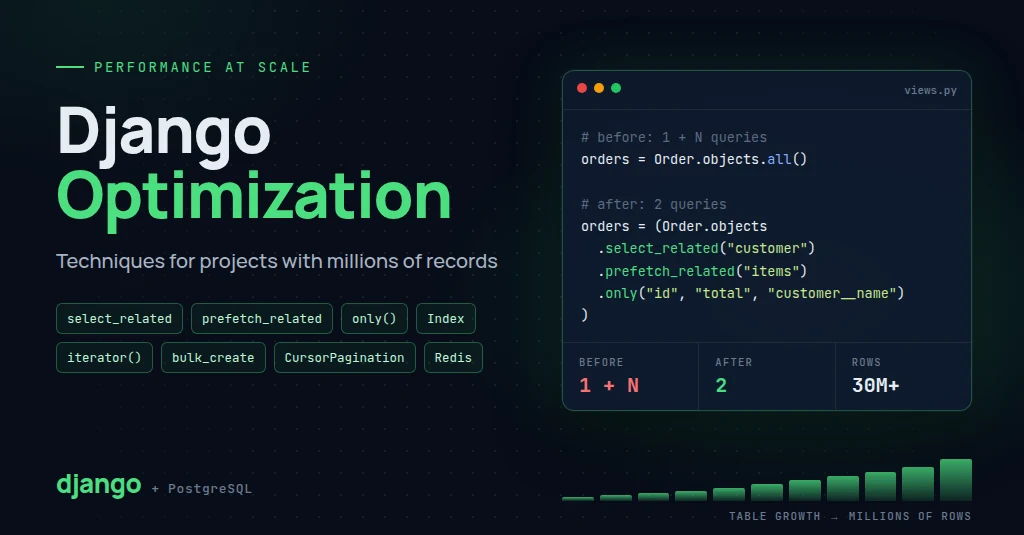
Introduction
Django is fast enough for almost any project. Slow Django apps are rarely slow because of Django. They are slow because of how the code talks to the database.
With 5,000 rows, a careless query takes 20 milliseconds and nobody notices. With 50 million rows, the same query takes 40 seconds, holds a database connection the whole time, and takes the site down at peak traffic.
This guide covers the techniques that matter, in the order you will usually need them:
- Measure: find the slow queries before you change anything
- Query fixes: N+1 queries, fetching less data, pushing work into the database
- Indexes: the right index turns a full table scan into a lookup
- Large data: pagination, bulk writes, batching and memory-safe iteration
- Architecture: caching, connection pooling, read replicas, background jobs and partitioning
All examples use PostgreSQL and recent Django (5.x). Most of the ORM techniques work on any database; the PostgreSQL-specific parts are marked.
The Example Models
Every example in this post uses a small e-commerce schema. Picture Order with 30 million rows and OrderItem with 120 million.
# shop/models.py
from django.db import models


class Customer(models.Model):
    name = models.CharField(max_length=200)
    email = models.EmailField(unique=True)
    created_at = models.DateTimeField(auto_now_add=True)


class Product(models.Model):
    sku = models.CharField(max_length=40, unique=True)
    name = models.CharField(max_length=300)
    price = models.DecimalField(max_digits=10, decimal_places=2)
    stock = models.PositiveIntegerField(default=0)


class Order(models.Model):
    class Status(models.TextChoices):
        PENDING = "pending"
        PAID = "paid"
        SHIPPED = "shipped"
        CANCELLED = "cancelled"

    customer = models.ForeignKey(Customer, on_delete=models.PROTECT, related_name="orders")
    status = models.CharField(max_length=20, choices=Status.choices, default=Status.PENDING)
    total = models.DecimalField(max_digits=12, decimal_places=2)
    notes = models.TextField(blank=True)
    created_at = models.DateTimeField(auto_now_add=True)


class OrderItem(models.Model):
    order = models.ForeignKey(Order, on_delete=models.CASCADE, related_name="items")
    product = models.ForeignKey(Product, on_delete=models.PROTECT, related_name="order_items")
    quantity = models.PositiveIntegerField()
    unit_price = models.DecimalField(max_digits=10, decimal_places=2)
Measure First, Then Optimize
Guessing where the time goes is usually wrong. Measure, change one thing, measure again.
See every query in development
django-debug-toolbar shows each SQL query a page runs, how long it took, and which line of Python triggered it. Duplicate queries are highlighted, which makes N+1 problems obvious.
pip install django-debug-toolbarFor API views and management commands, log every query to the console instead:
# settings/dev.py
LOGGING = {
    "version": 1,
    "handlers": {"console": {"class": "logging.StreamHandler"}},
    "loggers": {
        "django.db.backends": {"handlers": ["console"], "level": "DEBUG"},
    },
}
SQL logging only works when DEBUG = True. Never turn it on in production.
Read the query plan
QuerySet.explain() asks the database how it will run a query. On PostgreSQL, analyze=True actually runs it and reports real timings.
qs = Order.objects.filter(customer_id=42).order_by("-created_at")[:20]
print(qs.explain(analyze=True))
Limit (actual time=3812.4..3812.5 rows=20)
-> Sort (Sort Key: created_at DESC)
-> Seq Scan on shop_order
Filter: (customer_id = 42)
Rows Removed by Filter: 29999812
Seq Scan with millions of Rows Removed by Filter means PostgreSQL read the entire table to find a handful of rows. That is the signal you need an index, covered later in this post.
Find the worst queries in production
On PostgreSQL, enable the pg_stat_statements extension. It records every query shape with call counts and timings. Sort by total time, not average time: a 5 ms query called a million times an hour costs more than a 3 second report run once a day.
SELECT query,
       calls,
       round(mean_exec_time::numeric, 2)  AS avg_ms,
       round(total_exec_time::numeric, 0) AS total_ms
FROM pg_stat_statements
ORDER BY total_exec_time DESC
LIMIT 10;
Pair it with an APM tool such as Sentry, New Relic or Datadog to map slow queries back to the endpoints that run them.
Lock in query counts with tests
Once an endpoint is fast, keep it fast. assertNumQueries fails the test if someone reintroduces an N+1 query:
from django.test import TestCase


class OrderListTests(TestCase):
    def test_query_count_does_not_grow_with_orders(self):
        make_orders(count=50)  # your factory helper
        self.client.force_login(self.user)
        with self.assertNumQueries(4):
            self.client.get("/api/orders/")
The number includes session and authentication queries. What matters is that it stays the same whether there are 5 orders or 500.
Fix N+1 Queries
The N+1 problem is the most common performance bug in Django. One query loads a list, then one more query runs for each item in that list.
orders = Order.objects.all()[:100]          # 1 query

for order in orders:
    print(order.customer.name)               # +1 query per order
That loop runs 101 queries. In a template or a serializer, the same thing happens silently.
select_related for ForeignKey and OneToOne
select_related follows forward foreign keys with a SQL JOIN, so the related object arrives in the same query.
orders = Order.objects.select_related("customer")[:100]   # 1 query

for order in orders:
    print(order.customer.name)                            # no extra queries
prefetch_related for reverse and many-to-many relations
A JOIN cannot fetch "all items of each order" without multiplying rows. prefetch_related runs one extra query per relation and joins the results in Python.
orders = (
    Order.objects
    .select_related("customer")
    .prefetch_related("items__product")
)[:100]
# 3 queries: orders + customers, items, products
Prefetch objects for control
Use Prefetch when the related queryset needs its own filter, ordering or select_related. This version fetches items and their products in one query instead of two:
from django.db.models import Prefetch

orders = (
    Order.objects
    .select_related("customer")
    .prefetch_related(
        Prefetch("items", queryset=OrderItem.objects.select_related("product"))
    )
)[:100]
# 2 queries
With to_attr, you can attach a filtered subset under its own name:
customers = Customer.objects.prefetch_related(
    Prefetch(
        "orders",
        queryset=Order.objects.filter(status=Order.Status.PAID).order_by("-created_at"),
        to_attr="paid_orders",
    )
)

for customer in customers:
    for order in customer.paid_orders:   # a plain list, already loaded
...Fetch Only What You Need
Order.objects.all() runs SELECT *. If notes holds large text, every list page drags it across the network and into memory for nothing.
| Method | Returns | Use when |
|---|---|---|
only("id", "status") | Model instances with only those fields loaded | You need model methods but few columns |
defer("notes") | Model instances without the heavy fields | You need most fields except one or two large ones |
values("id", "total") | Dictionaries | Reports, exports, JSON responses |
values_list("id", flat=True) | Plain values | Collecting IDs for another query |
# Dashboard list: three columns, no model overhead
rows = (
    Order.objects
    .filter(status=Order.Status.PAID)
    .values("id", "total", "customer__name")[:50]
)

# IDs to feed another query
pending_ids = list(
    Order.objects.filter(status=Order.Status.PENDING).values_list("id", flat=True)[:1000]
)
A deferred field still loads if you touch it, with one extra query per object. Using only() and then accessing a missing field in a loop creates a new N+1 problem.
Ask the database the right question
# Bad: loads every matching row to check if any exist
if Order.objects.filter(customer=customer, status="pending"):
    ...

# Good: SELECT 1 ... LIMIT 1
if Order.objects.filter(customer=customer, status="pending").exists():
    ...

# Bad: loads every row into Python, then counts
total = len(Order.objects.filter(status="paid"))

# Good: SELECT COUNT(*)
total = Order.objects.filter(status="paid").count()
The exception: if you will loop over the rows anyway, evaluate the queryset once and use len() on the result. Calling .count() and then iterating runs two queries.
Let the Database Do the Work
PostgreSQL can sum, count, group and compare millions of rows far faster than a Python loop, and without shipping those rows to your app server.
Aggregate and annotate
from django.db.models import Count, Q, Sum

# Bad: one query per customer, totals summed in Python
for customer in Customer.objects.all():
    paid = sum(o.total for o in customer.orders.filter(status="paid"))

# Good: one query, grouped in SQL
customers = Customer.objects.annotate(
    order_count=Count("orders"),
    paid_total=Sum("orders__total", filter=Q(orders__status="paid")),
)
Be careful when annotating across two different multi-valued relations in one query, such as Count("orders") and Count("reviews"). The JOINs multiply rows and inflate both numbers. Use Count(..., distinct=True) or subqueries for that case.
F expressions for safe, fast updates
Reading a value into Python, changing it and saving it back takes two queries and has a race condition. Two requests can read the same stock level and both write back the wrong number.
from django.db.models import F

# Bad: read, modify, write. Races under load.
product = Product.objects.get(pk=pid)
product.stock -= qty
product.save()

# Good: one atomic UPDATE stock = stock - qty
Product.objects.filter(pk=pid, stock__gte=qty).update(stock=F("stock") - qty)
The same applies to bulk changes. One update() call replaces a loop of thousands of save() calls:
Order.objects.filter(
    status=Order.Status.PENDING,
    created_at__lt=timezone.now() - timedelta(days=7),
).update(status=Order.Status.CANCELLED)
When you do call save() on an existing row, pass update_fields so Django writes only the columns you changed:
order.status = Order.Status.SHIPPED
order.save(update_fields=["status"])
Subquery and Exists
Need each customer's latest order date? Do not loop. Use a correlated subquery:
from django.db.models import Exists, OuterRef, Subquery

latest_order = (
    Order.objects
    .filter(customer=OuterRef("pk"))
    .order_by("-created_at")
    .values("created_at")[:1]
)

customers = Customer.objects.annotate(last_order_at=Subquery(latest_order))

# Customers with at least one pending order
has_pending = Order.objects.filter(customer=OuterRef("pk"), status="pending")
customers = Customer.objects.filter(Exists(has_pending))
Exists stops at the first match. On large tables it is usually faster than filter(orders__status="pending").distinct(), which joins every order and then removes duplicates.
Index for Your Queries
Without an index, PostgreSQL reads every row to answer a filter. With the right index, it jumps straight to the matching rows. On a 30 million row table, that is the difference between seconds and milliseconds.
Django creates indexes for primary keys, ForeignKey columns and unique=True fields automatically. Everything else you filter or sort on, you index yourself.
Composite indexes match real queries
Index the columns your hot queries actually use together. The query "a customer's latest orders" filters on customer and sorts on created_at, so the index covers both:
from django.db.models import Q


class Order(models.Model):
    ...

    class Meta:
        indexes = [
            # Customer order history: WHERE customer_id = ? ORDER BY created_at DESC
            models.Index(fields=["customer", "-created_at"], name="order_customer_created_idx"),

            # Partial index: only pending orders, a small slice of the table
            models.Index(
                fields=["created_at"],
                name="order_pending_created_idx",
                condition=Q(status="pending"),
            ),
        ]
Rules for composite indexes:
- Put columns compared with equality first, then columns used for ranges or sorting.
- An index on
(customer, created_at)also serves queries oncustomeralone, but not oncreated_atalone. - A partial index with
conditionstays small when you only ever query a subset, such as pending orders or rows wheredeleted_atis null.
PostgreSQL index types worth knowing
| Index | Good for | Django |
|---|---|---|
| B-tree | Equality, ranges, sorting. The default. | models.Index |
Covering (INCLUDE) | Answering a query from the index alone, without reading the table | models.Index(..., include=[...]) |
| BRIN | Huge append-only tables ordered by time, such as logs and events. Tiny on disk. | BrinIndex |
| GIN | JSONField lookups, arrays, full-text search, trigram search | GinIndex |
from django.contrib.postgres.indexes import BrinIndex

class Event(models.Model):
    created_at = models.DateTimeField(auto_now_add=True)
    payload = models.JSONField()

    class Meta:
        indexes = [BrinIndex(fields=["created_at"], name="event_created_brin")]
Searching text with icontains
name__icontains="phone" becomes UPPER(name) LIKE UPPER('%phone%'). A normal B-tree index cannot help with a leading wildcard, so every search scans the table. A trigram index on the same expression can:
from django.contrib.postgres.indexes import GinIndex, OpClass
from django.db.models.functions import Upper


class Product(models.Model):
    ...

    class Meta:
        indexes = [
            GinIndex(
                OpClass(Upper("name"), name="gin_trgm_ops"),
                name="product_name_trgm_idx",
            ),
        ]
This needs the pg_trgm extension. Add TrigramExtension() from django.contrib.postgres.operations to a migration before the index. For ranked, language-aware search, use PostgreSQL full-text search or a dedicated engine such as Elasticsearch or OpenSearch.
Indexes are not free
- Every index slows down
INSERT,UPDATEandDELETEon that table - Every index takes disk and memory
- Unused indexes cost you on every write and help nothing
Add indexes for queries you have measured. Check pg_stat_user_indexes periodically and drop indexes with zero scans.
Pagination at Scale
Django's Paginator and DRF's PageNumberPagination use two queries per page: a COUNT(*) and an OFFSET. Both break down on large tables.
Page 1:       SELECT ... ORDER BY id DESC LIMIT 50 OFFSET 0        fast
Page 20,000:  SELECT ... ORDER BY id DESC LIMIT 50 OFFSET 999950   reads and discards ~1M rows
Every page:   SELECT COUNT(*) FROM shop_order                     scans the whole table
OFFSET does not skip rows for free. The database still walks through every skipped row. Deep pages get slower in a straight line, and rows inserted between page loads shift results so users see duplicates or miss records.
Keyset (cursor) pagination
Instead of "skip 999,950 rows," say "give me 50 rows older than the last one I saw." With an index on the sort column, every page costs the same, whether it is page 1 or page 20,000.
from django.db.models import Q


def orders_page(customer_id, after=None, size=50):
    """`after` is the (created_at, id) of the last row on the previous page."""
    qs = Order.objects.filter(customer_id=customer_id).order_by("-created_at", "-id")
    if after:
        created_at, pk = after
        qs = qs.filter(Q(created_at__lt=created_at) | Q(created_at=created_at, id__lt=pk))
    return list(qs[:size])
The id tiebreaker matters. Two orders can share a timestamp, and without a unique sort key, rows get skipped or repeated at page boundaries.
In Django REST Framework, CursorPagination does this for you:
from rest_framework.pagination import CursorPagination


class OrderCursorPagination(CursorPagination):
    page_size = 50
    ordering = "-created_at"
The trade-off: no "jump to page 400" and no total count. For feeds, timelines, logs and infinite scroll, users never needed those anyway.
Cheap counts when you need them
If the UI must show a total, PostgreSQL keeps an estimate of each table's row count in its statistics. Reading it is instant:
from django.core.paginator import Paginator
from django.db import connection
from django.utils.functional import cached_property


def estimated_count(model):
    with connection.cursor() as cursor:
        cursor.execute(
            "SELECT reltuples::bigint FROM pg_class WHERE oid = %s::regclass",
            [model._meta.db_table],
        )
        return cursor.fetchone()[0]


class EstimatedCountPaginator(Paginator):
    @cached_property
    def count(self):
        # Filtered querysets still need a real count
        if self.object_list.query.where:
            return super().count
        estimate = estimated_count(self.object_list.model)
        return estimate if estimate > 0 else super().count
The estimate refreshes when autovacuum analyzes the table, so it can be off by a small percentage. "About 30,412,000 orders" is fine for a dashboard. It is not fine for billing.
Bulk Writes
Saving 100,000 objects one at a time means 100,000 round trips to the database. Batch them.
# Bad: 100,000 INSERT statements
for row in rows:
    Product.objects.create(sku=row["sku"], name=row["name"], price=row["price"])

# Good: 100 INSERT statements of 1,000 rows each
Product.objects.bulk_create(
    [Product(sku=r["sku"], name=r["name"], price=r["price"]) for r in rows],
    batch_size=1000,
)
Upserts
Imports often mix new and existing records. bulk_create can insert or update in one statement with INSERT ... ON CONFLICT:
Product.objects.bulk_create(
    products,
    batch_size=1000,
    update_conflicts=True,
    unique_fields=["sku"],
    update_fields=["name", "price", "stock"],
)
bulk_update and its limits
for p in products:
    p.price = new_prices[p.sku]

Product.objects.bulk_update(products, ["price"], batch_size=500)
bulk_update builds a large CASE WHEN statement per batch. It works, but it gets slow with many rows or many fields. When every row gets the same value or the same expression, a single queryset.update() is much faster.
Processing Millions of Rows Without Running Out of Memory
This looks harmless:
for order in Order.objects.all():
    export(order)
Django loads every row into memory and caches all of them on the queryset before the loop starts. With 30 million orders, the worker runs out of memory and gets killed.
iterator()
iterator() streams rows in chunks and skips the queryset cache. On PostgreSQL it uses a server-side cursor, so memory stays flat no matter how big the table is.
qs = Order.objects.filter(status="paid").only("id", "total", "created_at")

for order in qs.iterator(chunk_size=2000):
    export(order)
Two things to know:
prefetch_relatedworks withiterator()only when you passchunk_size. Prefetching then happens per chunk.- Server-side cursors do not work behind PgBouncer in transaction pooling mode. Set
"DISABLE_SERVER_SIDE_CURSORS": Trueon that database, and use the batching pattern below instead.
Batch by primary key
For long jobs, process the table in primary key ranges. Each batch is a short, independent query, so the job can stop and resume, and it never holds a transaction open for an hour.
def in_batches(queryset, size=5000):
    last_pk = 0
    while True:
        batch = list(queryset.filter(pk__gt=last_pk).order_by("pk")[:size])
        if not batch:
            return
        yield batch
        last_pk = batch[-1].pk
Do not use OFFSET for batching. Batch 6,000 of an offset-based loop re-reads 30 million rows to find its starting point. A pk__gt filter uses the primary key index and starts in the right place instantly.
A safe backfill command
Backfilling a new column on a large table is a common real-world job. Doing it in one UPDATE locks millions of rows and can stall replication. Say you added item_count = models.PositiveIntegerField(null=True) to Order and need to fill it for 30 million existing rows. Do it in batches:
# shop/management/commands/backfill_order_item_count.py
import time

from django.core.management.base import BaseCommand
from django.db.models import Count, OuterRef, Subquery

from shop.models import Order, OrderItem


class Command(BaseCommand):
    help = "Backfill Order.item_count in batches"

    def add_arguments(self, parser):
        parser.add_argument("--batch-size", type=int, default=5000)
        parser.add_argument("--sleep", type=float, default=0.1)

    def handle(self, *args, batch_size, sleep, **options):
        item_count = (
            OrderItem.objects
            .filter(order=OuterRef("pk"))
            .order_by()
            .values("order")
            .annotate(c=Count("id"))
            .values("c")
        )
        last_pk, done = 0, 0
        while True:
            ids = list(
                Order.objects
                .filter(pk__gt=last_pk, item_count__isnull=True)
                .order_by("pk")
                .values_list("pk", flat=True)[:batch_size]
            )
            if not ids:
                break
            Order.objects.filter(pk__in=ids).update(item_count=Subquery(item_count))
            last_pk, done = ids[-1], done + len(ids)
            self.stdout.write(f"Updated {done} orders (last id {last_pk})")
            time.sleep(sleep)  # give replicas and other traffic room to breathe
The same pattern works for deletes. queryset.delete() on millions of rows may load objects into memory to handle cascades and signals. Deleting by batches of primary keys keeps each transaction short.
Caching
The fastest query is the one you never run. If a result is expensive to compute and does not change on every request, cache it.
Set up Redis
Django ships a Redis backend since version 4.0:
CACHES = {
    "default": {
        "BACKEND": "django.core.cache.backends.redis.RedisCache",
        "LOCATION": "redis://127.0.0.1:6379/1",
    }
}
Cache expensive results
from django.core.cache import cache
from django.db.models import Sum


def top_products():
    return cache.get_or_set(
        "top_products:v1",
        lambda: list(
            Product.objects
            .annotate(sold=Sum("order_items__quantity"))
            .order_by("-sold")
            .values("id", "name", "sold")[:10]
        ),
        timeout=600,
    )
Wrap the queryset in list(). A queryset is lazy, and caching a lazy object either fails or caches nothing useful.
Invalidate on change
Time-based expiry is the simplest strategy. When stale data is not acceptable, delete the key when the source data changes, after the transaction commits:
from django.db import transaction
from django.db.models.signals import post_save
from django.dispatch import receiver


@receiver(post_save, sender=Product)
def clear_product_cache(sender, instance, **kwargs):
    transaction.on_commit(lambda: cache.delete(f"product:{instance.pk}"))
Deleting before commit opens a race: another request can repopulate the cache with old data before your write lands.
Other levels of caching
| Level | Tool | Use for |
|---|---|---|
| Whole view | @cache_page(60) | Public pages that look the same for everyone |
| Template fragment | {% cache 300 sidebar %} | An expensive block inside an otherwise dynamic page |
| Single value | cache.get_or_set() | Aggregates, counts, API responses from other services |
| Per instance | @cached_property | A computed property used several times in one request |
| HTTP | CDN, Cache-Control, ETags | Static assets and public API responses |
Database Connections
By default, Django opens a new database connection for every request and closes it at the end. Opening a PostgreSQL connection costs a few milliseconds and some server memory. At thousands of requests per second, that adds up fast.
Persistent connections
DATABASES = {
    "default": {
        "ENGINE": "django.db.backends.postgresql",
        "NAME": "shop",
        # ...
        "CONN_MAX_AGE": 60,          # reuse connections for up to 60 seconds
        "CONN_HEALTH_CHECKS": True,  # drop broken connections before use
    }
}
Connection pooling
Django 5.1 added native connection pooling for PostgreSQL through psycopg 3. Install psycopg[pool] and enable it in OPTIONS. It replaces persistent connections, so leave CONN_MAX_AGE at 0.
DATABASES = {
    "default": {
        "ENGINE": "django.db.backends.postgresql",
        # ...
        "OPTIONS": {
            "pool": {"min_size": 2, "max_size": 10},
        },
    }
}
The built-in pool lives inside each worker process. With many servers and many processes, the total connection count still grows. An external pooler such as PgBouncer in front of PostgreSQL caps it for the whole fleet.
Read Replicas
Most web apps read far more than they write. A read replica is a copy of the primary database that serves SELECT queries, so reports and listings stop competing with checkouts.
                 writes
App servers ─────────────────▶ Primary
     │                            │
     │ reads                      │ streaming replication
     ▼                            ▼
  Replica  ◀──────────────────────┘
# settings.py
DATABASES = {
    "default": {...},   # primary
    "replica": {...},   # read-only copy
}
DATABASE_ROUTERS = ["shop.routers.PrimaryReplicaRouter"]


# shop/routers.py
class PrimaryReplicaRouter:
    def db_for_read(self, model, **hints):
        return "replica"

    def db_for_write(self, model, **hints):
        return "default"

    def allow_relation(self, obj1, obj2, **hints):
        return True

    def allow_migrate(self, db, app_label, model_name=None, **hints):
        return db == "default"
Replicas lag behind the primary, usually by milliseconds, sometimes by seconds. A user who places an order and is immediately redirected to "My orders" may not see it yet. Read from the primary right after a write:
order = Order.objects.create(...)
recent = Order.objects.using("default").filter(customer=customer)[:10]
Send heavy analytics and exports to a dedicated replica so they cannot slow the one serving user traffic.
Move Slow Work Out of the Request
A request should do the minimum needed to respond. Sending emails, generating PDFs, calling third-party APIs, recalculating reports and exporting CSVs belong in a background worker such as Celery or RQ.
from django.db import transaction

from .tasks import send_order_confirmation


def place_order(request):
    with transaction.atomic():
        order = create_order(request)

    # Queue only after the order is committed, and pass the ID, not the object
    transaction.on_commit(lambda: send_order_confirmation.delay(order.pk))
    return redirect("order-detail", pk=order.pk)
Two habits prevent most background job bugs:
- Queue tasks in
transaction.on_commit. Otherwise a fast worker may look for an order that has not been committed yet. - Pass primary keys, not model instances. The worker reloads fresh data, and the message stays small.
Very Large Tables: Denormalize, Archive, Partition
Past a certain size, even well-indexed queries slow down because indexes no longer fit in memory, and maintenance work such as vacuuming takes hours. At that point you change the shape of the data.
Denormalized counters
If every product page shows "sold 12,431 times," do not count OrderItem rows on every view. Store the number and update it when it changes:
Product.objects.filter(pk=item.product_id).update(
    sold_count=F("sold_count") + item.quantity
)
You trade a little write cost and the risk of drift for a constant-time read. Run a periodic job that recalculates the true value and corrects any drift.
Archive cold data
Orders from five years ago are rarely read but still sit in every index. Move them to an archive table or cheaper storage, and keep the hot table small. A smaller table means smaller indexes, faster vacuums and quicker backups.
Partitioning
PostgreSQL native partitioning splits one logical table into many physical ones, typically by month. Queries that filter on the partition key only touch the matching partitions, and dropping a whole month of old data becomes an instant DROP TABLE instead of a multi-hour DELETE.
CREATE TABLE shop_event (
    id          bigint GENERATED ALWAYS AS IDENTITY,
    created_at  timestamptz NOT NULL,
    payload     jsonb NOT NULL,
    PRIMARY KEY (id, created_at)
) PARTITION BY RANGE (created_at);

CREATE TABLE shop_event_2026_10 PARTITION OF shop_event
    FOR VALUES FROM ('2026-10-01') TO ('2026-11-01');
Django's migrations do not create partitioned tables. Create them with RunSQL in a migration, or use a package such as django-postgres-extra. The primary key must include the partition key, which models.CompositePrimaryKey (Django 5.2+) can express. Always filter on created_at in queries against a partitioned table; without it, PostgreSQL has to check every partition.
Partitioning adds operational work, such as creating future partitions on a schedule. Reach for it when a table is in the hundreds of millions of rows and keeps growing, not before.
Migrations on Large Tables
A migration that runs in one second on your laptop can lock a production table for twenty minutes. Check the SQL before you deploy:
python manage.py sqlmigrate shop 0042| Change | Risk on a big table | Safer approach |
|---|---|---|
| Add an index | Blocks writes while it builds | AddIndexConcurrently in a non-atomic migration |
| Add a nullable column | Fast | Safe as is |
| Add a column with a constant default | Fast on PostgreSQL 11+ | Safe; avoid volatile defaults like now() |
Add NOT NULL to an existing column | Scans the whole table under lock | Add nullable, backfill in batches, then add the constraint |
| Rename or drop a column | Running code still uses the old name | Deploy code that stops using it first, then migrate |
from django.contrib.postgres.operations import AddIndexConcurrently
from django.db import migrations, models


class Migration(migrations.Migration):
    atomic = False   # CREATE INDEX CONCURRENTLY cannot run inside a transaction

    dependencies = [("shop", "0041_previous")]

    operations = [
        AddIndexConcurrently(
            "order",
            models.Index(fields=["customer", "-created_at"], name="order_customer_created_idx"),
        ),
    ]
Django Admin and DRF at Scale
Admin
The admin is often the first page to fall over on a large table. A changelist runs a full COUNT(*), every foreign key dropdown loads the entire related table, and every column that shows a related object adds a query per row.
@admin.register(Order)
class OrderAdmin(admin.ModelAdmin):
    list_display = ["id", "customer", "status", "total", "created_at"]
    list_select_related = ["customer"]          # no N+1 in the list
    list_filter = ["status"]
    raw_id_fields = ["customer"]                # no 2 million option dropdown
    show_full_result_count = False              # skip the second COUNT(*)
    paginator = EstimatedCountPaginator         # from the pagination section
    search_fields = ["=id", "customer__email"]  # "=" means exact match
search_fields defaults to icontains on every field listed, which scans the table. Prefer exact matches with = or prefix matches with ^ on indexed columns.
Django REST Framework
Serializers hide N+1 queries well. A nested serializer or a SerializerMethodField that touches a relation runs a query per object. Fix it in get_queryset, where the queryset is built:
class OrderViewSet(viewsets.ReadOnlyModelViewSet):
    serializer_class = OrderSerializer
    pagination_class = OrderCursorPagination

    def get_queryset(self):
        return (
            Order.objects
            .filter(customer__user=self.request.user)
            .select_related("customer")
            .prefetch_related(
                Prefetch("items", queryset=OrderItem.objects.select_related("product"))
            )
            .annotate(item_count=Count("items"))
        )


class OrderSerializer(serializers.ModelSerializer):
    item_count = serializers.IntegerField(read_only=True)  # comes from annotate
    items = OrderItemSerializer(many=True, read_only=True)

    class Meta:
        model = Order
        fields = ["id", "status", "total", "created_at", "item_count", "items"]
Never compute item_count in a SerializerMethodField with obj.items.count(). That is one COUNT query per order.
Common Performance Mistakes
- Querysets in loops. Any
.get(),.filter()or related access inside aforloop deserves a second look. if queryset:andlen(queryset)to check existence or size. Use.exists()and.count().- Filtering in Python.
[o for o in Order.objects.all() if o.total > 1000]loads the table to keep ten rows. - Default
Meta.orderingon a large model. It addsORDER BYto every query, including ones that do not need it. Order explicitly where it matters. - Unbounded querysets in APIs. Every list endpoint needs pagination and a maximum page size.
.distinct()over large joins. Often a sign thatExistswould do the job better.- Heavy work in signals. A
post_savehandler that calls an API runs inside every save, including bulk scripts. - Optimizing without measuring. Fix the query that costs the most total time first.
What to Do at Each Scale
You do not need partitioning for 50,000 rows. Match the technique to the size of the problem.
| Rows in largest table | Focus on | Usually starts to break |
|---|---|---|
| Up to ~100K | Clean ORM code, select_related and prefetch_related, test query counts | N+1 queries on list pages |
| ~100K to 10M | Composite and partial indexes, only() and values(), bulk writes, Redis caching, background jobs | Unindexed filters, icontains search, admin pages, CSV exports |
| ~10M to 100M | Keyset pagination, estimated counts, batched jobs with iterator(), connection pooling, read replicas, safe migrations | OFFSET pagination, COUNT(*), long migrations, bulk deletes |
| 100M+ | Partitioning, archiving, denormalized counters, dedicated search and analytics stores | Index size versus memory, vacuum time, backups, any full table scan |
These boundaries are rough. Row width, traffic and hardware move them a lot. Let your measurements decide, not the row count alone.
Optimization Checklist
- Slow queries identified with debug toolbar,
explain()andpg_stat_statements - No N+1 queries on list pages and API endpoints; query counts locked in tests
- Only needed columns loaded on large or wide tables
- Counting, summing and filtering done in SQL, not Python
- Indexes match the filters and sort orders of hot queries
- Keyset pagination for large or fast-growing lists
- Bulk operations for imports and mass updates
iterator()or primary key batches for jobs over large tables- Expensive, rarely changing results cached in Redis
- Connection pooling in place
- Slow work moved to background workers
- Migrations reviewed with
sqlmigratebefore they reach a big table
Conclusion
Most Django performance problems come from a short list: too many queries, too much data per query, missing indexes, and patterns like OFFSET and COUNT(*) that do not survive large tables. The ORM has a fix for each of them.
Work in this order. Measure. Remove N+1 queries. Fetch less. Push work into the database. Index what you query. Only then reach for caching, replicas and partitioning, because each of those adds moving parts you will have to maintain.