Redis Tutorial for Beginners: Data Types, Commands, Caching and Python Examples
What Redis is, its data types and essential commands, caching with Python and Django, persistence, eviction and security. Every command was run on Redis 8.10.
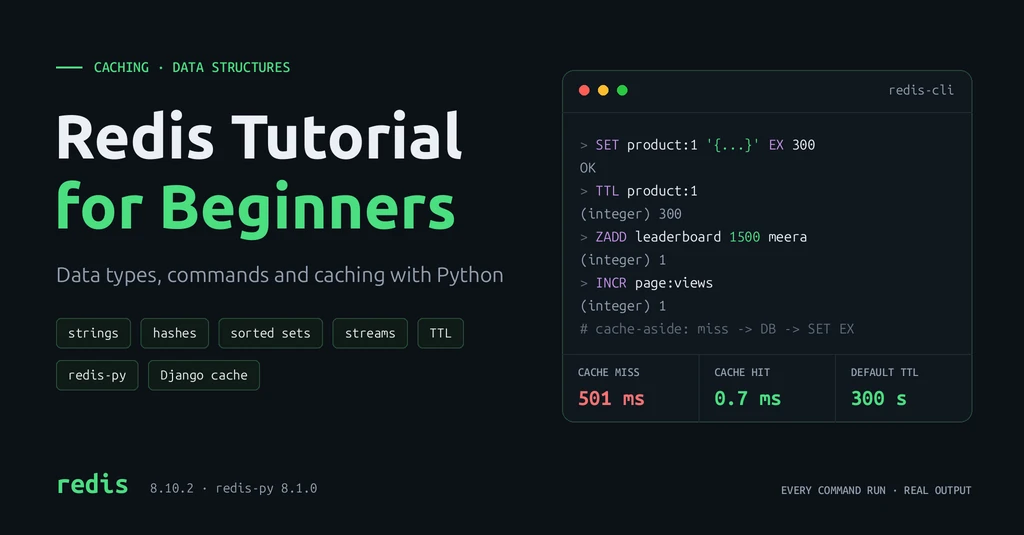
Introduction
Redis is an open-source, in-memory data store. It keeps data in RAM instead of on disk, so reads and writes usually take well under a millisecond inside the server.
How it works: your application connects to the Redis server over the network and sends commands such as SET and GET. Every piece of data is stored under a key (a name such as user:42). Redis runs commands one at a time on its main thread, so each single command is atomic: it finishes completely before the next one starts, with no half-done states.
Backend developers use Redis for work that must be fast and does not need a full database: caching query results, storing sessions, rate limiting, counters, leaderboards, short-lived codes such as OTPs, and passing messages between services.
Key Features of Redis
- In-memory storage. Data lives in RAM, which is why Redis is fast, and also why memory size limits how much you can store.
- Key-value model. Every value is stored under a unique key. Keys are strings; a common naming style is
object:id:field, such asuser:42:profile. - Fast data access. Most commands work on one key and run in constant or near-constant time. In practice the network round trip is often the slowest part.
- Rich data structures. A value can be a string, hash, list, set, sorted set, stream and more. Redis does the work on the server, so you do not read, change and write back whole objects.
- TTL and key expiration. TTL (time to live) is how long a key lives. Give a key a TTL and Redis deletes it automatically when it runs out.
- Persistence. Redis can save data to disk with RDB snapshots, an AOF log of writes, or both, so it survives a restart.
- Pub/Sub messaging. Clients can publish messages to a channel and every subscriber receives them instantly.
- Transactions and atomic operations.
INCR,SET ... NXandMULTI/EXEClet many clients update shared data without race conditions. - Replication and high availability. Replicas keep copies of the data; Sentinel and Redis Cluster handle failover and sharding.
- Caching and distributed coordination. TTLs, eviction policies and atomic commands make Redis a natural cache, and a simple tool for locks and job coordination across servers.
Redis Installation and Setup
Install and start the Redis server
The quickest way, on any OS, is Docker:
docker run -d --name redis -p 127.0.0.1:6379:6379 redis:8.10.2Other options from the official docs:
- Ubuntu/Debian: add the
packages.redis.ioAPT repository, thensudo apt-get install redis. - macOS:
brew install redis, thenbrew services start redis. - Windows: use Docker Desktop (or WSL). Redis does not run natively on Windows.
Connect using redis-cli
redis-cli is the command-line client that ships with Redis.
docker exec -it redis redis-cli      # Docker
redis-cli                            # local install
Basic commands: PING, SET, GET, DEL and EXPIRE
127.0.0.1:6379> PING
PONG
127.0.0.1:6379> SET greeting "Hello, Redis"
OK
127.0.0.1:6379> GET greeting
"Hello, Redis"
127.0.0.1:6379> EXPIRE greeting 60
(integer) 1
127.0.0.1:6379> TTL greeting
(integer) 60
127.0.0.1:6379> DEL greeting
(integer) 1
127.0.0.1:6379> GET greeting
(nil)
(integer) 1 means one key was affected. (nil) means the key does not exist.
Redis Data Types
| Type | Stores | Typical use |
|---|---|---|
| String | Text, numbers or bytes (up to 512 MB) | Cache entries, counters, flags |
| Hash | Field-value pairs under one key | User profiles, objects |
| List | Ordered sequence | Queues, recent items |
| Set | Unique, unordered members | Tags, unique visitors |
| Sorted set | Unique members ordered by score | Leaderboards, priority queues |
| Stream | Append-only log of entries | Event logs, job queues with acknowledgements |
| Geospatial | Members with longitude and latitude | "Stores near me" |
| Bitmap, HyperLogLog | Bits; approximate unique counts | Daily active users, unique visitors |
Strings
127.0.0.1:6379> SET user:1:name "Asha"
OK
127.0.0.1:6379> APPEND user:1:name " Kumar"
(integer) 10
127.0.0.1:6379> GET user:1:name
"Asha Kumar"
Hashes
127.0.0.1:6379> HSET user:1 name "Asha" email "asha@example.com" plan "pro"
(integer) 3
127.0.0.1:6379> HINCRBY user:1 logins 1
(integer) 1
127.0.0.1:6379> HDEL user:1 plan
(integer) 1
Use a hash when you often read or update one field of an object; you avoid rewriting a whole JSON string.
Lists
127.0.0.1:6379> RPUSH queue:emails "welcome:1" "reset:2" "invoice:3"
(integer) 3
127.0.0.1:6379> LPOP queue:emails
"welcome:1"
127.0.0.1:6379> LRANGE queue:emails 0 -1
1) "reset:2"
2) "invoice:3"
RPUSH adds to the end and LPOP takes from the front: a simple first-in, first-out queue.
Sets
127.0.0.1:6379> SADD post:1:tags redis cache backend
(integer) 3
127.0.0.1:6379> SADD post:2:tags redis python
(integer) 2
127.0.0.1:6379> SINTER post:1:tags post:2:tags
1) "redis"
127.0.0.1:6379> SISMEMBER post:1:tags cache
(integer) 1
Sorted sets
Each member has a numeric score, and Redis keeps members ordered by it.
127.0.0.1:6379> ZADD leaderboard 1200 "asha" 950 "ravi" 1500 "meera"
(integer) 3
127.0.0.1:6379> ZINCRBY leaderboard 100 "ravi"
"1050"
127.0.0.1:6379> ZREVRANK leaderboard meera
(integer) 0
Streams
A stream is an append-only log. Consumer groups let several workers share the entries, and each entry stays pending until a worker acknowledges it with XACK.
127.0.0.1:6379> XADD orders * order_id 1001 status paid
"1792066092800-0"
127.0.0.1:6379> XGROUP CREATE orders mailers 0
OK
127.0.0.1:6379> XREADGROUP GROUP mailers worker-1 COUNT 1 STREAMS orders >
1) 1) "orders"
   2) 1) 1) "1792066092800-0"
         2) 1) "order_id"
            2) "1001"
            3) "status"
            4) "paid"
* asks Redis to generate the entry ID, which is a millisecond timestamp plus a sequence number.
Geospatial indexes
127.0.0.1:6379> GEOADD stores 76.2673 9.9312 "kochi" 76.9366 8.5241 "trivandrum" 77.5946 12.9716 "bangalore"
(integer) 3
127.0.0.1:6379> GEODIST stores kochi trivandrum km
"172.8968"
127.0.0.1:6379> GEOSEARCH stores FROMLONLAT 76.30 9.95 BYRADIUS 200 km ASC WITHDIST
1) 1) "kochi"
   2) "4.1479"
2) 1) "trivandrum"
   2) "173.3126"
Longitude comes first, then latitude.
Bitmaps and HyperLogLogs
A bitmap treats a string as a row of bits; here bit number = user ID. A HyperLogLog estimates how many unique items it has seen, using at most about 12 KB however many items you add (with a standard error of 0.81%).
127.0.0.1:6379> SETBIT active:2026-10-15 1001 1
(integer) 0
127.0.0.1:6379> SETBIT active:2026-10-15 1002 1
(integer) 0
127.0.0.1:6379> BITCOUNT active:2026-10-15
(integer) 2
127.0.0.1:6379> PFADD visitors:2026-10-15 ip1 ip2 ip3 ip2
(integer) 1
127.0.0.1:6379> PFCOUNT visitors:2026-10-15
(integer) 3
Important Redis Commands
SET and GET
127.0.0.1:6379> SET session:abc "user:1" EX 1800
OK
127.0.0.1:6379> GET session:abc
"user:1"
EX 1800 sets a 30-minute TTL in the same command. Add NX to set the key only if it does not already exist.
MSET and MGET
127.0.0.1:6379> MSET city "Kochi" country "India"
OK
127.0.0.1:6379> MGET city country missing
1) "Kochi"
2) "India"
3) (nil)
One round trip instead of three.
HSET and HGET
127.0.0.1:6379> HSET user:2 name "Ravi" email "ravi@example.com"
(integer) 2
127.0.0.1:6379> HGET user:2 email
"ravi@example.com"
LPUSH and LRANGE
127.0.0.1:6379> LPUSH recent:products 101 102 103
(integer) 3
127.0.0.1:6379> LRANGE recent:products 0 -1
1) "103"
2) "102"
3) "101"
127.0.0.1:6379> LTRIM recent:products 0 1
OK
LPUSH adds to the front, so the newest item comes first. LTRIM keeps only the latest items: a "recently viewed" list.
SADD and SMEMBERS
127.0.0.1:6379> SADD post:3:tags django celery
(integer) 2
127.0.0.1:6379> SMEMBERS post:3:tags
1) "django"
2) "celery"
Sets have no order. Do not rely on the order SMEMBERS returns.
ZADD and ZRANGE
127.0.0.1:6379> ZRANGE leaderboard 0 -1 REV WITHSCORES
1) "meera"
2) "1500"
3) "asha"
4) "1200"
5) "ravi"
6) "1050"
REV returns the highest score first. 0 -1 means "from the first to the last".
EXPIRE and TTL
127.0.0.1:6379> TTL session:abc
(integer) 1800
127.0.0.1:6379> PERSIST session:abc
(integer) 1
127.0.0.1:6379> TTL session:abc
(integer) -1
127.0.0.1:6379> TTL nokey
(integer) -2
-1 means the key exists with no expiry; -2 means it does not exist. PERSIST removes a TTL.
INCR and DECR
127.0.0.1:6379> SET stock:101 5
OK
127.0.0.1:6379> DECR stock:101
(integer) 4
127.0.0.1:6379> DECRBY stock:101 2
(integer) 2
127.0.0.1:6379> INCR page:views
(integer) 1
These are atomic. Two servers incrementing the same key at the same moment never lose an update. INCR on a missing key starts from 0.
DEL and EXISTS
127.0.0.1:6379> EXISTS city missing
(integer) 1
127.0.0.1:6379> DEL city country
(integer) 2
127.0.0.1:6379> EXISTS city
(integer) 0
Both accept several keys and return how many matched.
Redis Use Cases in Backend Development
API response caching
Store the JSON of an expensive endpoint under a key such as api:products:page:1 with a TTL of a few minutes. The full Python example is in the next section.
Session storage
Keep login sessions in Redis (SET session:<id> ... EX 1800) so any app server can read them, and they expire on their own.
Rate limiting
Count requests per user per time window with INCR and EXPIRE, and reject requests over the limit. There is a Python example below.
OTP expiration
Store a one-time code with a short TTL, and NX so a second request cannot overwrite it while the first code is valid:
127.0.0.1:6379> SET otp:user:42 "482913" EX 300 NX
OK
127.0.0.1:6379> SET otp:user:42 "111111" EX 300 NX
(nil)
Key on a user or request ID, not on a phone number or email, so personal data does not appear in key names and monitoring tools.
Leaderboards and ranking
A sorted set gives you the top N, a player's rank and their score in single commands, as shown above.
Real-time counters
Page views, likes and stock levels with INCR, HINCRBY and DECR; unique visitors with HyperLogLog.
Pub/Sub notifications
Push "order paid" events to WebSocket servers so they can notify connected users. Pub/Sub does not store messages: a subscriber that is offline misses them. Use Streams when messages must not be lost.
Background job coordination
Task queues such as Celery and RQ can use Redis as a broker. For your own scheduled jobs, a Redis lock makes sure only one worker runs a task at a time (example below).
Practical Example: Redis Caching with Python
We will cache a slow database call using the cache-aside pattern: check the cache first, load from the database on a miss, then store the result with a TTL.
Install and connect
pip install "redis==8.1.0"redis is the official Python client, also called redis-py.
The caching code
import json
import logging
import time

import redis
from redis.backoff import NoBackoff
from redis.retry import Retry

logging.basicConfig(level=logging.WARNING, format="%(levelname)s %(message)s")
log = logging.getLogger("cache")

r = redis.Redis(
    host="localhost",
    port=6379,
    decode_responses=True,       # return str instead of bytes
    socket_connect_timeout=1,    # fail fast if Redis is down
    socket_timeout=1,
    retry=Retry(NoBackoff(), retries=1),  # default is 10 retries with backoff
)

CACHE_TTL = 300  # seconds


def get_product_from_db(product_id: int) -> dict:
    """Pretend database query that takes 0.5 seconds."""
    time.sleep(0.5)
    return {"id": product_id, "name": "Mechanical Keyboard", "price": 49.99}


def get_product(product_id: int) -> dict:
    key = f"product:{product_id}"

    # 1. Try the cache
    try:
        cached = r.get(key)
        if cached is not None:
            print(f"cache hit  -> {key}")
            return json.loads(cached)
    except redis.RedisError as exc:
        log.warning("cache read failed, using database: %s", exc)

    # 2. Cache miss: load from the database
    print(f"cache miss -> {key}")
    product = get_product_from_db(product_id)

    # 3. Store it with an expiry, but never fail the request because of the cache
    try:
        r.set(key, json.dumps(product), ex=CACHE_TTL)
    except redis.RedisError as exc:
        log.warning("cache write failed: %s", exc)

    return product


def invalidate_product(product_id: int) -> None:
    r.delete(f"product:{product_id}")


if __name__ == "__main__":
    print("PING:", r.ping())
    r.delete("product:1")

    for _ in range(2):
        start = time.perf_counter()
        product = get_product(1)
        print(f"{product['name']} in {(time.perf_counter() - start) * 1000:.1f} ms")

    print("TTL:", r.ttl("product:1"))
    invalidate_product(1)
    print("after delete:", r.exists("product:1"))
Output
PING: True
cache miss -> product:1
Mechanical Keyboard in 501.4 ms
cache hit  -> product:1
Mechanical Keyboard in 0.7 ms
TTL: 300
after delete: 0
What the important parts do:
- **
json.dumps/json.loads.** Redis stores strings, so the dict is serialized to JSON. - **
ex=CACHE_TTL.** The entry expires after 5 minutes, so stale data cannot live forever. - **
invalidate_product.** Delete the key whenever the product changes in the database. This is the hard part of caching: every write path must invalidate or update the cache. - **
try/except redis.RedisError.** If Redis is down, the app logs a warning and serves from the database. The cache makes the app faster; it must never make it fail.
When Redis is down
With Redis stopped, the same call printed:
WARNING cache read failed, using database: Error 111 connecting to localhost:56399. Connection refused.
WARNING cache write failed: Error 111 connecting to localhost:56399. Connection refused.
cache miss -> product:1
Mechanical Keyboard in 502.6 ms
Rate limiting, transactions, Pub/Sub and locks
# Rate limiting: 5 requests per 60 s per user (fixed window)
def allow_request(user_id: int, limit: int = 5, window: int = 60) -> bool:
    key = f"ratelimit:{user_id}:{int(time.time() // window)}"
    pipe = r.pipeline()                # MULTI/EXEC: both commands run together
    pipe.incr(key)
    pipe.expire(key, window, nx=True)  # set the expiry only on the first request
    count, _ = pipe.execute()
    return count <= limit

print([allow_request(42) for _ in range(7)])
# [True, True, True, True, True, False, False]


# Transaction: move stock between warehouses atomically
with r.pipeline() as pipe:             # transaction=True by default
    pipe.decrby("stock:kochi", 3)
    pipe.incrby("stock:chennai", 3)
    print(pipe.execute())              # [7, 3]


# Pub/Sub, process 1: subscribe and wait for messages
pubsub = r.pubsub()
pubsub.subscribe("orders")
for message in pubsub.listen():
    if message["type"] == "message":
        print("received:", message["data"])

# Pub/Sub, process 2: publish (returns the number of subscribers that got it)
r.publish("orders", '{"order_id": 1001, "status": "paid"}')


# Lock: only one worker runs the nightly report
lock = r.lock("lock:nightly-report", timeout=30, blocking=False)
if lock.acquire():
    try:
        run_report()               # your scheduled job
    finally:
        lock.release()
With two workers started together, one printed got the lock, running report and the other skipped, another worker holds the lock. The timeout=30 releases the lock automatically if a worker crashes.
MULTI/EXEC runs queued commands together, with no other client's command in between. It does not roll back if one command fails. For "check, then write" logic, use WATCH or a Lua script.
Redis with Django
Django 4.0 and later include a Redis cache backend; you only need redis-py installed.
# settings.py
CACHES = {
    "default": {
        "BACKEND": "django.core.cache.backends.redis.RedisCache",
        "LOCATION": "redis://127.0.0.1:6379/1",   # database 1
        "TIMEOUT": 300,                           # default TTL in seconds
        "KEY_PREFIX": "shop",
    }
}

# Optional: keep sessions in Redis instead of the database
SESSION_ENGINE = "django.contrib.sessions.backends.cache"
# views.py
from django.core.cache import cache
from django.http import JsonResponse
from django.views.decorators.cache import cache_page
def dashboard_stats(request):
# Compute once, then serve from Redis for 60 seconds
data = cache.get_or_set("dashboard:stats", compute_stats, timeout=60)
return JsonResponse(data)
@cache_page(60 * 5) # cache the whole response for 5 minutes
def product_list(request):
...In testing, the first /stats/ request took 306.6 ms (the slow function ran) and the second 2.4 ms (served from Redis). The @cache_page view ran once for two requests.
Use SESSION_ENGINE = "...cache" only if losing sessions on a Redis restart is acceptable. Otherwise use cached_db, which writes through to the database.
When Redis is useful in Django: expensive queries or aggregations that many users request, rendered pages that rarely change, sessions on several app servers, rate limits, and Celery task queues. It is not useful for data that changes on every request, or pages that differ for every user. Fix slow queries first; caching hides them but does not remove them.
FastAPI works the same way with redis.asyncio, the async client in the same package.
Redis Persistence and Architecture
RDB snapshots
RDB saves a point-in-time copy of all data to a compact file (dump.rdb). It is great for backups and fast restarts. You can lose the writes made since the last snapshot. Redis 8.10.2's default config saves after 3600 s if 1 key changed, 300 s if 100 changed, or 60 s if 10,000 changed.
AOF persistence
AOF (Append Only File) logs every write command and replays them on restart. With the default appendfsync everysec, you lose at most about one second of writes. AOF is off by default (appendonly no). The Redis docs recommend using both RDB and AOF if you need data safety close to a traditional database.
Replication
A replica is a copy of a Redis server that receives every write from the primary. Replicas serve reads and act as standbys. Replication is asynchronous: the primary does not wait for replicas, so a failover can lose the most recent writes.
Sentinel
Redis Sentinel monitors a primary and its replicas, and promotes a replica automatically if the primary fails. Run at least three Sentinel processes, on separate machines, so they can agree that a primary is really down.
Redis Cluster
Redis Cluster splits data across several primaries (sharding), each with its own replicas. Keys are mapped to 16,384 hash slots. Commands that touch several keys work only if all keys are in the same slot; use hash tags such as cart:{user42} and wishlist:{user42} to keep related keys together.
Eviction policies
Eviction means Redis deletes keys to free memory when it reaches the maxmemory limit.
| Policy | Evicts |
|---|---|
noeviction (default) | Nothing; writes fail with an error when memory is full |
allkeys-lru | Least recently used keys. A good default for a cache |
allkeys-lfu | Least frequently used keys |
allkeys-lrm | Least recently modified keys (Redis 8.6+) |
allkeys-random | Random keys |
volatile-lru, volatile-lfu, volatile-lrm, volatile-random | Same, but only keys that have a TTL |
volatile-ttl | Keys with the shortest remaining TTL |
Memory management
maxmemory is 0 (no limit) by default on 64-bit systems, so Redis can grow until the operating system runs out of RAM. For a cache, set both:
maxmemory 512mb
maxmemory-policy allkeys-lru
Check usage with INFO memory, and the size of one key with MEMORY USAGE key. If you use persistence or replicas, leave spare RAM: forking for snapshots and replication buffers need extra memory.
Redis vs Other Technologies
| Redis | PostgreSQL / MySQL | Memcached | In-process dict | |
|---|---|---|---|---|
| Storage | RAM, optional disk | Disk, with RAM cache | RAM only | Your app's RAM |
| Data model | Keys with rich data types | Tables, SQL, joins | Keys with string values | Any Python object |
| Durability | Configurable (RDB, AOF) | Full ACID transactions | None | Lost on restart |
| Shared across servers | Yes | Yes | Yes | No, one process only |
| Queries | By key | Any SQL query | By key | By key |
| Best for | Cache, sessions, counters, queues, real-time data | System of record | Simple, large string caches | Small, read-only lookups |
- Choose PostgreSQL or MySQL for your main data: users, orders, payments. They give you SQL queries, constraints, transactions and durable storage.
- Choose Redis next to the database, for data that is temporary, derived or needs to be very fast.
- Choose Memcached if you only need a simple, multi-threaded string cache with no persistence or data types.
- Choose an in-process dictionary (or
functools.lru_cache) for small data that never changes, like a country list. With several Gunicorn workers or servers, each has its own copy, and they drift apart when data changes.
Benefits and Limitations
Benefits
- Low latency. In-memory reads avoid disk and query planning. In the example above a cache hit took 0.7 ms against a 500 ms simulated query.
- Reduced database load. Every cache hit is a query your database does not run.
- Many data structures. Counters, queues, rankings and sets without extra infrastructure.
- Simple to run for a single instance, with clients for every major language.
Limitations
- Memory cost. RAM is more expensive than disk. The dataset, plus overhead, must fit in memory.
- Persistence trade-offs. With RDB alone you can lose minutes of writes; with AOF
everysec, about a second. Recovery from a large AOF can be slow. - Cache invalidation. Keeping the cache in sync with the database is the hardest part. Stale data bugs are common.
- Limited querying. No joins, no ad-hoc queries; you design keys around how you read the data.
- Risks as a primary database. Without careful persistence, replication and backups, a crash or failover can lose data. Keep the source of truth in a durable database unless you have planned for this.
Redis Security and Best Practices
- Never expose Redis to the public internet. Bind it to private interfaces (
bind 127.0.0.1or a private IP), keep it behind a firewall or security group, and leaveprotected-mode yeson non-Docker installs. - Configure authentication and access control. Set a strong password, and use ACL users with only the commands and keys they need (example below).
- Use TLS when traffic crosses a network you do not fully control. Managed services usually offer it; use
rediss://URLs in clients. - Set appropriate TTLs. Every cache key should expire. Add a little randomness (jitter) so thousands of keys do not expire at the same second.
- Choose a suitable eviction policy and set
maxmemory, so a full cache evicts old keys instead of rejecting writes. - Monitor memory and hit rate.
INFO statsreportskeyspace_hitsandkeyspace_misses; hit rate = hits ÷ (hits + misses). Watchused_memoryandevicted_keystoo. - Handle cache failures gracefully. Short timeouts, few retries and a database fallback, as in the Python example.
- Avoid large keys and values. A multi-megabyte value or a list with millions of items is slow to read, copy and delete. Split them, and use
SCANinstead ofKEYS. - Understand persistence and backups. Decide whether the data is a disposable cache or something you must restore, configure RDB/AOF to match, and copy backups off the server.
An ACL user for a Django app that may only read and write cache and session keys:
127.0.0.1:6379> ACL SETUSER shop_app on >change-me-long-random ~cache:* ~session:* +get +set +del +expire +ttl
OK
Logged in as shop_app, SET user:1 1 returned NOPERM No permissions to access a key, and FLUSHALL was refused. Use a long random password from your secrets manager, not the one shown here.
Frequently Asked Questions
Is Redis a database or a cache?
Both. Redis is an in-memory data store that is most often used as a cache, but with persistence and replication it can also hold data you keep. Whether it is "just a cache" depends on how you configure and use it.
Is Redis always faster than PostgreSQL?
No. For a simple lookup by key, Redis is usually faster because data is in memory. But PostgreSQL also caches hot data in RAM, an indexed query can be very fast, and a network round trip to Redis costs the same as one to PostgreSQL. Redis cannot run joins or ad-hoc queries at all. Measure your own workload.
Does Redis store data permanently?
Only if you configure it to. The default config writes RDB snapshots periodically, but writes since the last snapshot are lost on a crash. Enable AOF for stronger durability, and keep backups.
What is TTL in Redis?
TTL (time to live) is the number of seconds until a key is deleted automatically. Set it with EXPIRE key seconds or SET key value EX seconds, and check it with TTL key.
Can Redis handle millions of requests?
Redis can serve very high request rates, but the real number depends on hardware, network, command types, value sizes, pipelining, persistence settings and whether you use Redis Cluster. Benchmark your own setup with redis-benchmark and real traffic patterns instead of relying on published numbers.
When should Redis not be used?
Do not use Redis as the only store for data you cannot afford to lose, for data much larger than your RAM budget, or for data you need to query in flexible ways (reports, joins, full-text search across many fields). Also skip it when your database is already fast enough. Every extra service is something to run, secure and monitor.
Conclusion
Redis gives backend applications a fast, shared, in-memory layer next to the main database. Use it to cache expensive results, store sessions, count, rank, rate limit and coordinate workers. Keep your source of truth in PostgreSQL or MySQL, give cache keys a TTL, set maxmemory and an eviction policy, and make your app work when Redis is down.
Next steps:
- Run Redis in Docker and try every command in this tutorial with
redis-cli. - Add the cache-aside pattern to one slow endpoint in your project, and measure the hit rate with
INFO stats. - Move Django sessions or a rate limiter to Redis.
- Read the official docs on data types and persistence.