Python Testing and Code Quality: Pytest, Unit Testing, Ruff and Best Practices
Unit and integration tests with pytest, fixtures, parametrize and mocks, then coverage, Ruff, Black, mypy, pre-commit hooks and GitHub Actions. Every command was run.
Introduction
Tests prove your code works today. Code-quality tools keep it readable and catch bugs before the tests even run. Together they let you change code without fear.
This guide builds a small shop project and adds, step by step: unit tests with pytest, fixtures, parametrized tests, mocking, integration tests, coverage, linting with Ruff, formatting with Black, type checking with mypy, pre-commit hooks and GitHub Actions CI.
Testing, linting, formatting and type checking
These four are often confused. Each answers a different question:
| Tool type | Question it answers | Runs your code? | Example |
|---|---|---|---|
| Testing | Does the code do the right thing? | Yes | pytest |
| Linting | Does the code contain likely bugs or bad patterns? | No | Ruff |
| Formatting | Is the code laid out consistently? | No | Black |
| Type checking | Do the types fit together? | No | mypy, Pyright |
You need all four. A linter cannot tell you a discount is calculated wrongly; a test will not complain about an unused import.
The example project
shop/
├── pyproject.toml
├── shop/
│   ├── pricing.py      calculate_total()
│   ├── rates.py        calls an external exchange-rate API
│   └── orders.py       OrderRepository (SQLite) and OrderService
└── tests/
    ├── conftest.py     shared fixtures
    ├── test_pricing.py
    ├── test_rates.py
    └── test_orders_integration.py
# shop/pricing.py
from decimal import Decimal


def calculate_total(prices: list[Decimal], discount_percent: int = 0) -> Decimal:
    """Return the order total after a percentage discount, rounded to 2 places."""
    if not 0 <= discount_percent <= 100:
        raise ValueError("discount_percent must be between 0 and 100")
    subtotal = sum(prices, Decimal("0"))
    total = subtotal * (100 - discount_percent) / 100
    return total.quantize(Decimal("0.01"))
Unit Testing
A unit test checks one small piece of code, usually one function, in isolation. It runs in milliseconds and needs no database, network or files.
Why it helps: a failing unit test points straight at the broken function, and a fast suite means you run it after every change.
Unit vs integration vs end-to-end tests
| Unit | Integration | End-to-end (E2E) | |
|---|---|---|---|
| Tests | One function or class | Several components together | The whole app, like a user |
| Example | calculate_total() | Service + repository + real SQLite | Browser places an order through the UI |
| Speed | Milliseconds | Faster than E2E, slower than unit | Seconds per test |
| How many | Most of your tests | Some | A few critical journeys |
Write many unit tests, fewer integration tests and only a handful of E2E tests (with tools such as Playwright). This mix is often called the testing pyramid.
Pytest Basics
pytest is the most popular Python testing framework. Tests are plain functions that use Python's normal assert.
Install and configure
python -m venv .venv
source .venv/bin/activate
pip install pytest pytest-cov
Configure pytest in pyproject.toml. pytest 9 reads a native [tool.pytest] table:
[tool.pytest]
testpaths = ["tests"]
pythonpath = ["."]
addopts = ["-ra", "--strict-markers"]
markers = ["integration: tests that use a real database"]
Test discovery
pytest finds tests automatically when you follow its naming rules:
- Files named
test_*.pyor*_test.py - Functions named
test_* - Classes named
Test*(without an__init__method)
Your first test
# tests/test_pricing.py
from decimal import Decimal

import pytest

from shop.pricing import calculate_total


def test_calculate_total_applies_discount():
    # Arrange
    prices = [Decimal("40.00"), Decimal("60.00")]

    # Act
    total = calculate_total(prices, discount_percent=10)

    # Assert
    assert total == Decimal("90.00")


def test_calculate_total_of_empty_order_is_zero():
    assert calculate_total([]) == Decimal("0.00")


def test_calculate_total_rejects_discount_over_100():
    with pytest.raises(ValueError, match="between 0 and 100"):
        calculate_total([Decimal("10.00")], discount_percent=150)
pytest.raises passes only if the code raises that exception; match checks the message too.
Running tests
pytest                         # run everything
pytest -v                      # one line per test
pytest tests/test_pricing.py   # one file
pytest -k discount             # tests whose name contains "discount"
pytest -x                      # stop at the first failure
pytest --lf                    # rerun only the tests that failed last time
tests/test_orders_integration.py ... [ 18%] tests/test_pricing.py .......... [ 81%] tests/test_rates.py ... [100%] ============================== 16 passed in 0.07s ==============================
Reading a failure
When an assertion fails, pytest shows the values on both sides. No assertEqual helpers needed:
    def test_calculate_total_applies_discount():
>       assert calculate_total([Decimal("40.00"), Decimal("60.00")], 10) == Decimal("80.00")
E       AssertionError: assert Decimal('90.00') == Decimal('80.00')
E        +  where Decimal('90.00') = calculate_total([Decimal('40.00'), Decimal('60.00')], 10)
Pytest Fixtures
A fixture is a reusable piece of test setup. A test asks for a fixture by naming it as a parameter, and pytest creates it, passes it in and cleans it up afterwards.
# tests/conftest.py
import sqlite3

import pytest

from shop.orders import OrderRepository, OrderService


@pytest.fixture
def db():
    conn = sqlite3.connect(":memory:")  # setup: a fresh, empty database
    yield conn  # the test runs here
    conn.close()  # teardown: runs even if the test fails


@pytest.fixture
def repo(db):  # fixtures can use other fixtures
    return OrderRepository(db)


@pytest.fixture
def service(repo):
return OrderService(repo)- Setup and teardown. Code before
yieldruns before the test; code afteryieldruns after it, pass or fail. - Dependency management.
serviceneedsrepo, which needsdb. pytest builds the chain for you. conftest.py. Fixtures defined here are available to every test in the folder, with no imports.- Scope. By default a fixture is created fresh for each test.
@pytest.fixture(scope="session")creates it once per run, useful for expensive resources, but shared state can leak between tests.
pytest also ships built-in fixtures such as tmp_path (a temporary directory), monkeypatch (change environment variables or attributes) and capsys (capture printed output).
Parametrized Testing
@pytest.mark.parametrize runs one test function with many inputs. Each case is reported as its own test.
@pytest.mark.parametrize(
    ("prices", "discount", "expected"),
    [
        ([Decimal("100.00")], 0, Decimal("100.00")),
        ([Decimal("100.00")], 25, Decimal("75.00")),
        ([Decimal("19.99"), Decimal("5.01")], 0, Decimal("25.00")),
        ([Decimal("10.00")], 100, Decimal("0.00")),
        ([Decimal("33.33")], 33, Decimal("22.33")),
    ],
    ids=["no-discount", "quarter-off", "two-items", "free", "rounding"],
)
def test_calculate_total_cases(prices, discount, expected):
    assert calculate_total(prices, discount) == expected


@pytest.mark.parametrize("discount", [-1, 101])
def test_calculate_total_rejects_invalid_discounts(discount):
    with pytest.raises(ValueError):
        calculate_total([Decimal("10.00")], discount)
tests/test_pricing.py::test_calculate_total_cases[no-discount] PASSED tests/test_pricing.py::test_calculate_total_cases[quarter-off] PASSED tests/test_pricing.py::test_calculate_total_cases[two-items] PASSED tests/test_pricing.py::test_calculate_total_cases[free] PASSED tests/test_pricing.py::test_calculate_total_cases[rounding] PASSED
Why it helps: adding a case is one line, and ids makes the failing case obvious. Without ids, pytest names them prices0-0-expected0, which tells you nothing.
Mocking with unittest.mock
A mock is a fake object that stands in for a real dependency, such as an HTTP API or a payment gateway. Tests stay fast, work offline and never charge a real card.
This function calls an external API:
# shop/rates.py
from decimal import Decimal

import requests

API_URL = "https://api.example.com/rates"


def get_exchange_rate(base: str, target: str) -> Decimal:
    """Fetch the exchange rate from an external API."""
    response = requests.get(API_URL, params={"base": base, "target": target}, timeout=5)
    response.raise_for_status()
    return Decimal(str(response.json()["rate"]))


def convert_price(amount: Decimal, base: str, target: str) -> Decimal:
    rate = get_exchange_rate(base, target)
return (amount * rate).quantize(Decimal("0.01"))Mockcreates a fake object. Any attribute or call returns another mock, and you set what it returns withreturn_valueor make it raise withside_effect.patchtemporarily replaces a real object with a mock during a test, as a decorator or awithblock.
# tests/test_rates.py
from decimal import Decimal
from unittest.mock import Mock, patch

import pytest
import requests

from shop.rates import convert_price, get_exchange_rate


@patch("shop.rates.requests.get")
def test_get_exchange_rate_parses_api_response(mock_get):
    mock_get.return_value.json.return_value = {"rate": 83.25}

    rate = get_exchange_rate("USD", "INR")

    assert rate == Decimal("83.25")
    mock_get.assert_called_once_with(
        "https://api.example.com/rates",
        params={"base": "USD", "target": "INR"},
        timeout=5,
    )


def test_get_exchange_rate_raises_on_http_error():
    response = Mock()
    response.raise_for_status.side_effect = requests.HTTPError("503 Service Unavailable")

    with (
        patch("shop.rates.requests.get", return_value=response),
        pytest.raises(requests.HTTPError),
    ):
        get_exchange_rate("USD", "INR")


def test_convert_price_uses_rate():
    with patch("shop.rates.get_exchange_rate", return_value=Decimal("0.92")) as fake_rate:
        assert convert_price(Decimal("50.00"), "USD", "EUR") == Decimal("46.00")
    fake_rate.assert_called_once_with("USD", "EUR")
What each test checks:
- The success path, and that the API is called with the right URL, parameters and timeout.
- The error path: a 503 from the API raises an exception instead of returning garbage.
convert_pricein isolation, by replacingget_exchange_rateitself.
Do not mock everything. Mock things you do not own and cannot run in a test (third-party APIs, email, payments). For your own database, a real test database is usually better, which brings us to integration tests.
Integration Testing
An integration test checks that several components work together: here, OrderService (business logic), OrderRepository (SQL) and a real SQLite database.
# shop/orders.py (excerpt)
class OrderService:
    """Business logic: price an order, then save it."""

    def __init__(self, repo: OrderRepository) -> None:
        self.repo = repo

    def place_order(self, customer: str, prices: list[Decimal], discount_percent: int = 0) -> int:
        if not prices:
            raise ValueError("an order needs at least one item")
        total = calculate_total(prices, discount_percent)
        return self.repo.add(customer, total)
# tests/test_orders_integration.py
from decimal import Decimal
import pytest
pytestmark = pytest.mark.integration # mark every test in this file
def test_place_order_saves_discounted_total(service, repo):
order_id = service.place_order(
"asha", [Decimal("40.00"), Decimal("60.00")], discount_percent=10
)
assert repo.get_total(order_id) == Decimal("90.00")
def test_each_test_gets_a_fresh_database(repo):
assert repo.get_total(1) is None
def test_place_order_rejects_empty_order(service):
with pytest.raises(ValueError, match="at least one item"):
service.place_order("asha", [])The first test catches bugs that unit tests miss: a wrong column name, a total saved as the wrong type, a missing commit(). The second proves the db fixture gives each test its own empty database.
Markers let you run each group on its own:
pytest -m integration          # 3 passed, 13 deselected
pytest -m "not integration" # 13 passed, 3 deselectedTest Coverage with pytest-cov
Coverage measures which lines (and branches) of your code ran during the tests. It shows you code that no test touches.
Add settings to pyproject.toml:
[tool.coverage.run]
branch = true          # also check both sides of every if
source = ["shop"]

[tool.coverage.report]
show_missing = true
fail_under = 90        # fail the run below 90%
Running only the unit tests shows exactly what is untested:
pytest tests/test_pricing.py --cov --cov-report=term-missingName Stmts Miss Branch BrPart Cover Missing -------------------------------------------------------------- shop/__init__.py 0 0 0 0 100% shop/orders.py 23 13 2 0 40% 11-12, 17-22, 25-26, 33, 36-39 shop/pricing.py 7 0 2 0 100% shop/rates.py 10 10 0 0 0% 1-17 -------------------------------------------------------------- TOTAL 40 23 4 0 43% FAIL Required test coverage of 90.0% not reached. Total coverage: 43.18%
The Missing column lists the exact line numbers. With the full suite, every file reaches 100%. Add --cov-report=html and open htmlcov/index.html to see untested lines highlighted in red.
Linting with Ruff
A linter reads your code without running it and reports likely bugs and bad patterns: unused imports, undefined names, bare except, mutable default arguments. Ruff is a fast linter written in Rust that also replaces tools such as Flake8, isort and pyupgrade.
pip install ruff
ruff check .          # report problems
ruff check . --fix    # also apply safe automatic fixes
Here is a file with typical problems:
import os
import json
from typing import List, Optional


def build_report(orders: List[dict], tags=[]) -> str:
    if orders == None:
        return ""
    try:
        total = sum(o["total"] for o in orders)
    except:
        total = 0
    unused = 42
    return f"Report" + " total=" + str(total)
ruff check shop/report.py --output-format conciseshop/report.py:1:1: I001 [*] Import block is un-sorted or un-formatted shop/report.py:1:8: F401 [*] `os` imported but unused shop/report.py:2:8: F401 [*] `json` imported but unused shop/report.py:3:1: UP035 `typing.List` is deprecated, use `list` instead shop/report.py:3:26: F401 [*] `typing.Optional` imported but unused shop/report.py:6:26: UP006 [*] Use `list` instead of `List` for type annotation shop/report.py:6:43: B006 Do not use mutable data structures for argument defaults shop/report.py:7:18: E711 Comparison to `None` should be `cond is None` shop/report.py:11:5: E722 Do not use bare `except` shop/report.py:13:5: F841 Local variable `unused` is assigned to but never used shop/report.py:14:12: F541 [*] f-string without any placeholders Found 11 errors. [*] 6 fixable with `--fix` (3 unsafe fixes available with `--fix --unsafe-fixes`).
ruff check --fix removed the unused imports, sorted the rest, replaced List with list and removed the pointless f. The 4 remaining problems need a human decision: tags=[] (B006) is a real bug, because the same list is shared between calls.
Ruff only applies safe fixes by default. Unsafe fixes might change behaviour, so they need --unsafe-fixes.
Choose rules explicitly in pyproject.toml:
[tool.ruff]
line-length = 100
target-version = "py312"

[tool.ruff.lint]
select = ["E", "F", "I", "B", "UP", "SIM"] # pycodestyle, Pyflakes, isort, bugbear, pyupgrade, simplifyCode Formatting with Black
A formatter rewrites your code into one consistent layout: spacing, quotes, line breaks. It never changes what the code does. Black is the most widely used Python formatter, and it has very few options, so teams stop arguing about style.
pip install black
black .            # format files in place
black --check .    # only report; exits with code 1 if anything would change (use in CI)
Before:
def apply_tax(amount,rate = 0.18 ,*,round_to:int=2):
    items={'amount':amount,'rate':rate}
    return round(items['amount']*(1+items['rate']),round_to)
After black:
def apply_tax(amount, rate=0.18, *, round_to: int = 2):
    items = {"amount": amount, "rate": rate}
    return round(items["amount"] * (1 + items["rate"]), round_to)
Linting vs formatting: the formatter only changes layout. The linter finds problems in logic and usage (an unused variable, a bare except) that formatting cannot fix.
Type Checking with mypy
Type checking uses your type hints to find mistakes before the code runs. mypy is the original Python type checker; Pyright (used by VS Code's Pylance) is a fast alternative.
pip install mypy
mypy shop
This project sets strict = true under [tool.mypy] in pyproject.toml.
OrderRepository.get_total() returns Decimal | None, because the order may not exist. This code forgets that, and mypy (in strict mode) reports it:
def invoice_line(repo: OrderRepository, order_id: int) -> str:
    total = repo.get_total(order_id)
    return "Total: " + total.quantize(Decimal("0.01"))
shop/invoice.py:8: error: Returning Any from function declared to return "str" [no-any-return]
shop/invoice.py:8: error: Unsupported operand types for + ("str" and "Decimal") [operator]
shop/invoice.py:8: note: Right operand is of type "Decimal | Any"
shop/invoice.py:8: error: Item "None" of "Decimal | None" has no attribute "quantize" [union-attr]
Found 3 errors in 1 file (checked 5 source files)
mypy found two bugs that would crash in production: adding a str to a Decimal, and calling a method on a value that can be None. The fix:
def invoice_line(repo: OrderRepository, order_id: int) -> str:
    total = repo.get_total(order_id)
    if total is None:
        return "Order not found"
    return f"Total: {total}"
Success: no issues found in 5 source files
On an existing project, start with mypy's defaults and turn on strict = true once the code is clean; new projects can start strict. Without strict mode, mypy still reports the two [operator] and [union-attr] errors. Install type stubs for libraries that need them, such as types-requests.
Pre-commit Hooks
A Git hook is a script Git runs at certain moments. A pre-commit hook runs before each commit and can stop it. The pre-commit framework manages these hooks from one config file.
# .pre-commit-config.yaml
repos:
  - repo: https://github.com/pre-commit/pre-commit-hooks
    rev: v6.0.0
    hooks:
      - id: trailing-whitespace
      - id: end-of-file-fixer
      - id: check-yaml
      - id: check-added-large-files
      - id: detect-private-key

  - repo: https://github.com/astral-sh/ruff-pre-commit
    rev: v0.17.0
    hooks:
      - id: ruff-check
        args: [--fix]

  - repo: https://github.com/psf/black-pre-commit-mirror
    rev: 26.10.1
    hooks:
      - id: black

  - repo: https://github.com/pre-commit/mirrors-mypy
    rev: v2.4.0
    hooks:
      - id: mypy
        files: ^shop/
        additional_dependencies: [types-requests]
pip install pre-commit
pre-commit install # add the hook to .git/hooks
pre-commit run --all-files # run every hook on the whole project once
pre-commit autoupdate # update hook versions laterThe first full run found problems in this very project: a line over 100 characters, nested with statements, and two files Black reformatted. After fixing them:
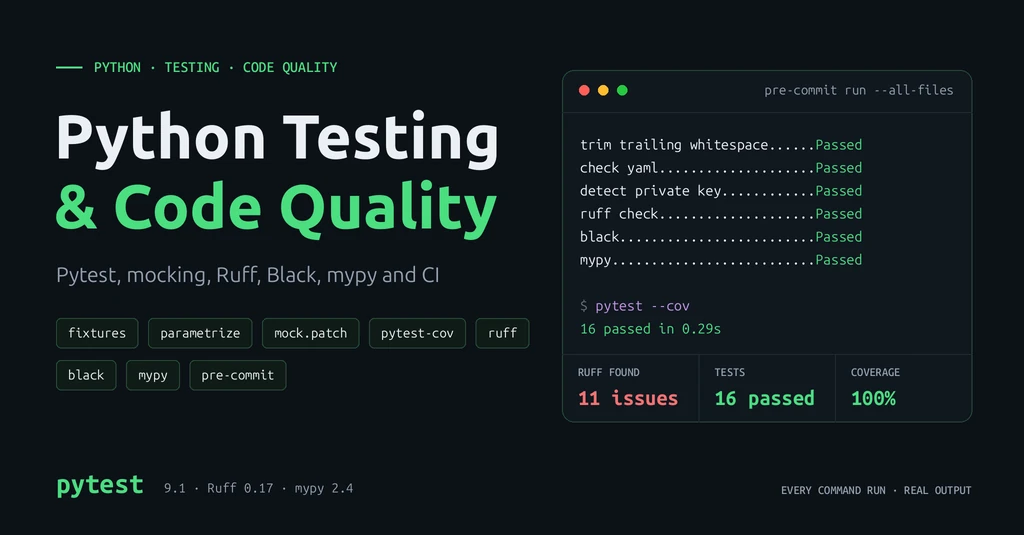
trim trailing whitespace.................................................Passed
fix end of files.........................................................Passed
check yaml...............................................................Passed
check for added large files..............................................Passed
detect private key.......................................................Passed
ruff check...............................................................Passed
black....................................................................Passed
mypy.....................................................................Passed
Then I added an unused import os and tried to commit:
ruff check...............................................................Failed
- hook id: ruff-check
- files were modified by this hook
Found 1 error (1 fixed, 0 remaining).
The commit was blocked and Ruff removed the import. Run git add again and commit. Hooks only see staged files, so they stay fast.
CI/CD with GitHub Actions
Continuous integration (CI) runs your checks on a server for every push and pull request, so nothing broken reaches the main branch. With GitHub Actions, add one file:
# .github/workflows/ci.yml
name: CI

on:
  push:
    branches: [main]
  pull_request:

jobs:
  quality:
    runs-on: ubuntu-latest
    steps:
      - uses: actions/checkout@v7
      - uses: actions/setup-python@v7
        with:
          python-version: "3.12"
          cache: pip
      - run: pip install -r requirements-dev.txt
      - run: ruff check .
      - run: black --check .
      - run: mypy shop

  test:
    runs-on: ubuntu-latest
    strategy:
      matrix:
        python-version: ["3.12", "3.13", "3.14"]
    steps:
      - uses: actions/checkout@v7
      - uses: actions/setup-python@v7
        with:
          python-version: ${{ matrix.python-version }}
          cache: pip
      - run: pip install -r requirements-dev.txt
- run: pytest --cov --cov-report=term-missing- Two jobs run in parallel: code quality, and tests on three Python versions (a matrix).
cache: pipreuses downloaded packages between runs.requirements-dev.txtpins exact tool versions, so CI and your laptop give the same results.- Any failing step (a lint error, or coverage under 90%) marks the run red. Add a branch protection rule on GitHub to require it before merging.
Testing Best Practices
Use meaningful test names
A test name should say what is tested and what should happen. When it fails in CI, the name alone should tell you what broke.
test_calculate_total_rejects_discount_over_100tells you the rule.test_total_2tells you nothing.
Follow Arrange-Act-Assert
Split each test into three parts: Arrange the inputs, Act by calling the code once, Assert the result. The first example in this guide shows the pattern with comments. One behaviour per test keeps failures easy to read.
Test edge cases
The happy path is rarely where bugs hide. Test empty input ([]), zero and boundary values (0, 100, -1, 101), None, rounding, very large values, and error responses from dependencies (the 503 test above).
Keep tests isolated
Each test must pass on its own and in any order. Shared state breaks this:
cart = []  # shared by every test in this file


def test_add_item():
    cart.append("keyboard")
    assert len(cart) == 1


def test_add_second_item():
    cart.append("mouse")
    assert len(cart) == 2  # only passes if test_add_item ran first
Both pass when run together, but pytest test_cart_bad.py::test_add_second_item fails with assert 1 == 2. Create state inside each test or in a fixture instead.
Keep the suite maintainable
- Test behaviour (inputs and outputs), not private implementation details, so refactoring does not break tests.
- Move repeated setup into fixtures; keep the assertions in the test.
- Keep unit tests fast. Mark slow tests and run them separately.
- Fix or delete flaky tests quickly. A suite people do not trust gets ignored.
- When you fix a bug, first write a test that reproduces it.
Common mistakes
- Tests with no
assert, which pass whatever the code does. - Mocking the code under test, so the test only checks the mock.
- Calling real external APIs from unit tests.
- Using
time.sleep()to wait for something; it makes the suite slow and flaky. - Chasing a coverage number instead of testing important behaviour.
Conclusion
A reliable Python project combines four kinds of checks: pytest to prove behaviour, Ruff to catch bad patterns, Black for consistent layout and mypy for type errors. Fixtures, parametrize and mocks keep tests short and fast; integration tests check the pieces work together; coverage shows what is still untested.
Automate everything twice: pre-commit gives each developer feedback in seconds, and GitHub Actions makes sure nothing slips through. Start small: add pytest and Ruff to your current project today, then add the rest one step at a time.