Git for Backend Developers: Commits, Branching, Rebasing and Recovering from Mistakes
Write commits a reviewer can follow, choose between merge and rebase, resolve conflicts with confidence, and recover from almost any mistake.
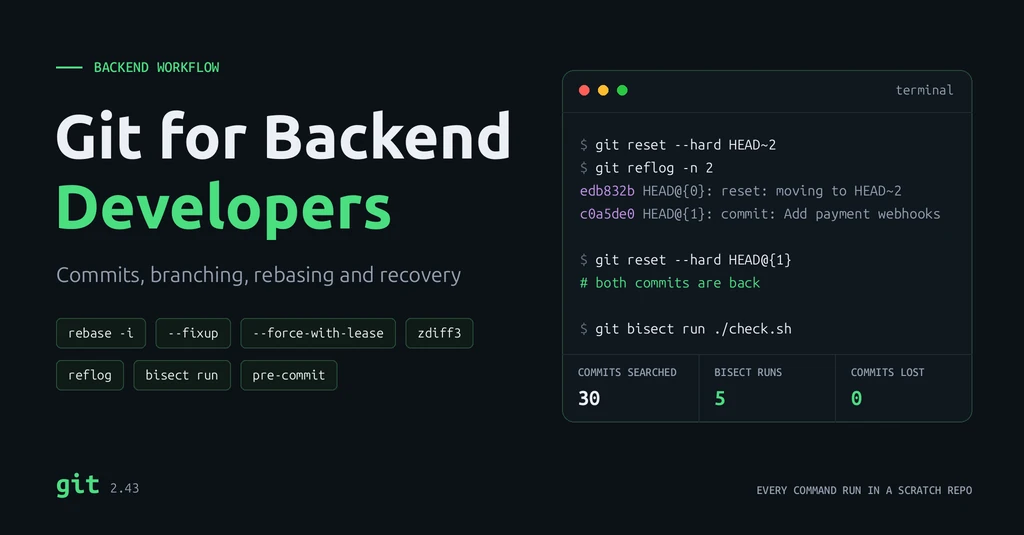
Introduction
Most developers learn enough Git to commit, push and pull, then hit a wall when a rebase goes wrong or a commit seems to vanish. On a backend team that costs real time. Messy history slows review, a bad merge breaks a deploy, and a leaked secret must be rotated everywhere.
This guide covers the Git you use in daily backend work. That means commits and branches a reviewer can follow, merge vs rebase, conflicts and undoing mistakes. It also covers hotfixes and releases, finding the commit that broke something, and keeping secrets out. It ends with a Git cheat sheet you can keep open while you work.
Every command and output below was run on Git 2.43 in a scratch repository. Commit hashes will differ on your machine.
How Git Works in Five Minutes
- A commit is a snapshot of the whole project, plus a message, an author and a pointer to its parent. Diffs are computed when you ask for them.
- A commit's ID is a hash of its content and parent. Change anything, even the message, and you get a new commit with a new ID. That is why rebasing and amending "rewrite history".
- A branch is a movable pointer to one commit, so creating one costs almost nothing.
HEADpoints to the branch you are on. - Work moves through three areas: the working directory (files on disk), the staging area (what the next commit will contain) and the repository (committed history).
working directory  ──git add──▶  staging area  ──git commit──▶  repository
        ◀──git restore──                ◀──git restore --staged──
With this model, git reset is "move a branch pointer" and git rebase is "copy commits onto a new parent". A "lost" commit is usually still in the repository, with nothing pointing to it.
A Sensible Setup
git config --global init.defaultBranch main
git config --global pull.rebase true            # rebase local commits on pull instead of merging
git config --global fetch.prune true            # remove branches deleted on the remote
git config --global push.autoSetupRemote true   # first push of a new branch sets its upstream
git config --global rebase.autoSquash true      # apply fixup! commits automatically
git config --global rebase.updateRefs true      # keep stacked branches in sync during a rebase
git config --global merge.conflictStyle zdiff3  # show the original text in conflicts
git config --global rerere.enabled true         # remember how you resolved a conflict
git config --global alias.lg "log --oneline --graph --decorate --all"
Keep editor and OS clutter (.idea/, .vscode/, .DS_Store) in a global ignore file, so each project's .gitignore only lists what the project creates: __pycache__/, .venv/, .env.
Writing Good Commits
A commit is a unit that a reviewer reads, a deploy can roll back, and git bisect can test. So:
- One logical change per commit. A migration, the model change it needs and its tests belong together; an unrelated formatting fix does not.
- Every commit builds and passes tests, so any point in history can be checked out and trusted.
- The message explains why. The diff already shows what.
Split mixed changes with git add -p
Here cart.py holds a real fix and a debug print you do not want to commit. git add -p shows each hunk and asks y (stage) or n (skip):
$ git add -p cart.py          # y for the fix, n for the debug print
$ git diff --cached --stat     # staged: the fix
 cart.py | 2 +-
 1 file changed, 1 insertion(+), 1 deletion(-)
$ git diff --stat              # not staged: the debug lines
 cart.py | 2 ++
 1 file changed, 2 insertions(+)
One messy afternoon becomes clean commits, and debug code never reaches review.
A message format that works
Add retry with backoff to payment client

The provider returns 503 during its nightly maintenance window,
which failed checkouts. Retry idempotent calls up to three times
with exponential backoff; non-idempotent calls still fail fast.

Refs: PAY-214
- Summary in the imperative mood ("Add", "Fix"), around 50 characters, 72 at most.
- Blank line, then a body explaining the problem and the reasoning, wrapped at about 72 characters.
- A ticket reference if your team uses one. Conventional Commits prefixes (
feat:,fix:) help if you generate changelogs.
Branching Strategies
| Strategy | How it works | Fits | Trade-off |
|---|---|---|---|
| Trunk-based | Branches live hours to a couple of days and merge into main; unfinished features hide behind flags | Continuous deployment with strong CI | Needs good tests and flag discipline |
| GitHub Flow | Branch from main, pull request, review, merge, deploy main | Most web services and small teams | One production line, no release branches |
| GitFlow | Long-lived main and develop, plus feature, release and hotfix branches | Versioned releases, several supported versions, QA gates | More branches and merges, slower feedback |
For a backend service that deploys often, GitHub Flow or trunk-based development keeps things simple. GitFlow earns its overhead with versioned releases; its author added a note in 2020 recommending simpler workflows for continuously delivered software.
Whatever the strategy: name branches by type and purpose (feature/PAY-214-payment-retry), keep them short-lived, protect main with required reviews and CI, and delete branches after merging.
Merge vs Rebase
Your feature branch has two commits, and someone pushed "Fix settings" to main. Merge joins the two lines with a new commit and changes nothing existing:
*   Merge branch 'main' into merge-demo
|\
| * Fix settings
* | Test orders endpoint
* | Add orders endpoint
|/
* Add app
Rebase replays your commits on top of the new main. History is a straight line, but your commits are new copies with new IDs:
* Test orders endpoint
* Add orders endpoint
* Fix settings
* Add app
git switch feature/orders
git fetch origin
git rebase origin/main          # or: git merge origin/main
Rebase gives a readable history and simpler bisects. Merge preserves exactly what happened. A common team rule: rebase your own branch to stay current, merge it into main through the pull request.
For the pull request itself, squash and merge turns the branch into one commit, which is clean and easy to revert but loses the individual commits. Merge commit or rebase and merge keep them, which is worth it when each commit is already meaningful.
Clean up history before review
Review comments lead to small fixes for earlier commits. Attach each fix to the commit it belongs to with --fixup, then let an autosquash rebase fold it in:
git add models.py
git commit --fixup=<sha-of-"Add order model">
git rebase -i --autosquash origin/main
Before After fixup! Add order model Add order view Add order view Add order serializer Add order serializer Add order model Add order model
Interactive rebase can also reorder, reword, split or drop commits. For the latest commit only, git commit --amend adds staged changes or edits the message.
Resolving Conflicts
main lowered a timeout to 10 while a feature branch raised it to 60. With merge.conflictStyle zdiff3, Git also shows the original value between the two sides:
<<<<<<< HEAD
TIMEOUT = 10
||||||| af76355
TIMEOUT = 30
=======
TIMEOUT = 60
>>>>>>> feature/timeout
RETRIES = 3
Knowing it started at 30 tells you both sides changed it deliberately, in opposite directions. That is a conversation with the other developer, not a coin toss. To resolve:
- Edit the file to the correct final content and remove the markers.
- Run the tests; a clean textual merge can still be a broken program.
git addthe file, thengit commit(merge) orgit rebase --continue(rebase).
git merge --abort or git rebase --abort returns you to where you started. With rerere.enabled, Git replays a resolution it has seen before, which helps when rebasing a long branch repeatedly.
Undoing Mistakes
| Situation | Command | Effect |
|---|---|---|
| Discard uncommitted changes to a file | git restore app.py | File matches the last commit; changes are gone |
| Unstage a file, keep the changes | git restore --staged app.py | Removed from the next commit only |
| Bring back a file from an older commit | git restore --source=HEAD~1 app.py | Old version in the working directory, ready to commit |
| Fix the last commit | git commit --amend | Replaces the last commit |
| Undo local commits, keep changes staged | git reset --soft HEAD~1 | Branch moves back; files untouched |
| Undo local commits, keep changes unstaged | git reset HEAD~1 | The default --mixed mode |
| Throw away local commits and changes | git reset --hard HEAD~1 | Branch and files move back |
| Undo a commit that is already pushed | git revert <sha> | New commit that reverses it |
Rewrite only local history; revert shared history. reset and --amend change commit IDs and break everyone who already pulled them. revert adds a commit, so it is safe on main:
Revert "Round tax to two decimals"
Round tax to two decimals
Add tax calculation
When only one file is wrong, restore it from an earlier commit instead of reverting everything. A timeout was lowered from 30 to 5 and needs to go back:
$ git restore --source=HEAD~1 settings.py
$ cat settings.py
TIMEOUT = 30
$ git status --short
 M settings.py
Recover "lost" commits with the reflog
Git records every position HEAD has been in. Here git reset --hard HEAD~2 appeared to delete two commits:
$ git log --oneline
edb832b Add payment client

$ git reflog -n 4
edb832b HEAD@{0}: reset: moving to HEAD~2
c0a5de0 HEAD@{1}: commit: Add payment webhooks
c4ad21c HEAD@{2}: commit: Add retry to payment client
edb832b HEAD@{3}: commit (initial): Add payment client

$ git reset --hard HEAD@{1}
$ git log --oneline
c0a5de0 Add payment webhooks
c4ad21c Add retry to payment client
edb832b Add payment client
The same works after a botched rebase: find the entry before it started, then reset to it or run git branch rescue HEAD@{5}. Unreachable reflog entries expire after 30 days by default. The reflog cannot recover changes that were never committed or stashed, which is the real danger of reset --hard.
Remove untracked files safely with git clean
git clean deletes untracked files, and they are not in the reflog either. Always dry-run with -n first. Each flag widens what it touches:
$ git clean -n                 # untracked files only
Would remove debug.log

$ git clean -nd                # plus untracked directories
Would remove build/
Would remove debug.log

$ git clean -ndx               # plus ignored files
Would remove .env
Would remove __pycache__/
Would remove build/
Would remove debug.log
Note the last one: -x removes ignored files, including your .env. Use git clean -fd for build output and reserve -x for when you really want a pristine checkout.
Everyday Scenarios
Switch context with stash
You are halfway through a feature when an urgent bug comes in. Stash the work with a name, fix the bug, then bring it back:
$ git stash push -m "wip: partial refunds"
Saved working directory and index state On main: wip: partial refunds
$ git stash list
stash@{0}: On main: wip: partial refunds
$ git stash pop
...
	modified:   refunds.py
...
Dropped refs/stash@{0} (5dabebf48500ca6e97373191c1be145cb89bb1ec)
Name every stash; a list of anonymous "WIP on main" entries is hard to trust a week later. Add -u to include untracked files.
Work on two branches at once with worktree
For anything longer than a quick fix, a worktree checks out a second branch in another folder, sharing the same repository. Your feature branch stays exactly as it was:
$ git worktree add ../hotfix main
Preparing worktree (checking out 'main')
HEAD is now at 9a35071 Add app
$ git worktree list
~/code/repo    9a35071 [feature/refunds]
~/code/hotfix  9a35071 [main]
Run tests in one folder while you keep coding in the other. Remove it with git worktree remove ../hotfix when done.
Backport a hotfix with cherry-pick
A tax bug is fixed on main, but production runs the release/1.4 branch, which must not get unreleased features. Cherry-pick copies just the fix:
$ git switch release/1.4
$ git cherry-pick -x d4c9c79
[release/1.4 b6cf7ad] Fix tax rounding on refunds
 Date: Thu Oct 15 10:00:00 2026 +0530
 1 file changed, 1 insertion(+)
 create mode 100644 tax.py

$ git log -1 --format='%s%n%b'
Fix tax rounding on refunds
(cherry picked from commit d4c9c79e5b9ab616ca87f270a4b43e8a44eef228)
-x records where the commit came from, so anyone reading the release branch can trace the fix back to main.
Tag releases
An annotated tag marks the exact commit that shipped and stores who tagged it and when. git describe then names any later commit relative to it:
$ git tag -a v1.4.0 -m "Release 1.4.0"
# ...two more commits later
$ git describe --tags
v1.4.0-2-g9c1e870
That reads "two commits after v1.4.0, at commit 9c1e870", which makes a useful version string for logs and error reports. Tags are not pushed by default; push each one with git push origin v1.4.0.
Investigating History: log -S and bisect
To find when a function appeared or disappeared, search the content of every commit's changes with git log -S:
$ git log -S "calculate_tax" --oneline
669f647 Rename tax helper
c67036e Add tax calculation
Only commits that added or removed that string are listed; the unrelated commit in between is skipped. git blame -w -C app.py answers the line-level question, ignoring whitespace and following code moved between files.
When a test that passed last week fails today, git bisect binary-searches the commits in between. If a command can tell good from bad (exit code 0 is good), Git runs the whole search:
git bisect start HEAD HEAD~30          # bad commit first, then a known good one
git bisect run ./check.sh
git bisect reset                       # return to where you started
#!/bin/sh
# check.sh
python3 -c "from cart import total; assert total([10, 20, 30]) == 60"a8e3c52d796e10faf8c2a953b3ecbfc958981462 is the first bad commit
commit a8e3c52d796e10faf8c2a953b3ecbfc958981462
Author: Riyas A C <dev@example.com>
Date: Thu Oct 15 10:00:00 2026 +0530
Refactor cart total
Git found the bad commit among 30 in 5 test runs; for 1,000 commits it would take about 10. In a real project the check is usually one test, such as git bisect run pytest tests/test_cart.py -x. Small, buildable commits make the answer a 10-line change instead of a 2,000-line one.
Keeping Secrets Out with Hooks
A secret committed once stays in history even after a later commit deletes it, and every clone has it. Read secrets from the environment and keep local values in a .env listed in .gitignore. Commit a .env.example with placeholders, and enable secret scanning and push protection on your Git host.
A Git hook is a script in .git/hooks/; a non-zero exit stops the action. This pre-commit hook blocks staged lines that look like an AWS key, a hard-coded Django SECRET_KEY or a private key:
#!/bin/sh
# .git/hooks/pre-commit: block staged lines that look like hard-coded secrets
pattern='AKIA[0-9A-Z]{16}|SECRET_KEY *= *"|PRIVATE KEY-----'

if git diff --cached -U0 | grep -E "^\+.*($pattern)" >/dev/null; then
    echo "pre-commit: possible secret in staged changes, commit blocked" >&2
    exit 1
fi
$ git commit -m "Add settings" # SECRET_KEY = "django-insecure-abc123" pre-commit: possible secret in staged changes, commit blocked $ git commit -m "Add settings" # SECRET_KEY = os.environ["SECRET_KEY"] [main (root-commit) 43ae2e8] Add settings 1 file changed, 1 insertion(+)
Hooks in .git/hooks/ are not shared through the repository, and --no-verify skips them. For a team, use the pre-commit framework with a committed config and a maintained scanner such as Gitleaks or detect-secrets. Run the same checks in CI.
If a secret reaches a remote, rotate it immediately. Rewriting history is cleanup, not a fix; the value may already be in clones, forks and CI logs. My post on API fundamentals covers where secrets should live instead.
Git Cheat Sheet
The commands from this guide, grouped by task.
Start and configure
| Command | What it does |
|---|---|
git init | Create a repository in the current folder |
git clone <url> | Copy a remote repository |
git config --global user.name "Name" | Set your identity (also user.email) |
git config --global --list | Show your global settings |
Stage and commit
| Command | What it does |
|---|---|
git status -s | Short status of changed files |
git diff / git diff --cached | Unstaged / staged changes |
git add <file> | Stage a file |
git add -p | Stage hunk by hunk |
git commit -m "Message" | Commit staged changes |
git commit --amend | Change the last commit (local only) |
git commit --fixup=<sha> | Mark a fix for an earlier commit |
Branches
| Command | What it does |
|---|---|
git branch | List local branches (-a includes remote) |
git switch -c feature/x | Create and switch to a branch |
git switch main | Switch branch |
git branch -d feature/x | Delete a merged branch (-D forces) |
git merge feature/x | Merge a branch into the current one |
git rebase origin/main | Replay your commits on top of main |
git rebase -i --autosquash origin/main | Edit, reorder and squash your commits |
git cherry-pick -x <sha> | Copy one commit onto the current branch |
Sync with a remote
| Command | What it does |
|---|---|
git fetch origin | Download remote changes without touching your branch |
git pull | Fetch, then rebase or merge into your branch |
git push | Upload your commits |
git push --force-with-lease | Safe force-push after a rebase of your own branch |
git push origin --delete feature/x | Delete a remote branch |
Inspect history
| Command | What it does |
|---|---|
git log --oneline --graph --all | Compact history with branch structure |
git log -p app.py | Every change to one file |
git log -S "text" | Commits that added or removed a string |
git show <sha> | One commit's message and diff |
git blame -w -C app.py | Who last changed each line |
git bisect run ./check.sh | Find the commit that broke a check |
Undo and clean up
| Command | What it does |
|---|---|
git restore app.py | Discard uncommitted changes to a file |
git restore --staged app.py | Unstage, keep changes |
git restore --source=<sha> app.py | Bring back a file from an older commit |
git reset --soft HEAD~1 | Undo the last commit, keep changes staged |
git reset --hard HEAD~1 | Undo the last commit and its changes |
git revert <sha> | Reverse a pushed commit with a new one |
git reflog | Every position HEAD has been in |
git clean -n | Preview which untracked files would be deleted |
git clean -fd | Delete untracked files and directories |
git merge --abort / git rebase --abort | Cancel a merge or rebase in progress |
Stash, worktrees and tags
| Command | What it does |
|---|---|
git stash push -m "msg" | Shelve uncommitted changes (-u includes untracked) |
git stash list / git stash pop | List stashes / restore the latest |
git worktree add ../dir main | Check out another branch in a second folder |
git tag -a v1.4.0 -m "msg" | Create an annotated release tag |
git push origin v1.4.0 | Push a tag |
git describe --tags | Name the current commit relative to the latest tag |
Common Git Mistakes
- Force-pushing a shared branch, or using
--forceinstead of--force-with-leaseon your own. - Rebasing commits others have pulled, so the same changes appear twice in their history.
- Huge commits mixing unrelated changes, which are hard to review, revert or bisect.
- Long-lived branches that drift for weeks and end in a painful merge.
- Committing generated files, virtual environments or
.env. Set up.gitignoreon day one. - Resolving conflicts without running tests.
git reset --hardorgit clean -xwith uncommitted work, the losses the reflog cannot undo.
Conclusion
Git rewards a small mental model. Commits are snapshots, branches are pointers, and history is lost only when nothing points to it and the reflog expires. The rules follow from it. Make small commits that explain why. Rebase your own work, merge shared work, and revert rather than rewrite anything pushed. Bisect finds what broke; the reflog finds what seems lost.
Frequently Asked Questions
What is the difference between git merge and git rebase?
Merge joins two branches with a new merge commit and leaves existing commits unchanged. Rebase replays your commits on top of another branch, producing a linear history with new commit IDs. Rebase your own unshared branches; merge shared ones.
How do I undo a pushed commit?
Use git revert <sha>. It creates a new commit that reverses the change, so nobody else's history breaks. Avoid git reset plus a force-push on shared branches.
Can I recover a commit after git reset --hard?
Usually. Run git reflog, find the commit, and reset to it or create a branch there. Unreachable entries expire after 30 days by default. Uncommitted changes discarded by the reset cannot be recovered this way.
What does git clean do?
It deletes untracked files from the working directory. -d includes directories and -x includes ignored files such as .env. Deleted files are not recoverable through Git, so run git clean -n first to preview.
Which branching strategy should a backend team use?
For services that deploy continuously, GitHub Flow or trunk-based development: short-lived branches merged into main after review and CI. Use GitFlow when you ship versioned releases or support several versions at once.
References
- Pro Git book
- git rebase documentation, including --autosquash and --update-refs
- git reflog documentation
- git bisect documentation
- git clean documentation
- git worktree documentation
- githooks documentation
- git config reference
- A successful Git branching model (GitFlow), with its 2020 note
- Conventional Commits
- pre-commit framework